
seradesufe - Minecraft Skins & Skin History
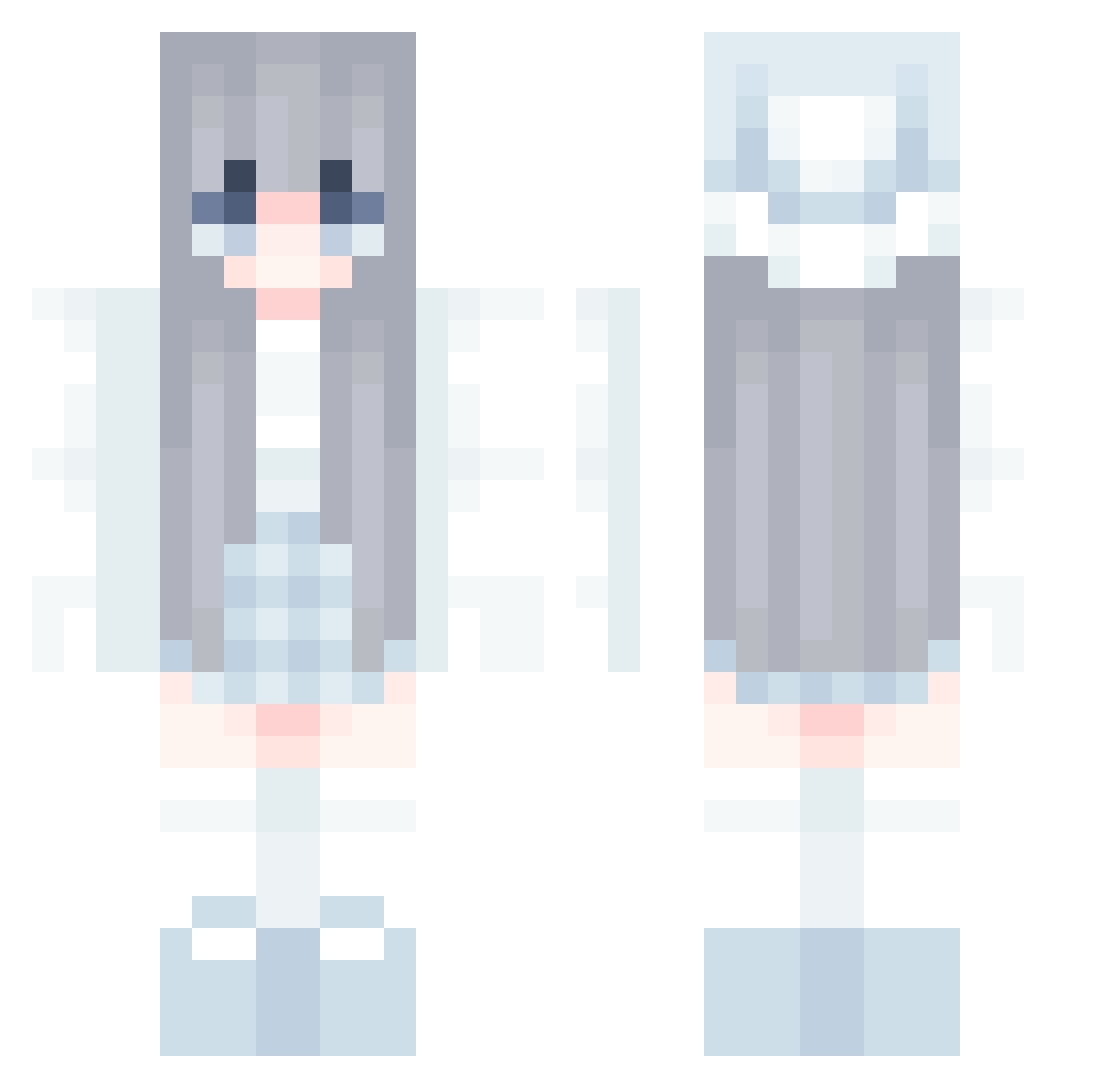
Current Minecraft skin of the player seradesufe, loaded from the official Mojang API. Rotate the 3D model with your mouse or finger, then download the skin as a PNG file and use it in Minecraft: Bedrock Edition or Java Edition for free. When seradesufe changes their skin, this page updates automatically and the old skin stays in the history below.
Other players with this skin (858)
seradesufe was the 146th player we have seen with this skin, first spotted on 13.08.2026. The same skin was seen on these players. Open a nickname to see their current skin and skin history.
 aseelmoon Mangsa8 Saonv_wart reukqnl LE_U1RC arelberr BiYuu_ Hmoon25 PaoloBM YANXI20 Zero_324 chlorixe hinicoole QHY7856 bco0p75 Miomowa ck6cjo6 cettmw yuquan0125 LaDilettante09 HowLuckyYouAre cybercat2012 ItsAllmight s_ronta XxP1UT0xX Hazhune PronessEL Questioners Dracofire247 imnameim0126 AZlocalTW Katy_X carefor LOVESNOW1106 Noir0919 MirageLink KeiFrost beaqu AdaTAT HuenHuenbb doarang rzh2 L_LLLLL Dawn_Stars kkele GH_BlueRiver Xzw1 cuteyour Cho_A_ isy1130 Aleggo bangerandy FormidableW resda00 chiyu0_nly saaachan
 Amamiya_Iris olivias5 TalasV2
 AikaMeii
More Aesthetic Minecraft skins
How to install the seradesufe skin
- Press the Download button above to save the skin as a PNG file.
- Minecraft: Bedrock Edition (PE): open the Dressing Room from the main menu (or tap your character → Edit Character), go to Classic Skins → Owned, press the + (new skin) button, choose the downloaded PNG and pick the Classic (Steve) model. Works on PC and mobile; consoles cannot import custom skins.
- Minecraft: Java Edition: open the Minecraft Launcher, go to the Skins tab, click New Skin, load the PNG, pick the Classic (Steve) model and press Save & Use. You can also upload it at minecraft.net → Profile → Change Skin.
The skin does not show up after import - what should I do?
Restart Minecraft and open the Dressing Room again - imported skins sometimes appear only after a restart. Also make sure you selected the imported skin and picked the Classic (Steve) model.
Which model should I choose, Classic or Slim?
This skin is designed for the Classic (Steve) model. If you pick the wrong model, the arms of the skin will look stretched or squeezed.
Is the skin of seradesufe free to download?
Yes. Press Download, save the PNG file and use it in Minecraft: Bedrock Edition or Java Edition - no payment or registration needed. The skin also works on multiplayer servers and Realms.
More skins
Looking for more? Go back to all Minecraft skins and check the top skins of the week, month and all time, or find any player's skin by nickname.