
schweitzer15 - Minecraft Skins & Skin History
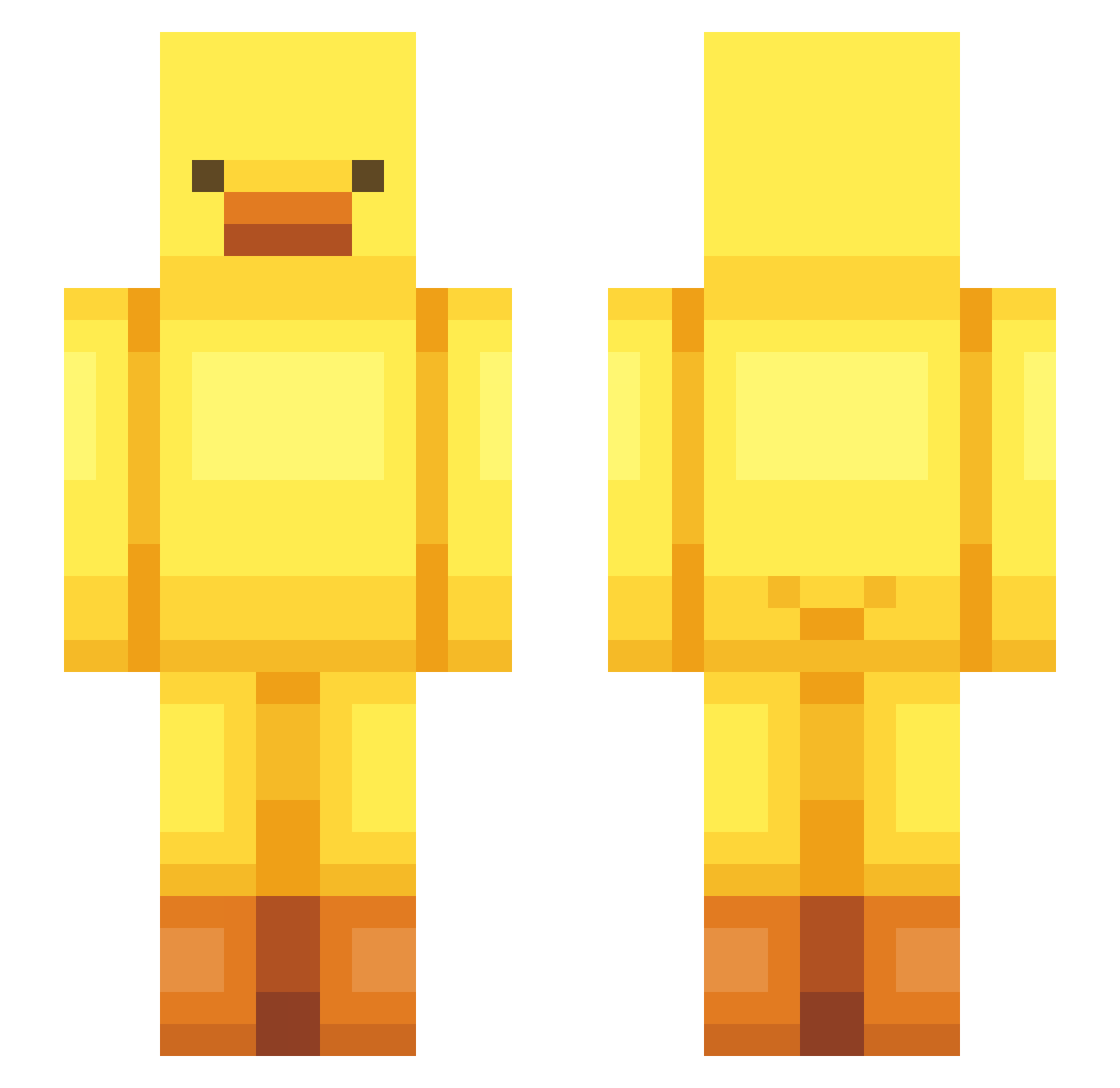
Current Minecraft skin of the player schweitzer15, loaded from the official Mojang API. Rotate the 3D model with your mouse or finger, then download the skin as a PNG file and use it in Minecraft: Bedrock Edition or Java Edition for free. When schweitzer15 changes their skin, this page updates automatically and the old skin stays in the history below.
Other players with this skin (600)
schweitzer15 was the 556th player we have seen with this skin, first spotted on 11.11.2026. The same skin was seen on these players. Open a nickname to see their current skin and skin history.
 Ahsyla5 vengerSC mugi2046 KAESER497 Raymond_1 kym0000 kain4328 GyuAh_ fupupoo jungu0707 TINYTEALE Hwallo Guessssst geoncong utile08 kadealan Benekia zedislame hwayull hyunananan incurve87 Metregnome dltkdals10 Swipathefoxx 22MAYOLEE Sirganty Leviticus72 mogtagseunim Coenemans12 sudoku1101 nikoladynn na0m_l Salieri1126 ssgiyo ProstoFabik megamoose1216 ADjr ilGIULLO suupoong san_gun_c ckghdus Drawleon_ Yugyugs Piquacket motofighter Maccha_0_0 Maxemek Serios4427 requ1Re CcorshIA BUGGERLOVER BearBrom Szimbeq1 Hynatsu dainni2 SOooYUNnn hastamoon vilivnchan Kasaminek thegreatsupy
More Bird Minecraft skins
How to install the schweitzer15 skin
- Press the Download button above to save the skin as a PNG file.
- Minecraft: Bedrock Edition (PE): open the Dressing Room from the main menu (or tap your character → Edit Character), go to Classic Skins → Owned, press the + (new skin) button, choose the downloaded PNG and pick the Slim (Alex) model. Works on PC and mobile; consoles cannot import custom skins.
- Minecraft: Java Edition: open the Minecraft Launcher, go to the Skins tab, click New Skin, load the PNG, pick the Slim (Alex) model and press Save & Use. You can also upload it at minecraft.net → Profile → Change Skin.
The skin does not show up after import - what should I do?
Restart Minecraft and open the Dressing Room again - imported skins sometimes appear only after a restart. Also make sure you selected the imported skin and picked the Slim (Alex) model.
Which model should I choose, Classic or Slim?
This skin is designed for the Slim (Alex) model. If you pick the wrong model, the arms of the skin will look stretched or squeezed.
Is the skin of schweitzer15 free to download?
Yes. Press Download, save the PNG file and use it in Minecraft: Bedrock Edition or Java Edition - no payment or registration needed. The skin also works on multiplayer servers and Realms.
More skins
Looking for more? Go back to all Minecraft skins and check the top skins of the week, month and all time, or find any player's skin by nickname.