
schindamo - Minecraft Skins & Skin History
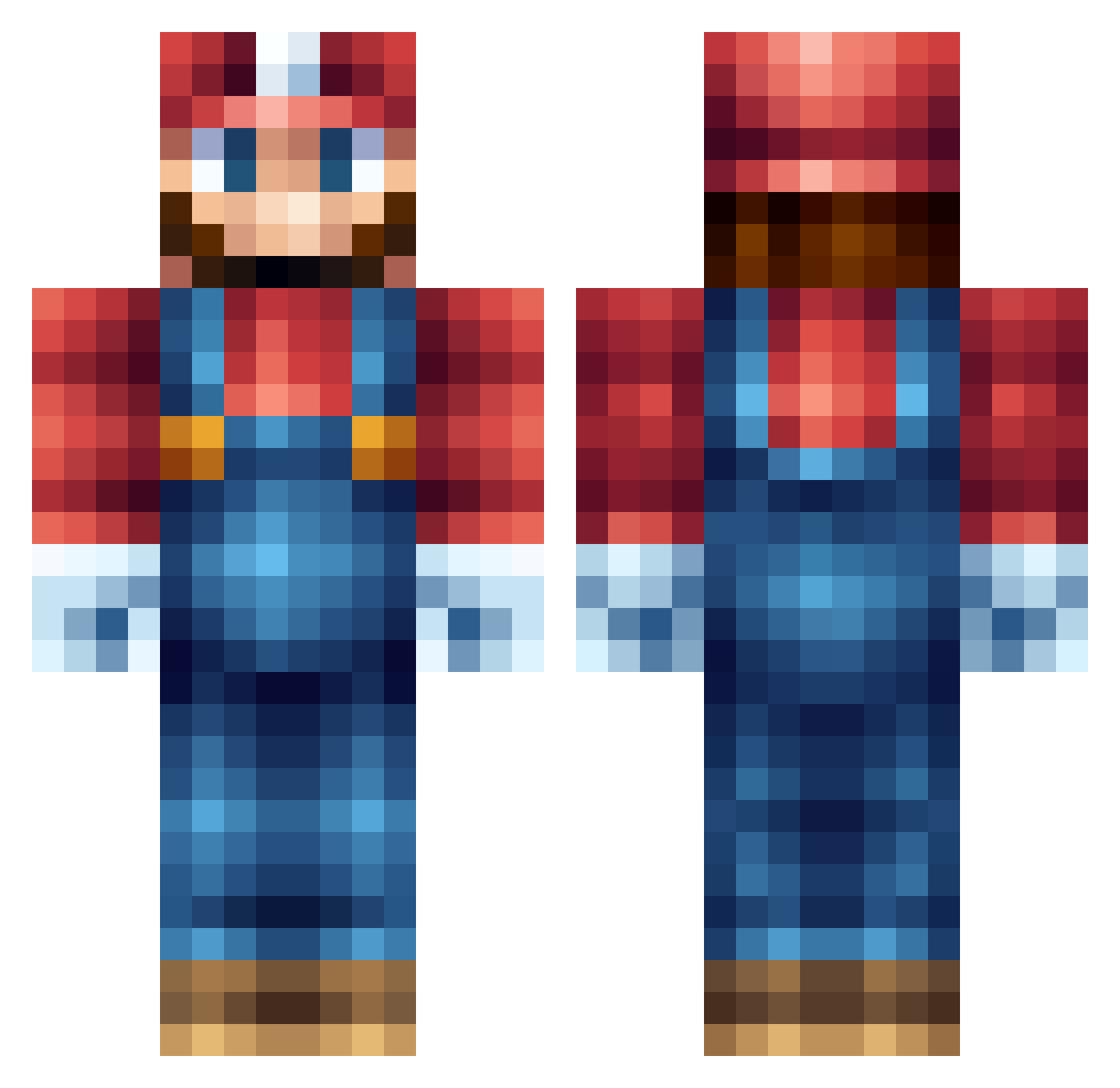
Current Minecraft skin of the player schindamo, loaded from the official Mojang API. Rotate the 3D model with your mouse or finger, then download the skin as a PNG file and use it in Minecraft: Bedrock Edition or Java Edition for free. When schindamo changes their skin, this page updates automatically and the old skin stays in the history below.
Other players with this skin (556)
schindamo was the 311th player we have seen with this skin, first spotted on 26.09.2026. The same skin was seen on these players. Open a nickname to see their current skin and skin history.
 kungfusponge UnholyMartz GodlessGirl_91 Purrplex ChibiHaniwa Articircle AlsoRoe Dadush21 kabuboi lexardig Yavannar Sir_Matty Mooksterx cheezed1 Evilninja2 birdguy333 EazeyEz JeffErt94 epiccheesewiz eZah1988 Crakfarts Uggla_Dani Ghildard RoDxXK1ngXx wisey_98 stampysflag madrazo1 boneheadlary Swordman021017 JakoNintenCraft WilliamP04 Bradzer02 UnicornTearsDK Ryan_Wilko Redman420 RayGamingFPS KristofferWM2 thebballplayer Fandumahtz djvic2025 frezzar PJancsar SuperHiller campingGma RedxSkin Dasischminame Jacob0117 Hydroman400 Megacopy Simsf nonelite2001 TricCrafters EllaCampbell GameOn538 lithopedion Fidjcho kazucats King_Tinkle claire7475 BooginsMcSwag
More Nintendo Minecraft skins
How to install the schindamo skin
- Press the Download button above to save the skin as a PNG file.
- Minecraft: Bedrock Edition (PE): open the Dressing Room from the main menu (or tap your character → Edit Character), go to Classic Skins → Owned, press the + (new skin) button, choose the downloaded PNG and pick the Classic (Steve) model. Works on PC and mobile; consoles cannot import custom skins.
- Minecraft: Java Edition: open the Minecraft Launcher, go to the Skins tab, click New Skin, load the PNG, pick the Classic (Steve) model and press Save & Use. You can also upload it at minecraft.net → Profile → Change Skin.
The skin does not show up after import - what should I do?
Restart Minecraft and open the Dressing Room again - imported skins sometimes appear only after a restart. Also make sure you selected the imported skin and picked the Classic (Steve) model.
Which model should I choose, Classic or Slim?
This skin is designed for the Classic (Steve) model. If you pick the wrong model, the arms of the skin will look stretched or squeezed.
Is the skin of schindamo free to download?
Yes. Press Download, save the PNG file and use it in Minecraft: Bedrock Edition or Java Edition - no payment or registration needed. The skin also works on multiplayer servers and Realms.
More skins
Looking for more? Go back to all Minecraft skins and check the top skins of the week, month and all time, or find any player's skin by nickname.