
sc0rth_7 - Minecraft Skins & Skin History
Current Minecraft skin of the player sc0rth_7, loaded from the official Mojang API. Rotate the 3D model with your mouse or finger, then download the skin as a PNG file and use it in Minecraft: Bedrock Edition or Java Edition for free. When sc0rth_7 changes their skin, this page updates automatically and the old skin stays in the history below.
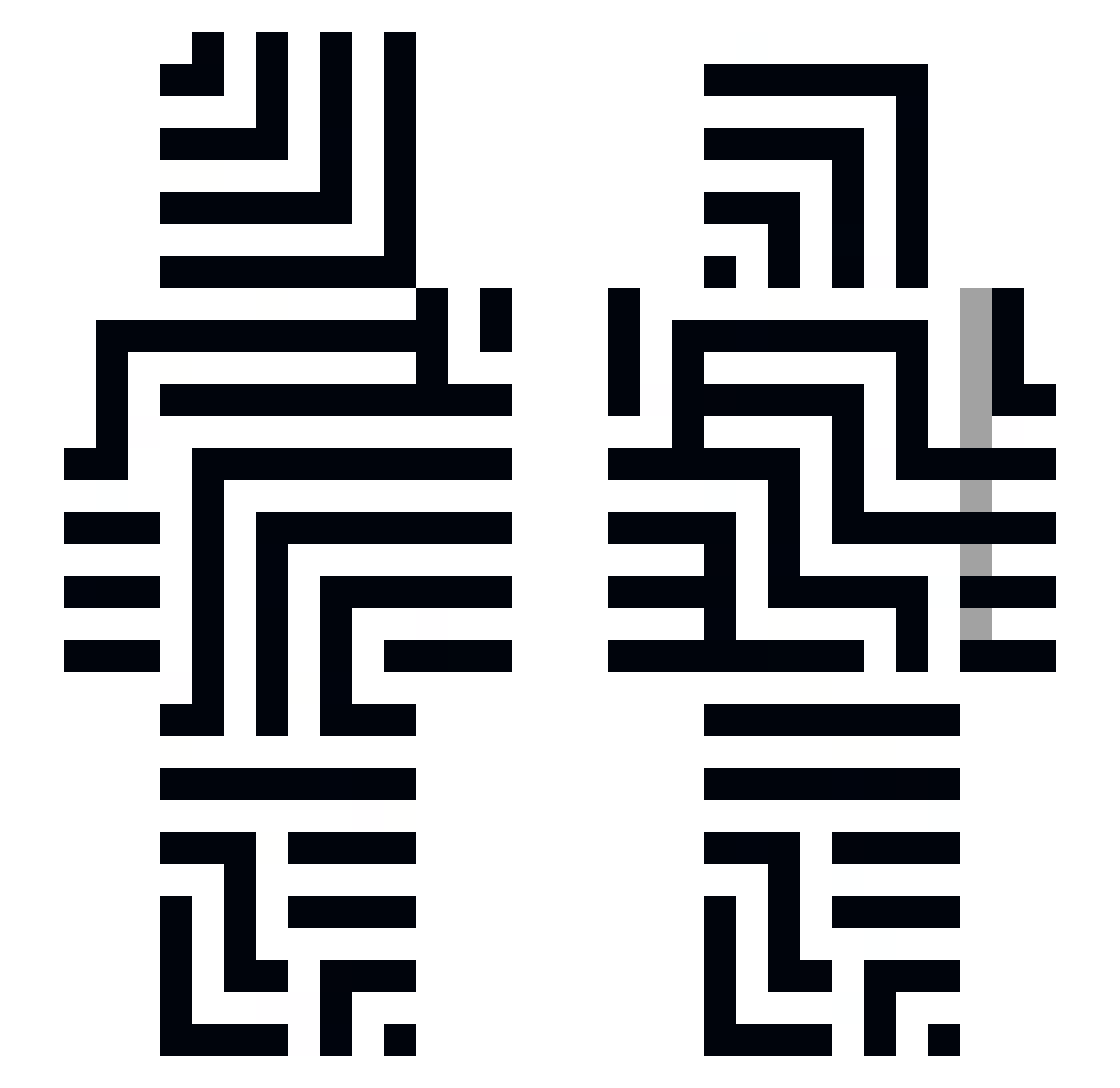
Other players with this skin (155)
sc0rth_7 was the 65th player we have seen with this skin, first spotted on 08.09.2026. The same skin was seen on these players. Open a nickname to see their current skin and skin history.
 Nrfx Cerdant negativeStimmung Raiyan_Air Irond4 nicksteren69 Rinniscent YourOldNinja Tadeolol elxoot ElPsyWizzy M4R71X MrHo0421 vxrey Policek22 Slippings __40rt
 Yenkyz Ethc1ever DoWKi_3206 ExellISDUMB steezyBEEZY8 KartoPrime Djcoombe3 JacoCrafter akainu49 Brawler245 Memeziak ezteus CharlieSamosa alcetro kryzlec t1nxw Whisper177 Drafter10 zPaozin
 perunlol Skellext rgoammabnler AryanOnTop jobendev Goyz4Israel Daskooo sdd7 Grixzz harzForLife nedyaj06 dranik136 TacoNoC JIN1951 ShapedShape MILLOON Biznesmen2137 Dwiingeloo BagasDouradas Mirkovich007 creeper_quinn1 _Felix076104_ UlgrathWurmSlaya
 Fallen_Mask101
How to install the sc0rth_7 skin
- Press the Download button above to save the skin as a PNG file.
- Minecraft: Bedrock Edition (PE): open the Dressing Room from the main menu (or tap your character → Edit Character), go to Classic Skins → Owned, press the + (new skin) button, choose the downloaded PNG and pick the Slim (Alex) model. Works on PC and mobile; consoles cannot import custom skins.
- Minecraft: Java Edition: open the Minecraft Launcher, go to the Skins tab, click New Skin, load the PNG, pick the Slim (Alex) model and press Save & Use. You can also upload it at minecraft.net → Profile → Change Skin.
The skin does not show up after import - what should I do?
Restart Minecraft and open the Dressing Room again - imported skins sometimes appear only after a restart. Also make sure you selected the imported skin and picked the Slim (Alex) model.
Which model should I choose, Classic or Slim?
This skin is designed for the Slim (Alex) model. If you pick the wrong model, the arms of the skin will look stretched or squeezed.
Is the skin of sc0rth_7 free to download?
Yes. Press Download, save the PNG file and use it in Minecraft: Bedrock Edition or Java Edition - no payment or registration needed. The skin also works on multiplayer servers and Realms.
More skins
Looking for more? Go back to all Minecraft skins and check the top skins of the week, month and all time, or find any player's skin by nickname.