
Skellext - Minecraft Skins & Skin History
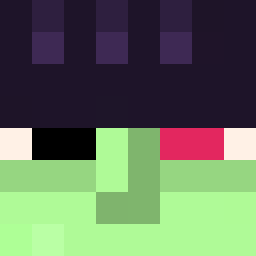
Current Minecraft skin of the player Skellext, loaded from the official Mojang API. Rotate the 3D model with your mouse or finger, then download the skin as a PNG file and use it in Minecraft: Bedrock Edition or Java Edition for free. When Skellext changes their skin, this page updates automatically and the old skin stays in the history below.
Other players with this skin (155)
Skellext was the 83rd player we have seen with this skin, first spotted on 20.09.2026. The same skin was seen on these players. Open a nickname to see their current skin and skin history.
 rgoammabnler zPaozin Whisper177 AryanOnTop ezteus Memeziak Grixzz Brawler245 harzForLife TacoNoC akainu49 Djcoombe3 ExellISDUMB Biznesmen2137 Dwiingeloo DoWKi_3206
 Yenkyz _Felix076104_ _Alien_BR C6di President_Noob MAZUTA42 Gavn_L Ask_qyopy_04_27 Focusaire elxoot YourOldNinja NOCpro0 Didyoupraytoday7 moonoam XpROgaMeR67Oskar Hubert794 Yil1on Irond4 China_WuMoMo Raiyan_Air negativeStimmung Cerdant Nrfx sc0rth_7 russouRadiou umphetico Ironic67 permadose pxffy_ nicksteren69 johnnycake11 Rinniscent Tadeolol sollination llythium ElPsyWizzy darialove M4R71X MrHo0421 vxrey Policek22 Lemon_Pancakess Budkeiserjr13 L1NKERRR29
How to install the Skellext skin
- Press the Download button above to save the skin as a PNG file.
- Minecraft: Bedrock Edition (PE): open the Dressing Room from the main menu (or tap your character → Edit Character), go to Classic Skins → Owned, press the + (new skin) button, choose the downloaded PNG and pick the Slim (Alex) model. Works on PC and mobile; consoles cannot import custom skins.
- Minecraft: Java Edition: open the Minecraft Launcher, go to the Skins tab, click New Skin, load the PNG, pick the Slim (Alex) model and press Save & Use. You can also upload it at minecraft.net → Profile → Change Skin.
The skin does not show up after import - what should I do?
Restart Minecraft and open the Dressing Room again - imported skins sometimes appear only after a restart. Also make sure you selected the imported skin and picked the Slim (Alex) model.
Which model should I choose, Classic or Slim?
This skin is designed for the Slim (Alex) model. If you pick the wrong model, the arms of the skin will look stretched or squeezed.
Is the skin of Skellext free to download?
Yes. Press Download, save the PNG file and use it in Minecraft: Bedrock Edition or Java Edition - no payment or registration needed. The skin also works on multiplayer servers and Realms.
More skins
Looking for more? Go back to all Minecraft skins and check the top skins of the week, month and all time, or find any player's skin by nickname.