
sazamana - Minecraft Skins & Skin History
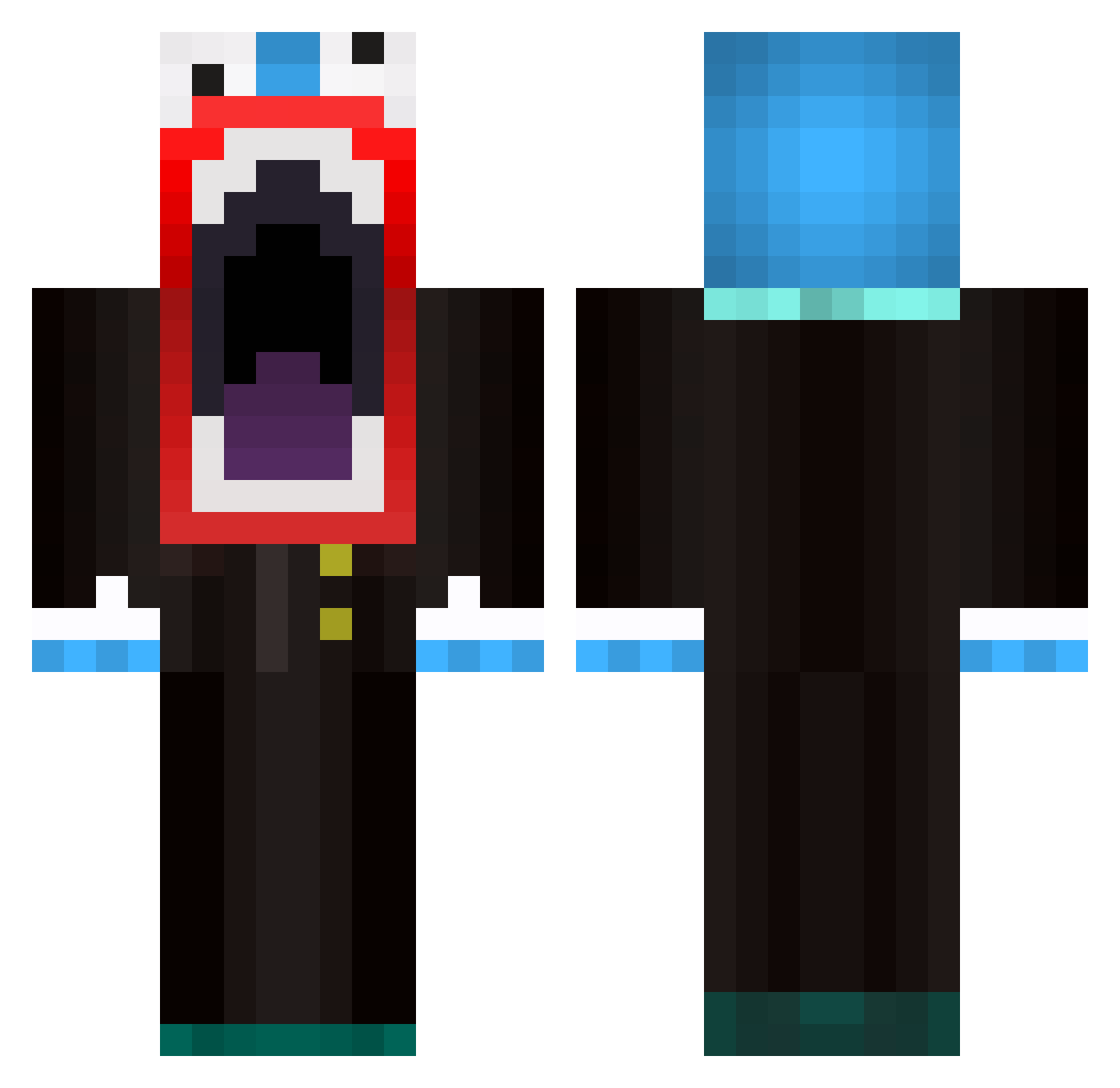
Current Minecraft skin of the player sazamana, loaded from the official Mojang API. Rotate the 3D model with your mouse or finger, then download the skin as a PNG file and use it in Minecraft: Bedrock Edition or Java Edition for free. When sazamana changes their skin, this page updates automatically and the old skin stays in the history below.
Other players with this skin (595)
sazamana was the 503rd player we have seen with this skin, first spotted on 17.10.2026. The same skin was seen on these players. Open a nickname to see their current skin and skin history.
 StalkerMulisha Swag_Mining Wilma59 BibbyGambino CapteinMiner Wicio02101996 ERW073 ETSummer NarWhale122002 higgford777 MrCunnyFunt xAner0n MCPython20 smallwhitejake braunboy11 Pepse123321 IEatAssAlot samboland DC69 juiceboxjoe11 MrDroxter flwyHG knighty12 XxDIRTYBIRDSxX Pigmanrocks99 Alfrednr7 gabetass fuzileirokid Edubachub lof_bigbird Usuzz DieKartoffelHD oIegnep Kinghampe Dalen17 AustinDAshizzle Jayzunn MajorPenguin1 Plasvisje unnatural_slurps tomsah AFKboy cranium8 iBEpoopin c3IL BumpyBigFoot JakJakAttacks CHINGSWAM SuPerThompson will_1254 Deciduous neda9 HuberAlt2 kowax12 GabrielGab paulch13 davolino RuckingFetard_69 CHA0SGG START_ZZY
More The Amazing Digital Circus Caine Minecraft skins
See all 6 The Amazing Digital Circus Caine skins
How to install the sazamana skin
- Press the Download button above to save the skin as a PNG file.
- Minecraft: Bedrock Edition (PE): open the Dressing Room from the main menu (or tap your character → Edit Character), go to Classic Skins → Owned, press the + (new skin) button, choose the downloaded PNG and pick the Classic (Steve) model. Works on PC and mobile; consoles cannot import custom skins.
- Minecraft: Java Edition: open the Minecraft Launcher, go to the Skins tab, click New Skin, load the PNG, pick the Classic (Steve) model and press Save & Use. You can also upload it at minecraft.net → Profile → Change Skin.
The skin does not show up after import - what should I do?
Restart Minecraft and open the Dressing Room again - imported skins sometimes appear only after a restart. Also make sure you selected the imported skin and picked the Classic (Steve) model.
Which model should I choose, Classic or Slim?
This skin is designed for the Classic (Steve) model. If you pick the wrong model, the arms of the skin will look stretched or squeezed.
Is the skin of sazamana free to download?
Yes. Press Download, save the PNG file and use it in Minecraft: Bedrock Edition or Java Edition - no payment or registration needed. The skin also works on multiplayer servers and Realms.
More skins
Looking for more? Go back to all Minecraft skins and check the top skins of the week, month and all time, or find any player's skin by nickname.