
sandl123 - Minecraft Skins & Skin History
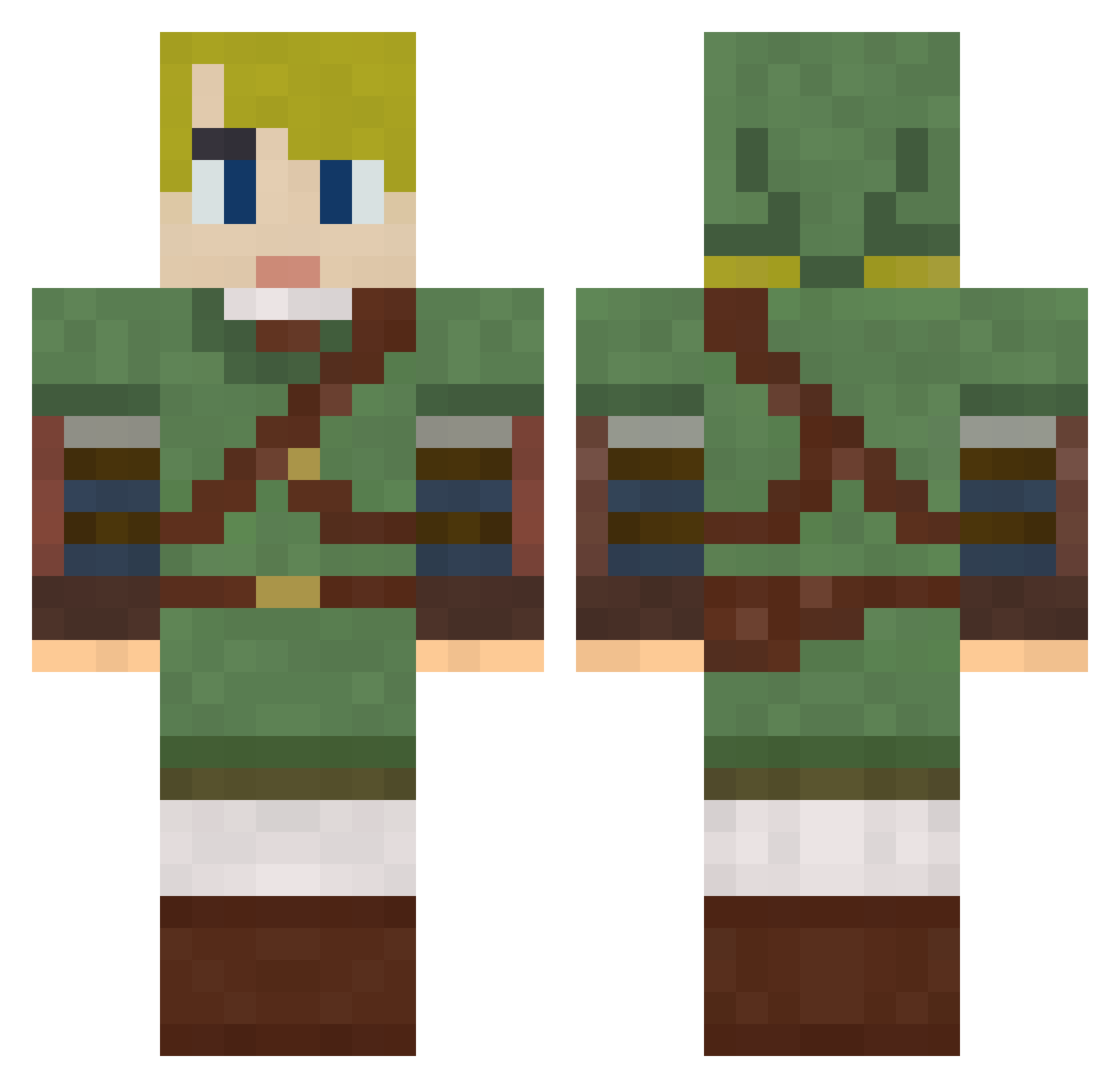
Current Minecraft skin of the player sandl123, loaded from the official Mojang API. Rotate the 3D model with your mouse or finger, then download the skin as a PNG file and use it in Minecraft: Bedrock Edition or Java Edition for free. When sandl123 changes their skin, this page updates automatically and the old skin stays in the history below.
Other players with this skin (792)
sandl123 was the 401st player we have seen with this skin, first spotted on 20.09.2026. The same skin was seen on these players. Open a nickname to see their current skin and skin history.
 Narishm EarthwormJim84 Metren gsc808 ah_kon CappinGort Aerodynamic_Taco Supereman02 GigaGanth JairCat Barvine kiyoshi2004 zhanyiming genocidex16 Dearhumanbeings Legacy007 MCxGaMeRxMC Grenkahdpro cuziest ulaszonix Mark_Master Cold17 greengoose12897 WackeyDelly chaoswizard2 miniduikboot mehi321 Hadberg JRunix CelticDagger bubitom lakefire WiggleShack Soulshine0410 doomsgaze buddyspade 1L1nk1 Sir_Aidaron iwashi15 Dyrew ponyman94 Chazstic tigerboy13 Arkenan EskimoBros VelocityVirus Asspin pikkulapsi Raddoo tonyreeve66 Countblahblah Galargle Bopyx LinkTheBeast914 MrPotatoHead07 _Armand Uzer501 XLinkaruX Shabadabadaba Geheim
More Zelda Minecraft skins
How to install the sandl123 skin
- Press the Download button above to save the skin as a PNG file.
- Minecraft: Bedrock Edition (PE): open the Dressing Room from the main menu (or tap your character → Edit Character), go to Classic Skins → Owned, press the + (new skin) button, choose the downloaded PNG and pick the Classic (Steve) model. Works on PC and mobile; consoles cannot import custom skins.
- Minecraft: Java Edition: open the Minecraft Launcher, go to the Skins tab, click New Skin, load the PNG, pick the Classic (Steve) model and press Save & Use. You can also upload it at minecraft.net → Profile → Change Skin.
The skin does not show up after import - what should I do?
Restart Minecraft and open the Dressing Room again - imported skins sometimes appear only after a restart. Also make sure you selected the imported skin and picked the Classic (Steve) model.
Which model should I choose, Classic or Slim?
This skin is designed for the Classic (Steve) model. If you pick the wrong model, the arms of the skin will look stretched or squeezed.
Is the skin of sandl123 free to download?
Yes. Press Download, save the PNG file and use it in Minecraft: Bedrock Edition or Java Edition - no payment or registration needed. The skin also works on multiplayer servers and Realms.
More skins
Looking for more? Go back to all Minecraft skins and check the top skins of the week, month and all time, or find any player's skin by nickname.