
salemWTF - Minecraft Skins & Skin History
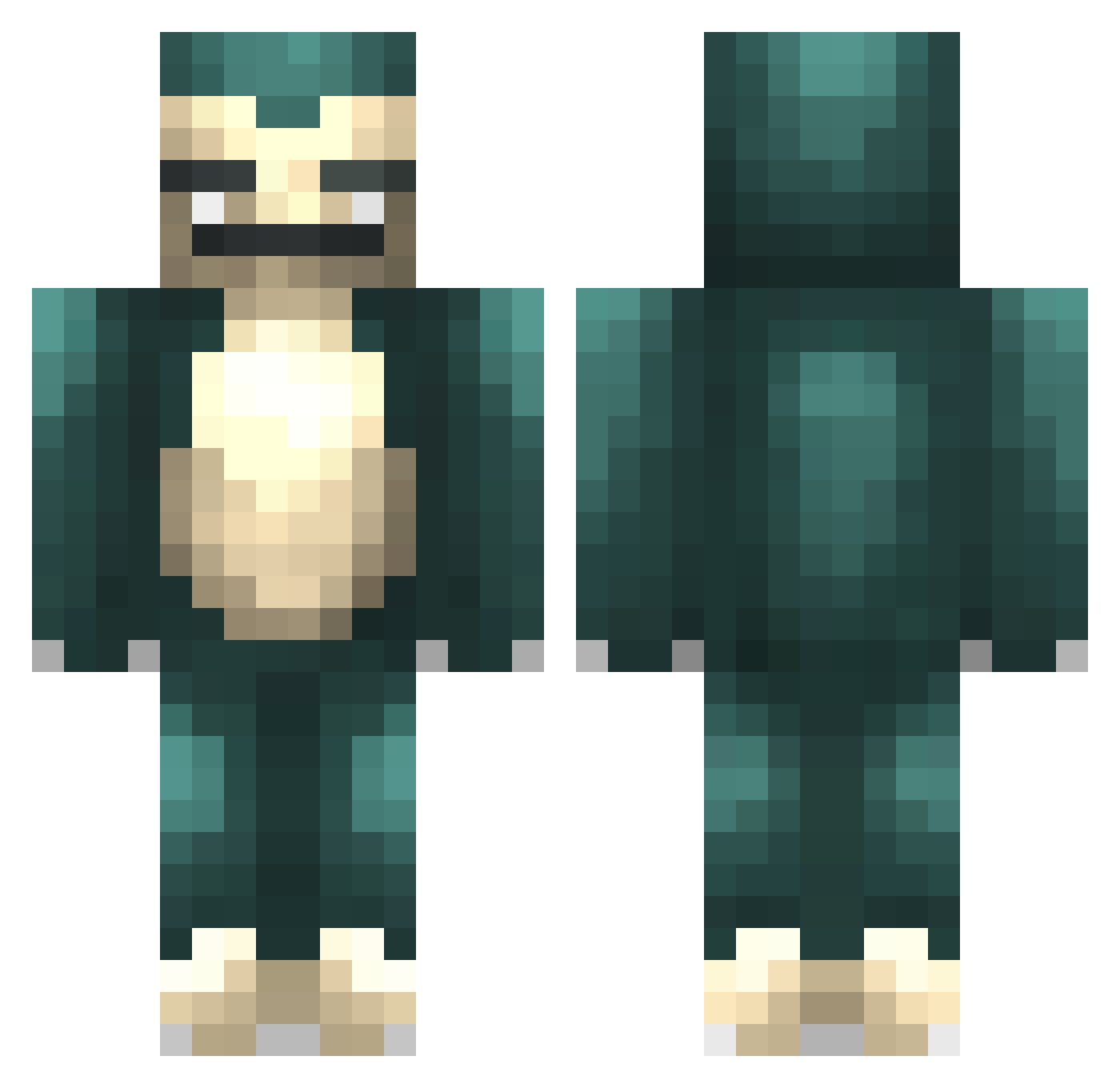
Current Minecraft skin of the player salemWTF, loaded from the official Mojang API. Rotate the 3D model with your mouse or finger, then download the skin as a PNG file and use it in Minecraft: Bedrock Edition or Java Edition for free. When salemWTF changes their skin, this page updates automatically and the old skin stays in the history below.
Other players with this skin (303)
salemWTF was the 52nd player we have seen with this skin, first spotted on 14.08.2026. The same skin was seen on these players. Open a nickname to see their current skin and skin history.
 Sn0rlax09 Spikykev1 Gl4Diator36 zenntin zKanto Spacegawt RonnyRenner getonthefridge UltDeluxe swat72 Hanwul2 Takashiru C0M_WIZARD mathrock_ Hotboy123 CraigWings ChrisMFC ExtraDumm MrLimJW wocys23 carlosycr12 Sebaagc Rehnskjold nobellahere Cromel anzelmi
 NikPlayzZz artrillest BonKoXu peFK HeyArnold50 MagicManny Dhonper1 dvne33 Dezyderr _Cyrius Oxijairo dylan_am_i jessica5494 Cicatrized PxzzaPrxncess goobysgf T_Smith031 Alejarshishigang TALANTALAN TRO18 NinjaBananenBrot Eden_123 p000q Hoi_Doei creepertnt121 MiguelFPerezI Skara63448 Buddha4422 Sfnax MrStealYourRice Monoy Zalfaris CleanRot_ Ginsox
More Snorlax Minecraft skins
How to install the salemWTF skin
- Press the Download button above to save the skin as a PNG file.
- Minecraft: Bedrock Edition (PE): open the Dressing Room from the main menu (or tap your character → Edit Character), go to Classic Skins → Owned, press the + (new skin) button, choose the downloaded PNG and pick the Classic (Steve) model. Works on PC and mobile; consoles cannot import custom skins.
- Minecraft: Java Edition: open the Minecraft Launcher, go to the Skins tab, click New Skin, load the PNG, pick the Classic (Steve) model and press Save & Use. You can also upload it at minecraft.net → Profile → Change Skin.
The skin does not show up after import - what should I do?
Restart Minecraft and open the Dressing Room again - imported skins sometimes appear only after a restart. Also make sure you selected the imported skin and picked the Classic (Steve) model.
Which model should I choose, Classic or Slim?
This skin is designed for the Classic (Steve) model. If you pick the wrong model, the arms of the skin will look stretched or squeezed.
Is the skin of salemWTF free to download?
Yes. Press Download, save the PNG file and use it in Minecraft: Bedrock Edition or Java Edition - no payment or registration needed. The skin also works on multiplayer servers and Realms.
More skins
Looking for more? Go back to all Minecraft skins and check the top skins of the week, month and all time, or find any player's skin by nickname.