
s0n0fagun - Minecraft Skins & Skin History
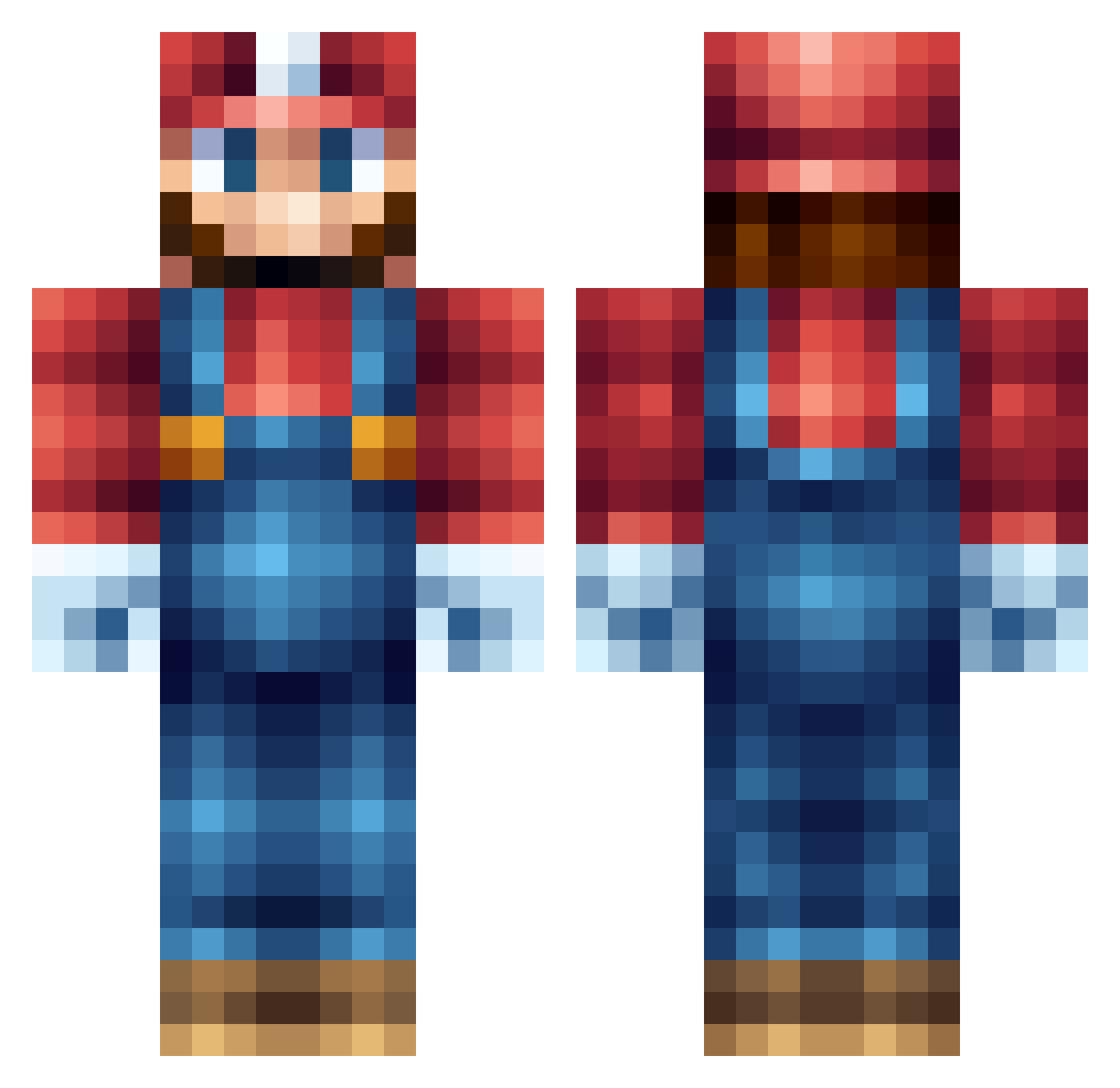
Current Minecraft skin of the player s0n0fagun, loaded from the official Mojang API. Rotate the 3D model with your mouse or finger, then download the skin as a PNG file and use it in Minecraft: Bedrock Edition or Java Edition for free. When s0n0fagun changes their skin, this page updates automatically and the old skin stays in the history below.
Other players with this skin (556)
s0n0fagun was the 438th player we have seen with this skin, first spotted on 13.10.2026. The same skin was seen on these players. Open a nickname to see their current skin and skin history.
 ImMalaywoooo infrigerate iHeLLyO_ Drjonsen Stimpestompen grizzlystatue MarioAMRezende CaptainTrash420 dondandon patricklapin Gamesync10 juanpollo5 ANDREWCHAFFE YoWhatsGood420 SkillsOfKones Nitecash Mlg_Hero DarkMatter_MF Paul_Bodin xRaPiDxMENTALxX likemikeable Luka835 coffeefoxx mariomaster2011 seetherfan247 Rap_ham laskeboys AsseBr0 Neyzo JCboy42 Angry_person JSalyers ColeM_2000 Soulsie_ espada_3 mizterjones VigPie diamanten88 mrwilbert19 Kodengi stef21230 Wacky2Backy Gold_Diamond_Man Mortendo5 minecraftzachs bigb616 ricebowlinc Claire_Bear_2003 RaceGirl10 Super_Mario2305 swag127 pliomann Pruxxe flyguy52 GuttThePro donnymindcraft12 albin1231 Rapparalph koolbs starlive7x
More Nintendo Minecraft skins
How to install the s0n0fagun skin
- Press the Download button above to save the skin as a PNG file.
- Minecraft: Bedrock Edition (PE): open the Dressing Room from the main menu (or tap your character → Edit Character), go to Classic Skins → Owned, press the + (new skin) button, choose the downloaded PNG and pick the Classic (Steve) model. Works on PC and mobile; consoles cannot import custom skins.
- Minecraft: Java Edition: open the Minecraft Launcher, go to the Skins tab, click New Skin, load the PNG, pick the Classic (Steve) model and press Save & Use. You can also upload it at minecraft.net → Profile → Change Skin.
The skin does not show up after import - what should I do?
Restart Minecraft and open the Dressing Room again - imported skins sometimes appear only after a restart. Also make sure you selected the imported skin and picked the Classic (Steve) model.
Which model should I choose, Classic or Slim?
This skin is designed for the Classic (Steve) model. If you pick the wrong model, the arms of the skin will look stretched or squeezed.
Is the skin of s0n0fagun free to download?
Yes. Press Download, save the PNG file and use it in Minecraft: Bedrock Edition or Java Edition - no payment or registration needed. The skin also works on multiplayer servers and Realms.
More skins
Looking for more? Go back to all Minecraft skins and check the top skins of the week, month and all time, or find any player's skin by nickname.