
rylanism1 - Minecraft Skins & Skin History
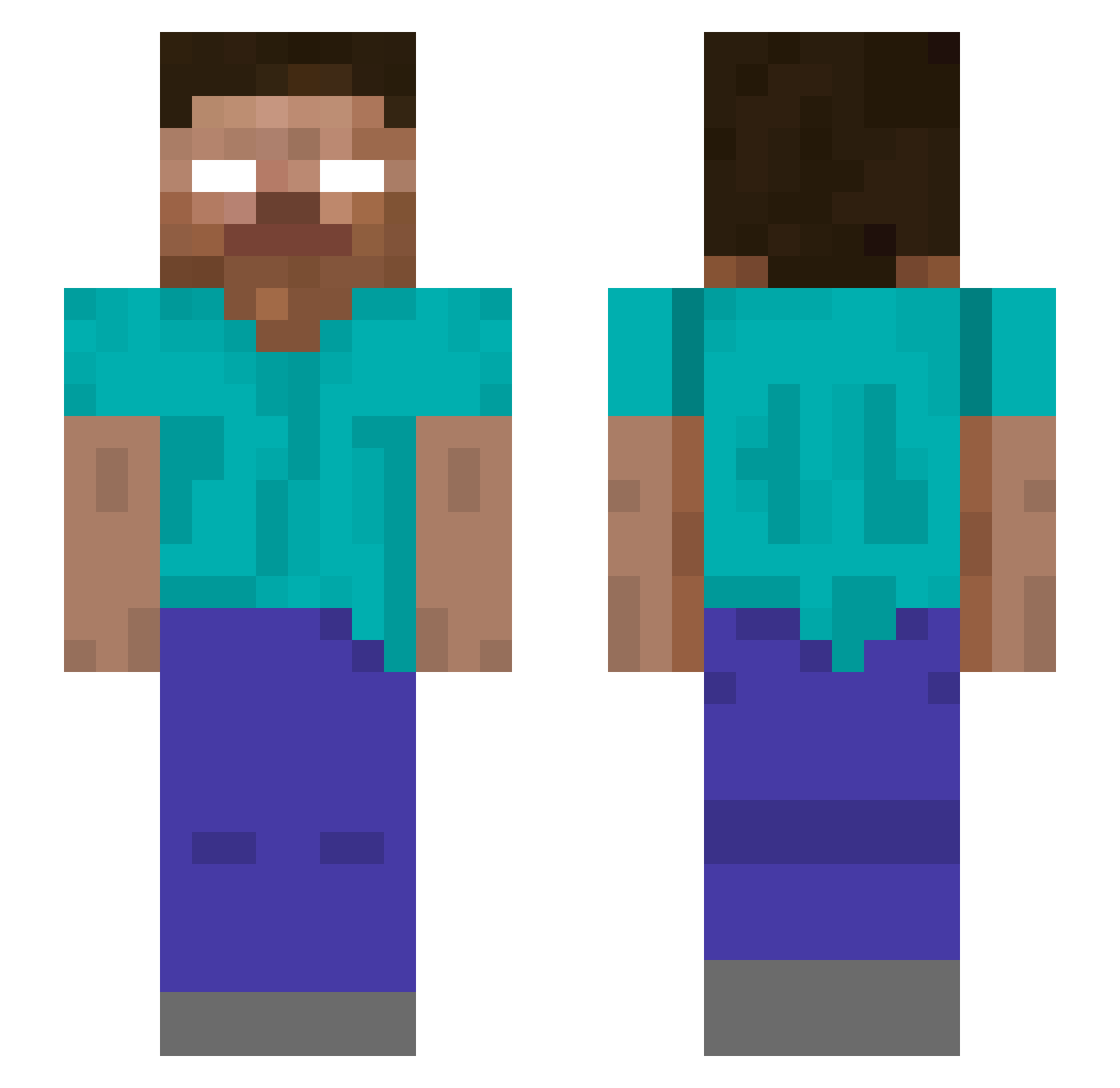
Current Minecraft skin of the player rylanism1, loaded from the official Mojang API. Rotate the 3D model with your mouse or finger, then download the skin as a PNG file and use it in Minecraft: Bedrock Edition or Java Edition for free. When rylanism1 changes their skin, this page updates automatically and the old skin stays in the history below.
Other players with this skin (44)
rylanism1 was the 17th player we have seen with this skin, first spotted on 19.08.2026. The same skin was seen on these players. Open a nickname to see their current skin and skin history.
 lifetime6020 OctopusPants sboc2 AllanXuCPA borisgrant pixelshooter1 kunkim UDON_524 gibsonl00
 FluffyBato Wakes_17 buddie311 V1ncent_vv xLibrary_ Blake_ian es_jimbo cyclone516 Xpabu
 GrysnoKot xoyw a98642b vickhang_ Outta_ldeas fanglele666 woshiwulili Jasix1272 WZP1234 ajunwork Eaglebrine DAniil121212 swordlovee IncognitoCreator CN_KengShen WindstarKing ShaoLinan tennismaster727 Xixi_Jun Joyfulparasite DeathReed ChinaCCTV Smaxwell johndavis2677 NoviCameraBot EuRLinhares
More Herobrine Minecraft skins
How to install the rylanism1 skin
- Press the Download button above to save the skin as a PNG file.
- Minecraft: Bedrock Edition (PE): open the Dressing Room from the main menu (or tap your character → Edit Character), go to Classic Skins → Owned, press the + (new skin) button, choose the downloaded PNG and pick the Slim (Alex) model. Works on PC and mobile; consoles cannot import custom skins.
- Minecraft: Java Edition: open the Minecraft Launcher, go to the Skins tab, click New Skin, load the PNG, pick the Slim (Alex) model and press Save & Use. You can also upload it at minecraft.net → Profile → Change Skin.
The skin does not show up after import - what should I do?
Restart Minecraft and open the Dressing Room again - imported skins sometimes appear only after a restart. Also make sure you selected the imported skin and picked the Slim (Alex) model.
Which model should I choose, Classic or Slim?
This skin is designed for the Slim (Alex) model. If you pick the wrong model, the arms of the skin will look stretched or squeezed.
Is the skin of rylanism1 free to download?
Yes. Press Download, save the PNG file and use it in Minecraft: Bedrock Edition or Java Edition - no payment or registration needed. The skin also works on multiplayer servers and Realms.
More skins
Looking for more? Go back to all Minecraft skins and check the top skins of the week, month and all time, or find any player's skin by nickname.