
ryanboro - Minecraft Skins & Skin History
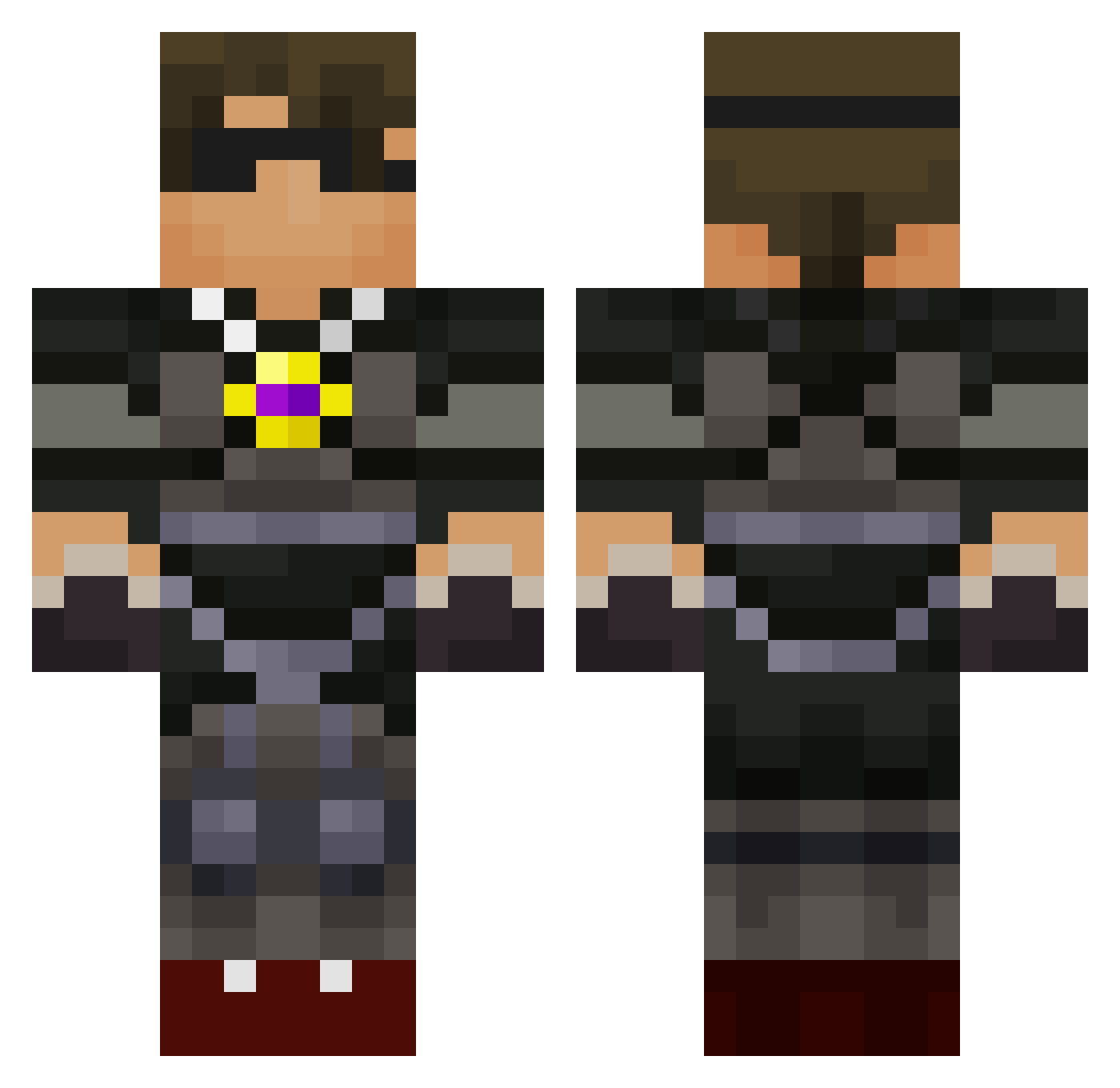
Current Minecraft skin of the player ryanboro, loaded from the official Mojang API. Rotate the 3D model with your mouse or finger, then download the skin as a PNG file and use it in Minecraft: Bedrock Edition or Java Edition for free. When ryanboro changes their skin, this page updates automatically and the old skin stays in the history below.
Other players with this skin (589)
ryanboro was the 487th player we have seen with this skin, first spotted on 09.10.2026. The same skin was seen on these players. Open a nickname to see their current skin and skin history.
 skythekidsRSR xXmax123456789Xx Jacobtheruler joseplayer0047 Ninjafishy75 skyarmyfan2342 04Amp minereg solracky01 DarthMuncrief angryzombie57 Jorgie26 antisboss SkythekibRS cheercat0706 Benjas1908 rochefort25 SashaSurtenich LukemDukem10 mikeman08 theshreder555 Alean_Dog derekdinh Craze_King Danielevans411 jacksonruss FuzyBritches minecraftfass RealDaedalus KingAnt530 enderdragon9889 ango22 SkyDoesMC darkmaster36 ChloeAtWar millerdraft21 RileyMC24 zstorm1114 camper1215 jalentaylor chevy58455 nubo1234 blakemcgill captainfriday23 DamoShmamo SkythekidNE wylie09 Uglyip34 jaywheeler24 hillopper CMReagle vadres100 biggamer32 ethanmc7 GIJYEZ jorgevel KgTrouble LilGills rigbydude1 monsterkaleb2000
More Necklace Minecraft skins
How to install the ryanboro skin
- Press the Download button above to save the skin as a PNG file.
- Minecraft: Bedrock Edition (PE): open the Dressing Room from the main menu (or tap your character → Edit Character), go to Classic Skins → Owned, press the + (new skin) button, choose the downloaded PNG and pick the Classic (Steve) model. Works on PC and mobile; consoles cannot import custom skins.
- Minecraft: Java Edition: open the Minecraft Launcher, go to the Skins tab, click New Skin, load the PNG, pick the Classic (Steve) model and press Save & Use. You can also upload it at minecraft.net → Profile → Change Skin.
The skin does not show up after import - what should I do?
Restart Minecraft and open the Dressing Room again - imported skins sometimes appear only after a restart. Also make sure you selected the imported skin and picked the Classic (Steve) model.
Which model should I choose, Classic or Slim?
This skin is designed for the Classic (Steve) model. If you pick the wrong model, the arms of the skin will look stretched or squeezed.
Is the skin of ryanboro free to download?
Yes. Press Download, save the PNG file and use it in Minecraft: Bedrock Edition or Java Edition - no payment or registration needed. The skin also works on multiplayer servers and Realms.
More skins
Looking for more? Go back to all Minecraft skins and check the top skins of the week, month and all time, or find any player's skin by nickname.