
rvym0nd - Minecraft Skins & Skin History
Current Minecraft skin of the player rvym0nd, loaded from the official Mojang API. Rotate the 3D model with your mouse or finger, then download the skin as a PNG file and use it in Minecraft: Bedrock Edition or Java Edition for free. When rvym0nd changes their skin, this page updates automatically and the old skin stays in the history below.
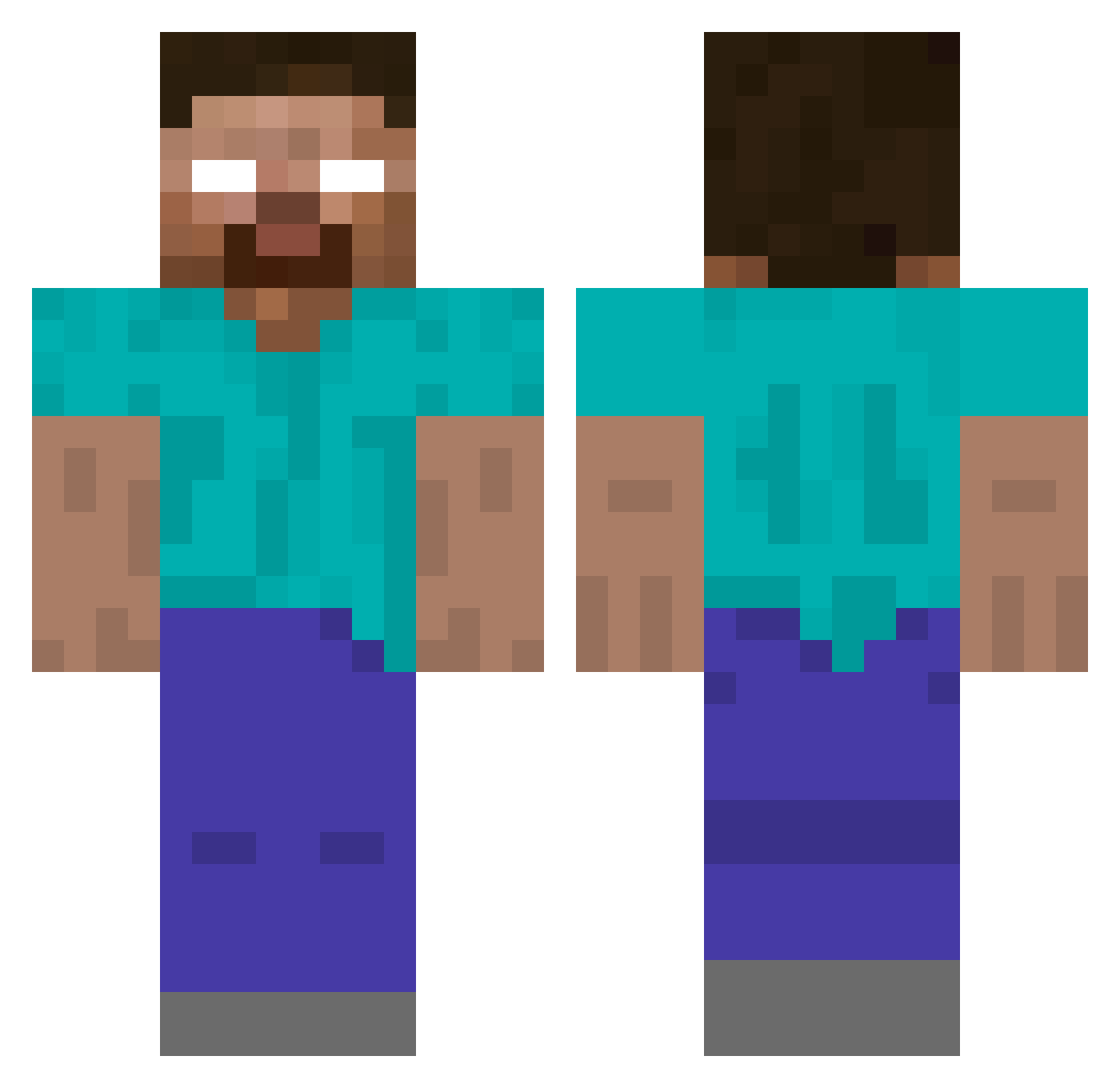
Other players with this skin (107)
rvym0nd was the 18th player we have seen with this skin, first spotted on 11.08.2026. The same skin was seen on these players. Open a nickname to see their current skin and skin history.
 MilkyWay_32768 GetMuffined OK349 Auxilium3 envxzqty kgoinz Tooglettcz
 usrq jigglyjoe972 bountyhanter PatchyMC Trashstar Mattybura97 cucuk38334 Wolfgone GarbageHelper wojtus_69 mangokang steven960313 dodobob xiaolin555 bandopvp
 Sheva73 lqx77 Le_Flambeur OPEN_PUPG Film lighting_pig bushijj robinphan SeCeYe Siborgatron RC_ENMA ArchieAustin xKrzysx XtremeCreamyyy Moaied HitlersFat1_67 ferel GrimPlushy ghostguyy 4Yu burakcg SRUZZER Herobrinee999 Xtlide Gibeom_Choi Senbushillo rhqhdbob3 AxelNo_Alex LowkeyCharmss 1ZERO_GG awnz Cosmic_Justice hslHSL66 O91O dav5826 TeamCooki Divine321 SaltLike
More Herobrine Minecraft skins
How to install the rvym0nd skin
- Press the Download button above to save the skin as a PNG file.
- Minecraft: Bedrock Edition (PE): open the Dressing Room from the main menu (or tap your character → Edit Character), go to Classic Skins → Owned, press the + (new skin) button, choose the downloaded PNG and pick the Classic (Steve) model. Works on PC and mobile; consoles cannot import custom skins.
- Minecraft: Java Edition: open the Minecraft Launcher, go to the Skins tab, click New Skin, load the PNG, pick the Classic (Steve) model and press Save & Use. You can also upload it at minecraft.net → Profile → Change Skin.
The skin does not show up after import - what should I do?
Restart Minecraft and open the Dressing Room again - imported skins sometimes appear only after a restart. Also make sure you selected the imported skin and picked the Classic (Steve) model.
Which model should I choose, Classic or Slim?
This skin is designed for the Classic (Steve) model. If you pick the wrong model, the arms of the skin will look stretched or squeezed.
Is the skin of rvym0nd free to download?
Yes. Press Download, save the PNG file and use it in Minecraft: Bedrock Edition or Java Edition - no payment or registration needed. The skin also works on multiplayer servers and Realms.
More skins
Looking for more? Go back to all Minecraft skins and check the top skins of the week, month and all time, or find any player's skin by nickname.