
rpuck - Minecraft Skins & Skin History
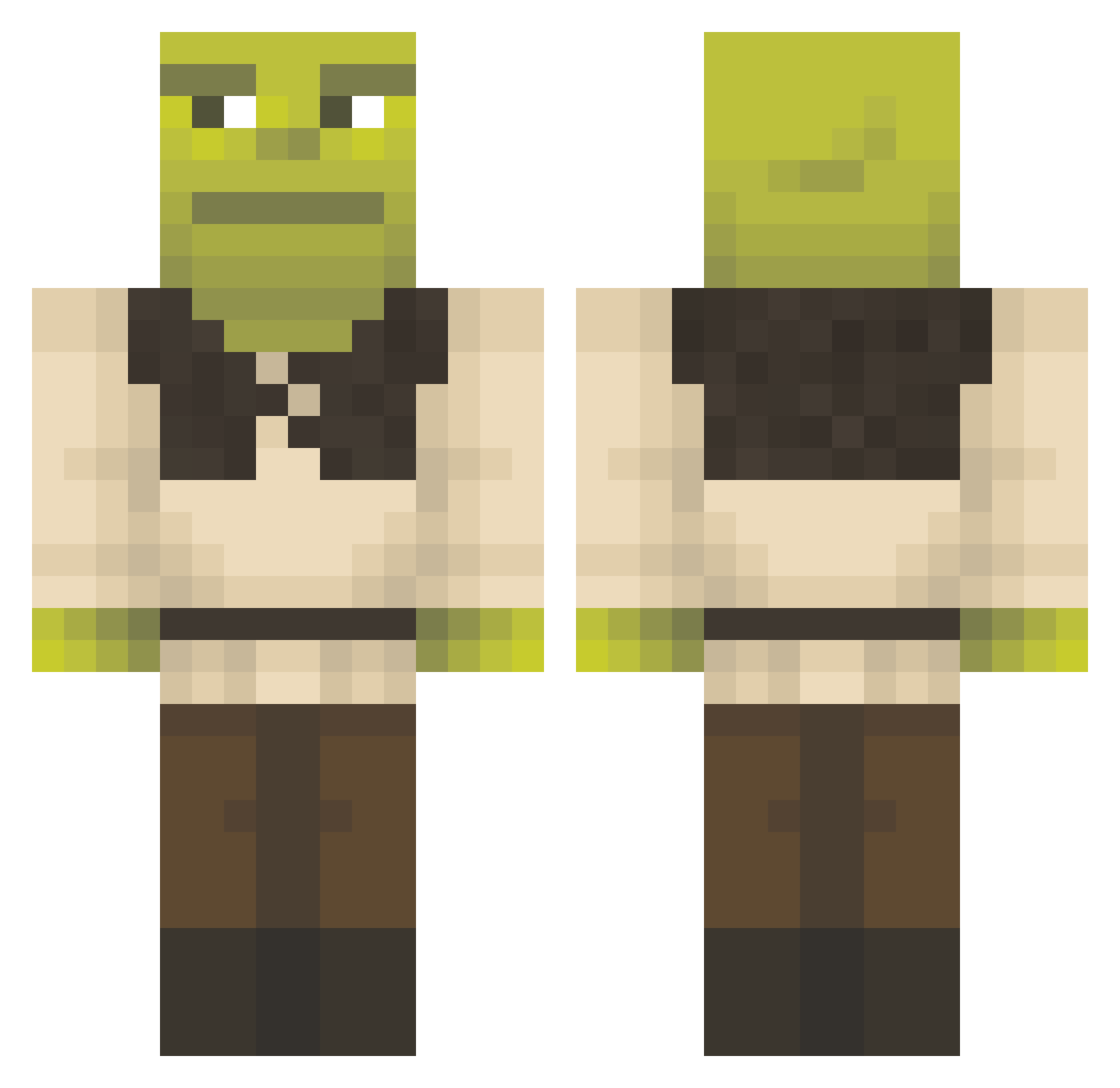
Current Minecraft skin of the player rpuck, loaded from the official Mojang API. Rotate the 3D model with your mouse or finger, then download the skin as a PNG file and use it in Minecraft: Bedrock Edition or Java Edition for free. When rpuck changes their skin, this page updates automatically and the old skin stays in the history below.
Other players with this skin (1296)
rpuck was the 1054th player we have seen with this skin, first spotted on 15.10.2026. The same skin was seen on these players. Open a nickname to see their current skin and skin history.
 CodyJohndeer84 FattyBomalatty swag_patata TroffeOfficial ShrekGOAT OmgStepBroo WERRR Alamaurus dschuks27 ZePamonha Stringbean433 TORRE95 Minecraftguy314 zouby_ johansegerlund GordonYanzy SharpyMD Burrito6722 Rasenmann Bobby___G bronley Davidastro98 SabertoothONE CaptPreston yannse lilsticky420 leovalente14 Maty14LP AseanfusionguyHD Tomy2002GT Ender_Pickle BanZERAA hanameowmeow LemonCoder ahi31 Crai17 muv23 CassieBassie565 alvarovillena02 TOAAN zorowolf5105 LogiLax Crdctt TheLastAlienz Malwiniak atibumalibu Rekk3 NogaBoga04 deadlikeyourmom Ba7tek cwise91 The_Shrek LunatiKO3 IL_FAX_ Alejaandro28 Pepinillos333 mnniekiki ChosunUniversity fettmakon TheLittleDikDik
More Shrek Minecraft skins
How to install the rpuck skin
- Press the Download button above to save the skin as a PNG file.
- Minecraft: Bedrock Edition (PE): open the Dressing Room from the main menu (or tap your character → Edit Character), go to Classic Skins → Owned, press the + (new skin) button, choose the downloaded PNG and pick the Classic (Steve) model. Works on PC and mobile; consoles cannot import custom skins.
- Minecraft: Java Edition: open the Minecraft Launcher, go to the Skins tab, click New Skin, load the PNG, pick the Classic (Steve) model and press Save & Use. You can also upload it at minecraft.net → Profile → Change Skin.
The skin does not show up after import - what should I do?
Restart Minecraft and open the Dressing Room again - imported skins sometimes appear only after a restart. Also make sure you selected the imported skin and picked the Classic (Steve) model.
Which model should I choose, Classic or Slim?
This skin is designed for the Classic (Steve) model. If you pick the wrong model, the arms of the skin will look stretched or squeezed.
Is the skin of rpuck free to download?
Yes. Press Download, save the PNG file and use it in Minecraft: Bedrock Edition or Java Edition - no payment or registration needed. The skin also works on multiplayer servers and Realms.
More skins
Looking for more? Go back to all Minecraft skins and check the top skins of the week, month and all time, or find any player's skin by nickname.