
rituki1028 - Minecraft Skins & Skin History
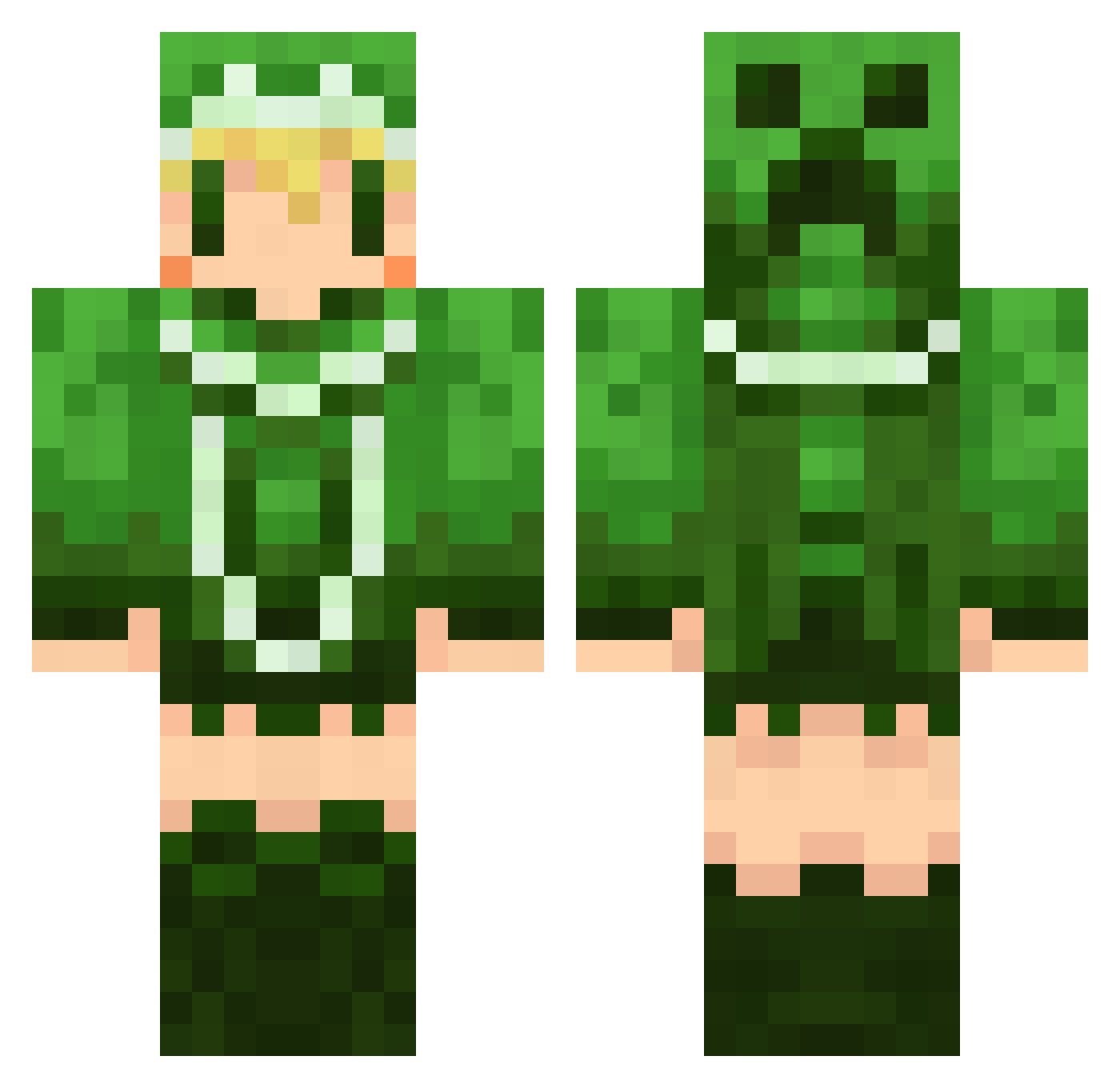
Current Minecraft skin of the player rituki1028, loaded from the official Mojang API. Rotate the 3D model with your mouse or finger, then download the skin as a PNG file and use it in Minecraft: Bedrock Edition or Java Edition for free. When rituki1028 changes their skin, this page updates automatically and the old skin stays in the history below.
Other players with this skin (668)
rituki1028 was the 567th player we have seen with this skin, first spotted on 27.10.2026. The same skin was seen on these players. Open a nickname to see their current skin and skin history.
 mt09 Ritochin hazuki924 Sio0518 yukinokoko yutoton nasubi0827 zalaru AbsoluteGaogao ayumin04 Siro283 METALS_ mikunow ringosan2000 Aichan125 masa1813 azunekow sigsauerp230 payadon yuneko0 Balmu_Fahmat karin39 heppyyy aqua_123 MISODANGO11 FrierenR regen173 Pekory kuroa69 toruhosokawa ninnin708 with_pop kyouhei65 umiminmin mmyr0330 edamameee blueflame1208 yuki_crow yy2525 febreeeeeze nukonukomush noeru_yuuki TwinElephantS Youqun hayapo laylalay ayato1003 KIARA_T FoxCarnival yddno Thaum699 zllCrazySexyllz Damien_666 haruru1753 hanataro_ sizumapippi xion0964 Kanata59 mtyama OBAKchan
More Creeper Minecraft skins
How to install the rituki1028 skin
- Press the Download button above to save the skin as a PNG file.
- Minecraft: Bedrock Edition (PE): open the Dressing Room from the main menu (or tap your character → Edit Character), go to Classic Skins → Owned, press the + (new skin) button, choose the downloaded PNG and pick the Classic (Steve) model. Works on PC and mobile; consoles cannot import custom skins.
- Minecraft: Java Edition: open the Minecraft Launcher, go to the Skins tab, click New Skin, load the PNG, pick the Classic (Steve) model and press Save & Use. You can also upload it at minecraft.net → Profile → Change Skin.
The skin does not show up after import - what should I do?
Restart Minecraft and open the Dressing Room again - imported skins sometimes appear only after a restart. Also make sure you selected the imported skin and picked the Classic (Steve) model.
Which model should I choose, Classic or Slim?
This skin is designed for the Classic (Steve) model. If you pick the wrong model, the arms of the skin will look stretched or squeezed.
Is the skin of rituki1028 free to download?
Yes. Press Download, save the PNG file and use it in Minecraft: Bedrock Edition or Java Edition - no payment or registration needed. The skin also works on multiplayer servers and Realms.
More skins
Looking for more? Go back to all Minecraft skins and check the top skins of the week, month and all time, or find any player's skin by nickname.