
rawrabbitt - Minecraft Skins & Skin History
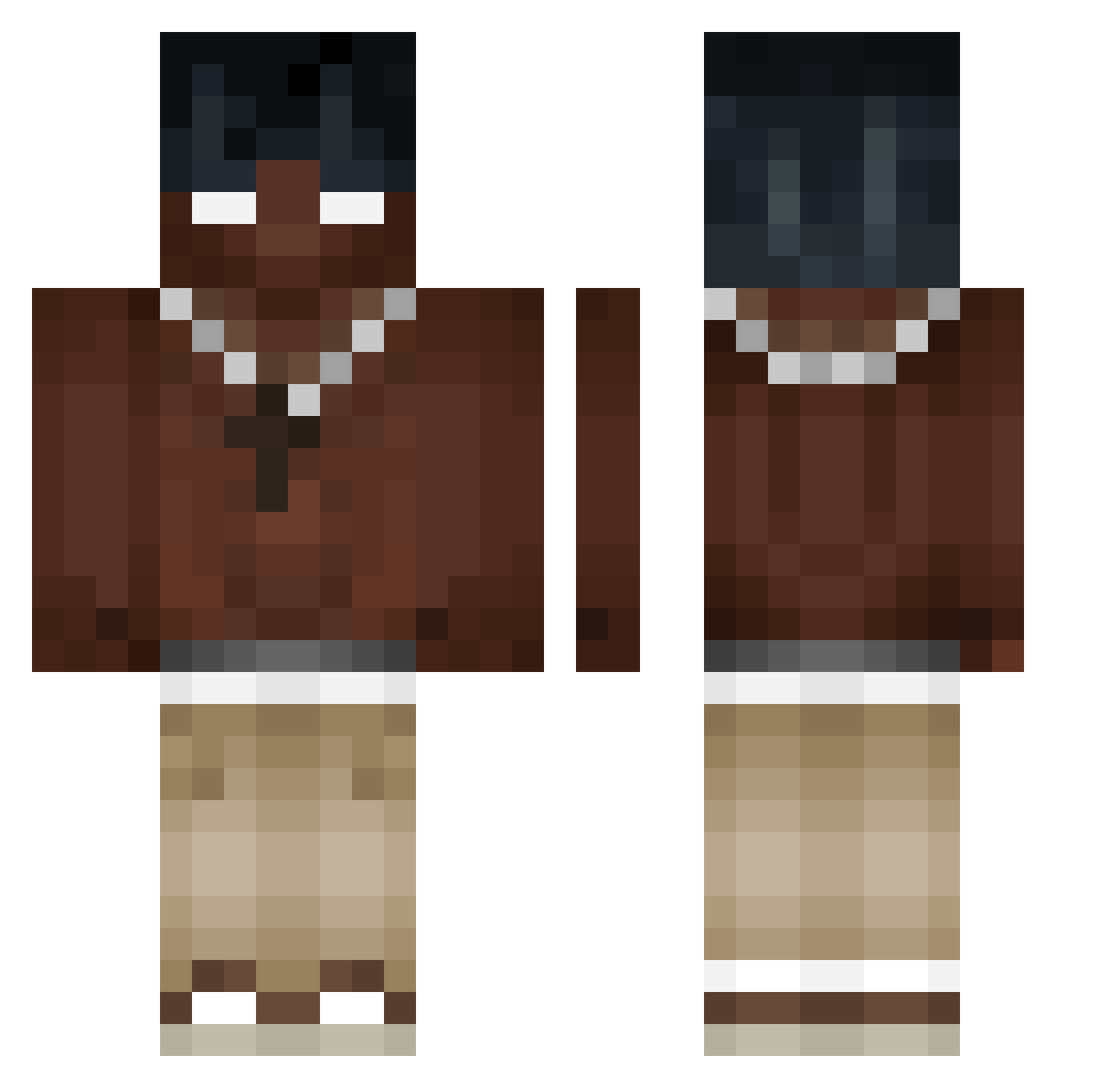
Current Minecraft skin of the player rawrabbitt, loaded from the official Mojang API. Rotate the 3D model with your mouse or finger, then download the skin as a PNG file and use it in Minecraft: Bedrock Edition or Java Edition for free. When rawrabbitt changes their skin, this page updates automatically and the old skin stays in the history below.
Other players with this skin (400)
rawrabbitt was the 31st player we have seen with this skin, first spotted on 30.07.2026. The same skin was seen on these players. Open a nickname to see their current skin and skin history.
 LeonderLeon Sasha122 Brunin_69 orzeszekk imjoy77 5hxrd Virus369 Dragon1489 xvpn_ Kiattisak666 nightlight334 Vainamoinen2000 Narcissius_ sundrop236 Nsucvs Pokorniak4183 _DMB_ siekuu KanameTousen JSD9 ratitat09 Rojizoo NguuLang Filipek_323 WisLey015 Spikeivan Yukisiak MrTTT01 Againrequest luiscraft2010 ThatNippa 1PowerBubble1 SuperLaerlingen Fan_Zenciaka_yt1 doMOURA Culonsin_15 8787441 SyNckuk LuKkLash Shenpai21 Lz0014 valeriouns Brownspooner PeeeedroBR Smimi218 KidzXenz Massivestroke1 Olinator_10 ciupaga_michau BraianARS Loggers1209 1zones2 VeyD0 dezumiude Apfelkuchen12321 _ChocolateBunny_ PiterFersin shew00 peemzaa02 Heito_o_o
More Necklace Minecraft skins
How to install the rawrabbitt skin
- Press the Download button above to save the skin as a PNG file.
- Minecraft: Bedrock Edition (PE): open the Dressing Room from the main menu (or tap your character → Edit Character), go to Classic Skins → Owned, press the + (new skin) button, choose the downloaded PNG and pick the Classic (Steve) model. Works on PC and mobile; consoles cannot import custom skins.
- Minecraft: Java Edition: open the Minecraft Launcher, go to the Skins tab, click New Skin, load the PNG, pick the Classic (Steve) model and press Save & Use. You can also upload it at minecraft.net → Profile → Change Skin.
The skin does not show up after import - what should I do?
Restart Minecraft and open the Dressing Room again - imported skins sometimes appear only after a restart. Also make sure you selected the imported skin and picked the Classic (Steve) model.
Which model should I choose, Classic or Slim?
This skin is designed for the Classic (Steve) model. If you pick the wrong model, the arms of the skin will look stretched or squeezed.
Is the skin of rawrabbitt free to download?
Yes. Press Download, save the PNG file and use it in Minecraft: Bedrock Edition or Java Edition - no payment or registration needed. The skin also works on multiplayer servers and Realms.
More skins
Looking for more? Go back to all Minecraft skins and check the top skins of the week, month and all time, or find any player's skin by nickname.