
qiubeiyi - Minecraft Skins & Skin History
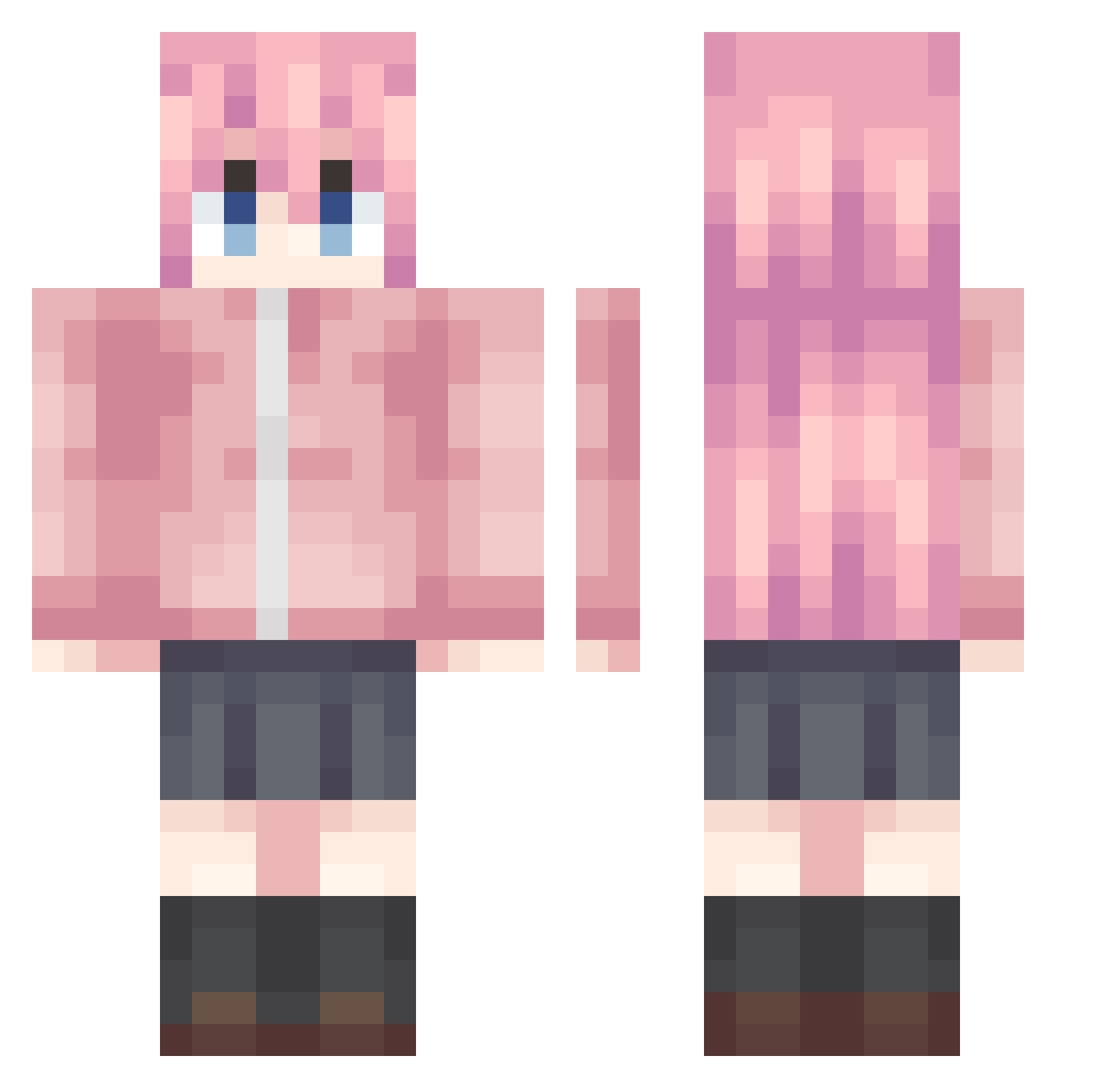
Current Minecraft skin of the player qiubeiyi, loaded from the official Mojang API. Rotate the 3D model with your mouse or finger, then download the skin as a PNG file and use it in Minecraft: Bedrock Edition or Java Edition for free. When qiubeiyi changes their skin, this page updates automatically and the old skin stays in the history below.
Other players with this skin (988)
qiubeiyi was the 945th player we have seen with this skin, first spotted on 27.10.2026. The same skin was seen on these players. Open a nickname to see their current skin and skin history.
 Baiyec MangoGS YEX1NG Hrxxdgh xiaoo_cai Goast_Face ofooda YiZhiYangtuo bei_fengyiluo hanuri5859 EaaYee jy0721 Sparr0wwww Genmzc topier21 asnightowl enbuch Flowos BaiseyinG DAAPIWI wcwy123df ComplaintRain XIaoAnAH yhqx _39_miku naranjo300 FoolishF OnyameFeel Toby0829 sumuzhe132 sh1nna wJhh77 Nijikaa sever2024 qth114 paopao030 maximumTheHM ZhaoAlpha Ark_Xiao ArrebolI BiliBiliLoveFeng yylzlx AMomo___DLLXA Code_name_zheng Kotori111 MllemonT Wsinna_sensei tenshichii Mumugui __thunderbolt ATianlin mika514 tashuorenduojiyi wu1lin KR_kribek Thelingsang begin0628 DateDarko SK414 miinevy
More Bocchi Minecraft skins
How to install the qiubeiyi skin
- Press the Download button above to save the skin as a PNG file.
- Minecraft: Bedrock Edition (PE): open the Dressing Room from the main menu (or tap your character → Edit Character), go to Classic Skins → Owned, press the + (new skin) button, choose the downloaded PNG and pick the Classic (Steve) model. Works on PC and mobile; consoles cannot import custom skins.
- Minecraft: Java Edition: open the Minecraft Launcher, go to the Skins tab, click New Skin, load the PNG, pick the Classic (Steve) model and press Save & Use. You can also upload it at minecraft.net → Profile → Change Skin.
The skin does not show up after import - what should I do?
Restart Minecraft and open the Dressing Room again - imported skins sometimes appear only after a restart. Also make sure you selected the imported skin and picked the Classic (Steve) model.
Which model should I choose, Classic or Slim?
This skin is designed for the Classic (Steve) model. If you pick the wrong model, the arms of the skin will look stretched or squeezed.
Is the skin of qiubeiyi free to download?
Yes. Press Download, save the PNG file and use it in Minecraft: Bedrock Edition or Java Edition - no payment or registration needed. The skin also works on multiplayer servers and Realms.
More skins
Looking for more? Go back to all Minecraft skins and check the top skins of the week, month and all time, or find any player's skin by nickname.