
qacpc - Minecraft Skins & Skin History
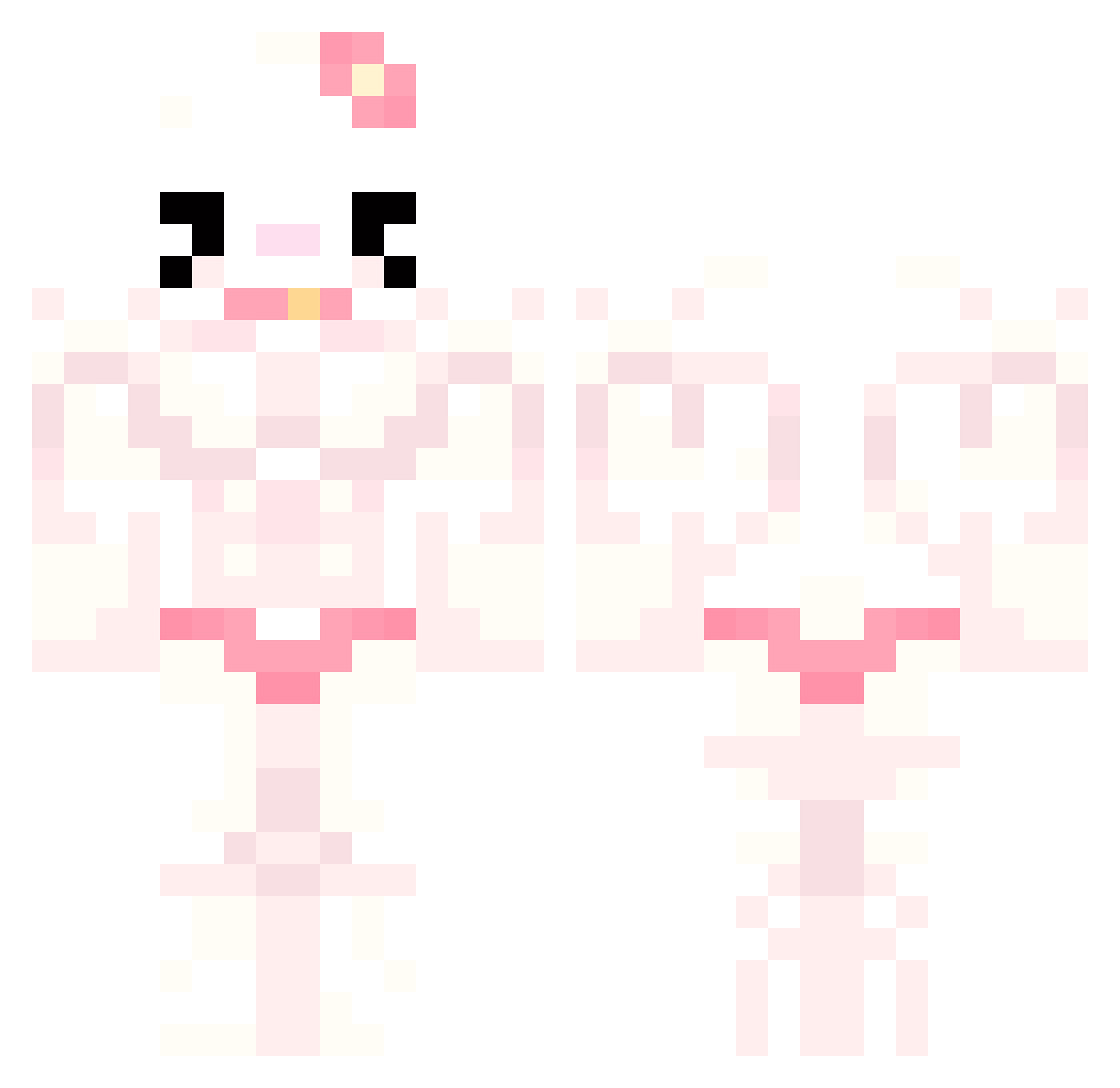
Current Minecraft skin of the player qacpc, loaded from the official Mojang API. Rotate the 3D model with your mouse or finger, then download the skin as a PNG file and use it in Minecraft: Bedrock Edition or Java Edition for free. When qacpc changes their skin, this page updates automatically and the old skin stays in the history below.
Other players with this skin (777)
qacpc was the 43rd player we have seen with this skin, first spotted on 29.07.2026. The same skin was seen on these players. Open a nickname to see their current skin and skin history.
 Kimchi712 midokayla Webunan hcrc Driimy_ ninissss Abbadactyl33 woaizhangwanting miguxu24
 Lewek69 monrivalestvilin xanderm07 BxbiBambi avaht BenSInochaa
 Clehw
Clehw KnxdellDich PomMoji
 Kemal_soiydere69 0__TIM__0 bistoule RamenGoddes six2four9 Kyreoo fuyudaze Buneverie Aer1ine BurliestCorn823 Isabellaa2003 sachaouw X_hon pinnorsmth Wescor115 DruskaMAN
 chixpi Pixaznos MinSeok0503 ryo_TACOS_LOVER zacpp0044 Buglers innaari elemmentary AAASSSGGG daddy_tibby olkaolkaolka Alexboy13200 St3nc3l savethep0larbear camerooon0_0 hanpaisn elsi0 EEVORTEX_ BiggestBootyJudy EduMG SInochaagebannt
 SSoofff nimbo0 Wr4ithz Litchi911 FIberglass_Eater
More Hello Kitty Minecraft skins
How to install the qacpc skin
- Press the Download button above to save the skin as a PNG file.
- Minecraft: Bedrock Edition (PE): open the Dressing Room from the main menu (or tap your character → Edit Character), go to Classic Skins → Owned, press the + (new skin) button, choose the downloaded PNG and pick the Classic (Steve) model. Works on PC and mobile; consoles cannot import custom skins.
- Minecraft: Java Edition: open the Minecraft Launcher, go to the Skins tab, click New Skin, load the PNG, pick the Classic (Steve) model and press Save & Use. You can also upload it at minecraft.net → Profile → Change Skin.
The skin does not show up after import - what should I do?
Restart Minecraft and open the Dressing Room again - imported skins sometimes appear only after a restart. Also make sure you selected the imported skin and picked the Classic (Steve) model.
Which model should I choose, Classic or Slim?
This skin is designed for the Classic (Steve) model. If you pick the wrong model, the arms of the skin will look stretched or squeezed.
Is the skin of qacpc free to download?
Yes. Press Download, save the PNG file and use it in Minecraft: Bedrock Edition or Java Edition - no payment or registration needed. The skin also works on multiplayer servers and Realms.
More skins
Looking for more? Go back to all Minecraft skins and check the top skins of the week, month and all time, or find any player's skin by nickname.