
qBunny - Minecraft Skins & Skin History
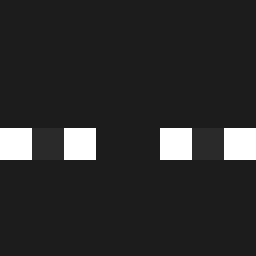
Current Minecraft skin of the player qBunny, loaded from the official Mojang API. Rotate the 3D model with your mouse or finger, then download the skin as a PNG file and use it in Minecraft: Bedrock Edition or Java Edition for free. When qBunny changes their skin, this page updates automatically and the old skin stays in the history below.

Other players with this skin (516)
qBunny was the 330th player we have seen with this skin, first spotted on 30.09.2026. The same skin was seen on these players. Open a nickname to see their current skin and skin history.
 kaori545 Toonch mrbeastsmallfan goli0 donghun123131 Mane_shadow FRANCO_MURO Just_Tonkata ohchilled_ WillyDap endyno StuckInCave PresentOdin1147 Nitai19621118 Cristhian207c0 miya1234567 Rembecki SlimeChickenn huoshu001 Rosalio11 Mewa123bv Kukazamura SharkOrca051 chacha1224 Nadebedo1 MilesMr HimOfMinecraft83 Crammerito Tomacho999 FrederickAf SMXNonYouTUBE yathul _sungmo_ Cappn12 Alexbgj Wh00pee SeeMeKS bedrock22 Devil999999 Varial19 Song623 rGabrex FANTASt1c_007 seonjin114 FatzeRR iSergix ELJANOS1 Jae_sang Kierr11 MarekSzpachla rinaldo Keremm2112 Mr_Menacing Rapid7020 wawaeh QuaGKT ImDahim calaste VampOnBlade santibigpapoi
How to install the qBunny skin
- Press the Download button above to save the skin as a PNG file.
- Minecraft: Bedrock Edition (PE): open the Dressing Room from the main menu (or tap your character → Edit Character), go to Classic Skins → Owned, press the + (new skin) button, choose the downloaded PNG and pick the Classic (Steve) model. Works on PC and mobile; consoles cannot import custom skins.
- Minecraft: Java Edition: open the Minecraft Launcher, go to the Skins tab, click New Skin, load the PNG, pick the Classic (Steve) model and press Save & Use. You can also upload it at minecraft.net → Profile → Change Skin.
The skin does not show up after import - what should I do?
Restart Minecraft and open the Dressing Room again - imported skins sometimes appear only after a restart. Also make sure you selected the imported skin and picked the Classic (Steve) model.
Which model should I choose, Classic or Slim?
This skin is designed for the Classic (Steve) model. If you pick the wrong model, the arms of the skin will look stretched or squeezed.
Is the skin of qBunny free to download?
Yes. Press Download, save the PNG file and use it in Minecraft: Bedrock Edition or Java Edition - no payment or registration needed. The skin also works on multiplayer servers and Realms.
More skins
Looking for more? Go back to all Minecraft skins and check the top skins of the week, month and all time, or find any player's skin by nickname.