
psw0116 - Minecraft Skins & Skin History
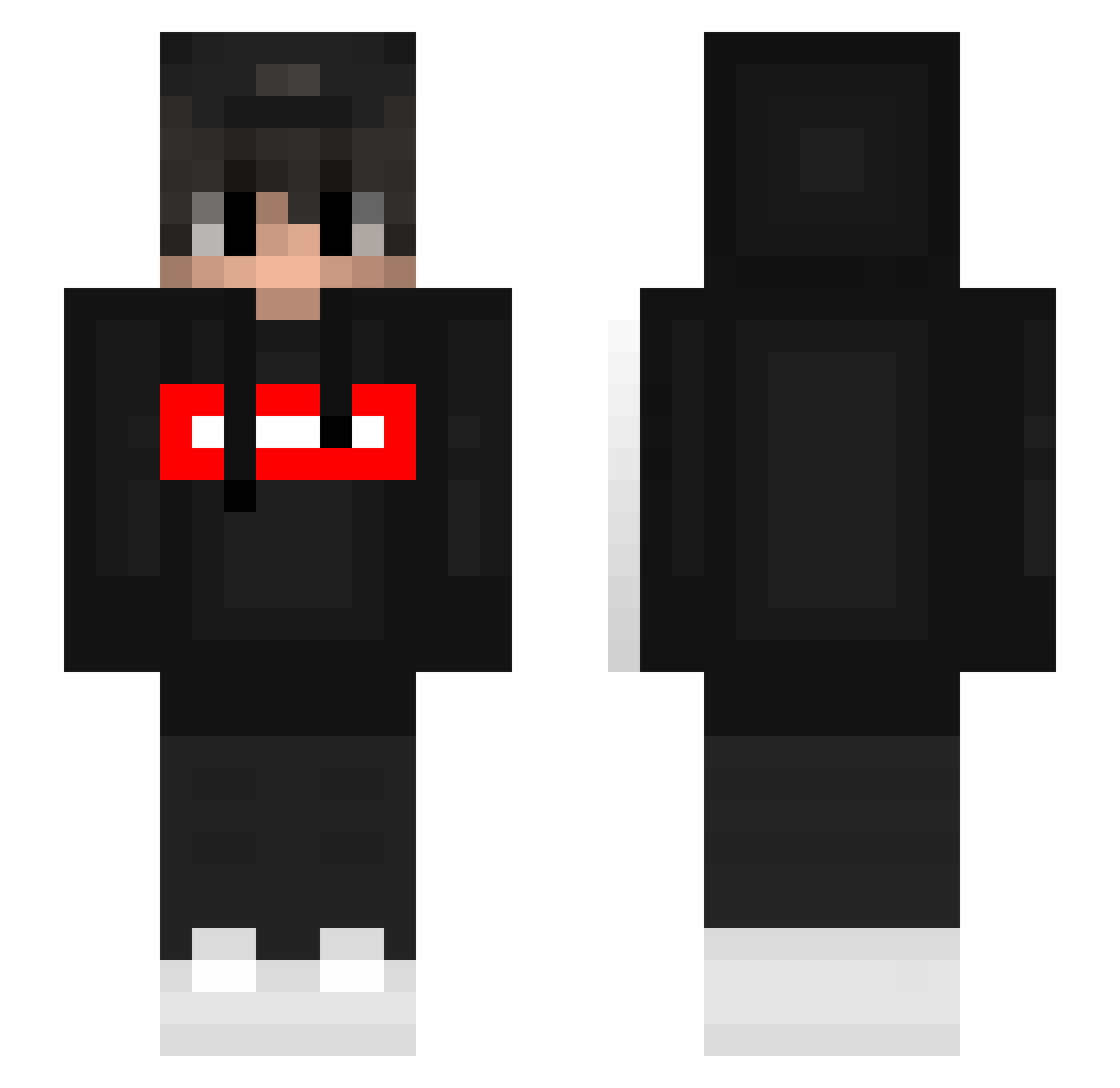
Current Minecraft skin of the player psw0116, loaded from the official Mojang API. Rotate the 3D model with your mouse or finger, then download the skin as a PNG file and use it in Minecraft: Bedrock Edition or Java Edition for free. When psw0116 changes their skin, this page updates automatically and the old skin stays in the history below.
Other players with this skin (393)
psw0116 was the 270th player we have seen with this skin, first spotted on 07.10.2026. The same skin was seen on these players. Open a nickname to see their current skin and skin history.
 Disguised_Monke earlybird0 SCCP_LUCAS NeverForgetJuan MrAksiu Xsyyds isaac9823 TheJustPlay hardast m_rtyn vMrCat BkVenge PotatoLord5 GiacomoZoet ssttr Albi_de_superior BRskinGamer InsertNico BistecaFPSs CryFiy325 _zQuazar_ zAwesomeq ItsKurzoh Dandyhere choikang5673 xXIts_FefeXx Thedarkkpaul jambek2006 wad_dwxqsb Kolo55u kingu8888 Progamer27YT Rayz76 Maxi009 R1leeey IbimsDerNico MenZz_ Kshclem Nevonek_MC qtyil Salidalavolpiana Simpanator Towelie2487 LeasFoda cobyx1872 DanielCz17 ThousandFists xwitvs kontrol_yoshi kukosf NykCo sleepykidz Chiefleif Mifoxi6308 SebigameHD Ares7056 britozz happymaster0930 Marcos2k xBrost
More Streetwear Minecraft skins
How to install the psw0116 skin
- Press the Download button above to save the skin as a PNG file.
- Minecraft: Bedrock Edition (PE): open the Dressing Room from the main menu (or tap your character → Edit Character), go to Classic Skins → Owned, press the + (new skin) button, choose the downloaded PNG and pick the Slim (Alex) model. Works on PC and mobile; consoles cannot import custom skins.
- Minecraft: Java Edition: open the Minecraft Launcher, go to the Skins tab, click New Skin, load the PNG, pick the Slim (Alex) model and press Save & Use. You can also upload it at minecraft.net → Profile → Change Skin.
The skin does not show up after import - what should I do?
Restart Minecraft and open the Dressing Room again - imported skins sometimes appear only after a restart. Also make sure you selected the imported skin and picked the Slim (Alex) model.
Which model should I choose, Classic or Slim?
This skin is designed for the Slim (Alex) model. If you pick the wrong model, the arms of the skin will look stretched or squeezed.
Is the skin of psw0116 free to download?
Yes. Press Download, save the PNG file and use it in Minecraft: Bedrock Edition or Java Edition - no payment or registration needed. The skin also works on multiplayer servers and Realms.
More skins
Looking for more? Go back to all Minecraft skins and check the top skins of the week, month and all time, or find any player's skin by nickname.