
porxiecoco - Minecraft Skins & Skin History
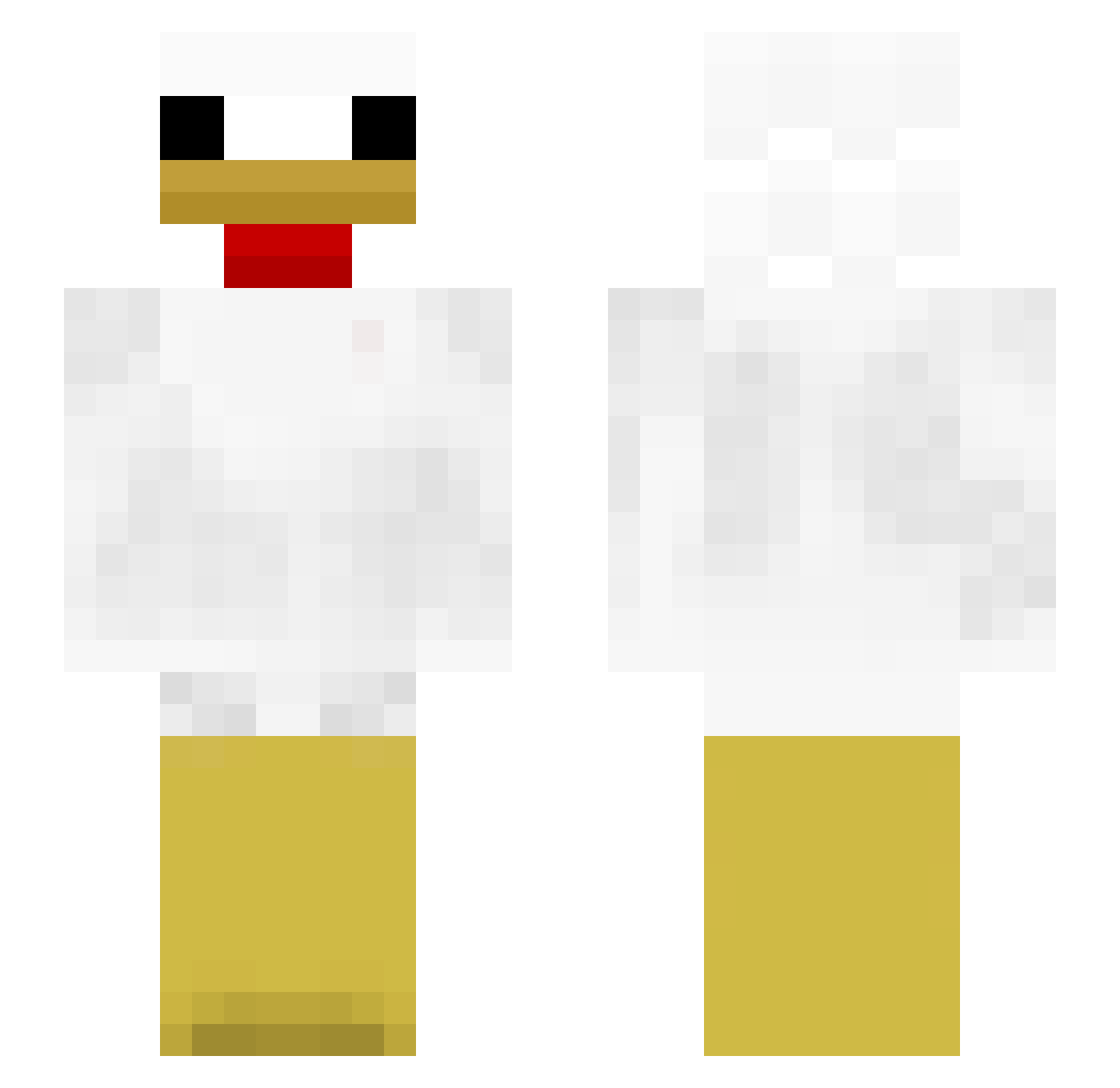
Current Minecraft skin of the player porxiecoco, loaded from the official Mojang API. Rotate the 3D model with your mouse or finger, then download the skin as a PNG file and use it in Minecraft: Bedrock Edition or Java Edition for free. When porxiecoco changes their skin, this page updates automatically and the old skin stays in the history below.
Other players with this skin (313)
porxiecoco was the 223rd player we have seen with this skin, first spotted on 04.10.2026. The same skin was seen on these players. Open a nickname to see their current skin and skin history.
 blissfulMussel7 hubba12 chichichicken1 credit12 OakyBear Makeral insuoutsu Dusty_ShadowTW BendyFlyer PyroPP Borisss00 baggs15 BigChickan cherishloq QKdejrdl IcedChicken2247 Gamma213 whua_ ki11ua yedi_02 Kaysaturn lililiiillliii Nydaes Ahyoung03 jarmstrong214 xmotrix PrimAthlete6233 SpicyRanch_ mcdrake17 BakedSeagull47 suda_hot 5HAEWON0225 light1021 Jakeskywalker23 himnmiya ZOV1 Fie_2007 Tchomac crystalmerch gin_48 fakeman5 Bartas2332 MemeBob SwegMoveChicken ScrannelL davas7 Akazu124 Ohio_egg Noob062610 6a6y OneKar4037 lsdlw ChickenSlayerIV ChickenMan___ qsle 3InchTerror P1NK4 pawlanczking rexv2 PHOENIXZ999
More Chicken Minecraft skins
How to install the porxiecoco skin
- Press the Download button above to save the skin as a PNG file.
- Minecraft: Bedrock Edition (PE): open the Dressing Room from the main menu (or tap your character → Edit Character), go to Classic Skins → Owned, press the + (new skin) button, choose the downloaded PNG and pick the Slim (Alex) model. Works on PC and mobile; consoles cannot import custom skins.
- Minecraft: Java Edition: open the Minecraft Launcher, go to the Skins tab, click New Skin, load the PNG, pick the Slim (Alex) model and press Save & Use. You can also upload it at minecraft.net → Profile → Change Skin.
The skin does not show up after import - what should I do?
Restart Minecraft and open the Dressing Room again - imported skins sometimes appear only after a restart. Also make sure you selected the imported skin and picked the Slim (Alex) model.
Which model should I choose, Classic or Slim?
This skin is designed for the Slim (Alex) model. If you pick the wrong model, the arms of the skin will look stretched or squeezed.
Is the skin of porxiecoco free to download?
Yes. Press Download, save the PNG file and use it in Minecraft: Bedrock Edition or Java Edition - no payment or registration needed. The skin also works on multiplayer servers and Realms.
More skins
Looking for more? Go back to all Minecraft skins and check the top skins of the week, month and all time, or find any player's skin by nickname.