
piparikana - Minecraft Skins & Skin History
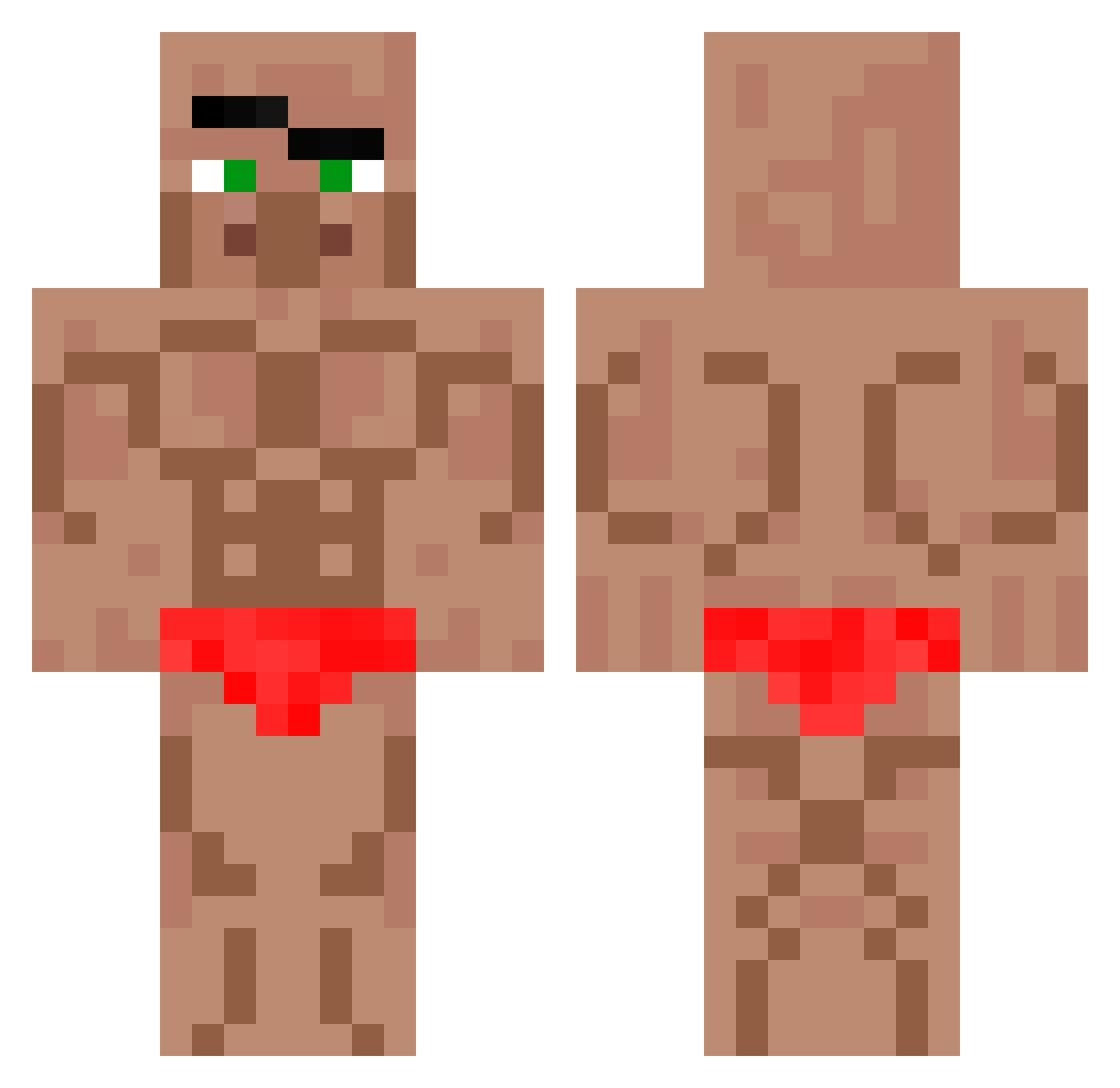
Current Minecraft skin of the player piparikana, loaded from the official Mojang API. Rotate the 3D model with your mouse or finger, then download the skin as a PNG file and use it in Minecraft: Bedrock Edition or Java Edition for free. When piparikana changes their skin, this page updates automatically and the old skin stays in the history below.
Other players with this skin (767)
piparikana was the 590th player we have seen with this skin, first spotted on 24.10.2026. The same skin was seen on these players. Open a nickname to see their current skin and skin history.
 Nugget_33 AMERICAN_GUNMAN Griffin_1118 Max280409 endernoob_2 uWann dragon2jy hoho3124 zDr4gonEU cocreta_de_pollo Mac_Of_Chese Linh_f1a_UwU Diamante292929 ConFused_717 Swiftytail1 John_789_666 Boxed_by_HvK awesomesauce49 odonggeon AERO572 Wrongbubbles172 tthedark06 starwberryjam124 0104king blikkodzik syrup023 Pandaletsplay mmkr3 Ogreboon lastontheplanet jakup1 wokerhi Silverya12 RobinHood830 6nagol dadafj yair1234567 Penggwen Decoslite Wintfin Zao77 freitaszin Sea69Kyle fishon247 Azitique2 ricahermosa69 Mignea skibididiego melon181 Jumpsuit47 Elvis2203 germanicy RS_REOSUS Nate4566 sc4ry_zul LeBoucher55 Shrooded EwanFlyingPig lebron_toast dla4636
More Buff Minecraft skins
How to install the piparikana skin
- Press the Download button above to save the skin as a PNG file.
- Minecraft: Bedrock Edition (PE): open the Dressing Room from the main menu (or tap your character → Edit Character), go to Classic Skins → Owned, press the + (new skin) button, choose the downloaded PNG and pick the Classic (Steve) model. Works on PC and mobile; consoles cannot import custom skins.
- Minecraft: Java Edition: open the Minecraft Launcher, go to the Skins tab, click New Skin, load the PNG, pick the Classic (Steve) model and press Save & Use. You can also upload it at minecraft.net → Profile → Change Skin.
The skin does not show up after import - what should I do?
Restart Minecraft and open the Dressing Room again - imported skins sometimes appear only after a restart. Also make sure you selected the imported skin and picked the Classic (Steve) model.
Which model should I choose, Classic or Slim?
This skin is designed for the Classic (Steve) model. If you pick the wrong model, the arms of the skin will look stretched or squeezed.
Is the skin of piparikana free to download?
Yes. Press Download, save the PNG file and use it in Minecraft: Bedrock Edition or Java Edition - no payment or registration needed. The skin also works on multiplayer servers and Realms.
More skins
Looking for more? Go back to all Minecraft skins and check the top skins of the week, month and all time, or find any player's skin by nickname.