
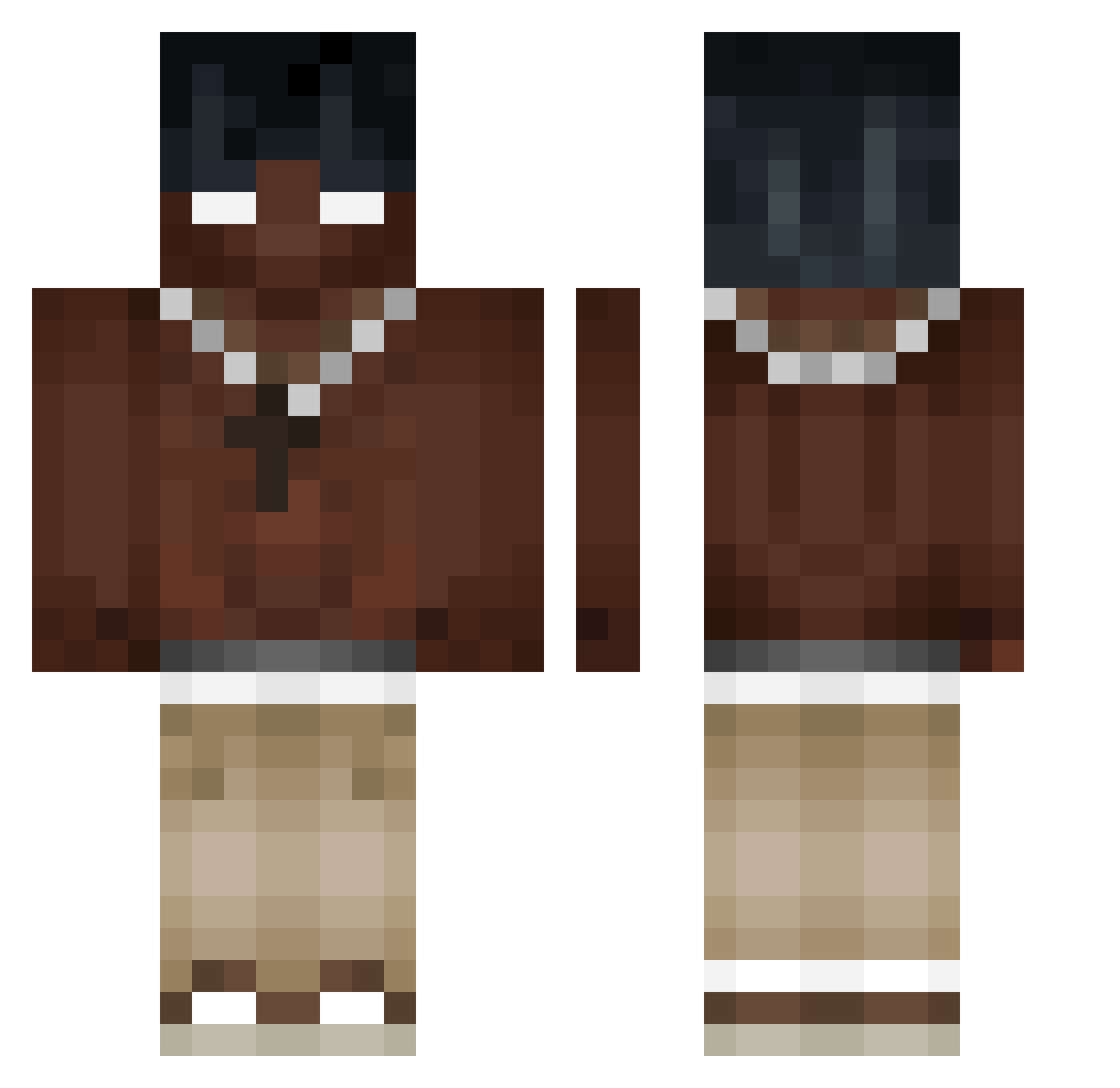
Current Minecraft skin of the player pham_eu, loaded from the official Mojang API. Rotate the 3D model with your mouse or finger, then download the skin as a PNG file and use it in Minecraft: Bedrock Edition or Java Edition for free. When pham_eu changes their skin, this page updates automatically and the old skin stays in the history below.
Other players with this skin (314)
pham_eu was the 186th player we have seen with this skin, first spotted on 15.09.2026. The same skin was seen on these players. Open a nickname to see their current skin and skin history.
 MNK_PRJ YEPforME BBC_Travis_Scott ukpark98 wesvandekken Pretinho2000 Quozy08 N3pax ArsEp0v Joschi_hausaa xeries7 CarlDerKrosse MIO1227 Xx_Sebas_xX VictorAckermann Mvrtinnn___ Kosiorro JhostinCold_ kvTrem VISEN234 FulFong KakiBaTusik nkn_667 Kamilos_05 spdnie Pryncypalka JohnMcQuerry gabopr06 titioisac OliBoli3535 fthesemexicansg _JFP_ chenchen0828 xNixyy Lycanezz Zuhkai Filipo_29 PRIDG KareTa999 CpvpDMB xLucian7 Top1_Prestiz Alessiooo11 paplyk 6cheat9 Viclo YoungDrozdi Kano0s boruvix igou2010 MIK0f4 Herz134 xar0sxar1ka 305_y FAFAFOFINHO steffort11 polbomagiko Alex__54 SPANN3R_ Kniexs
More Necklace Minecraft skins
How to install the pham_eu skin
- Press the Download button above to save the skin as a PNG file.
- Minecraft: Bedrock Edition (PE): open the Dressing Room from the main menu (or tap your character → Edit Character), go to Classic Skins → Owned, press the + (new skin) button, choose the downloaded PNG and pick the Classic (Steve) model. Works on PC and mobile; consoles cannot import custom skins.
- Minecraft: Java Edition: open the Minecraft Launcher, go to the Skins tab, click New Skin, load the PNG, pick the Classic (Steve) model and press Save & Use. You can also upload it at minecraft.net → Profile → Change Skin.
The skin does not show up after import - what should I do?
Restart Minecraft and open the Dressing Room again - imported skins sometimes appear only after a restart. Also make sure you selected the imported skin and picked the Classic (Steve) model.
Which model should I choose, Classic or Slim?
This skin is designed for the Classic (Steve) model. If you pick the wrong model, the arms of the skin will look stretched or squeezed.
Is the skin of pham_eu free to download?
Yes. Press Download, save the PNG file and use it in Minecraft: Bedrock Edition or Java Edition - no payment or registration needed. The skin also works on multiplayer servers and Realms.
More skins
Looking for more? Go back to all Minecraft skins and check the top skins of the week, month and all time, or find any player's skin by nickname.