
pennynickeldimer - Minecraft Skins & Skin History
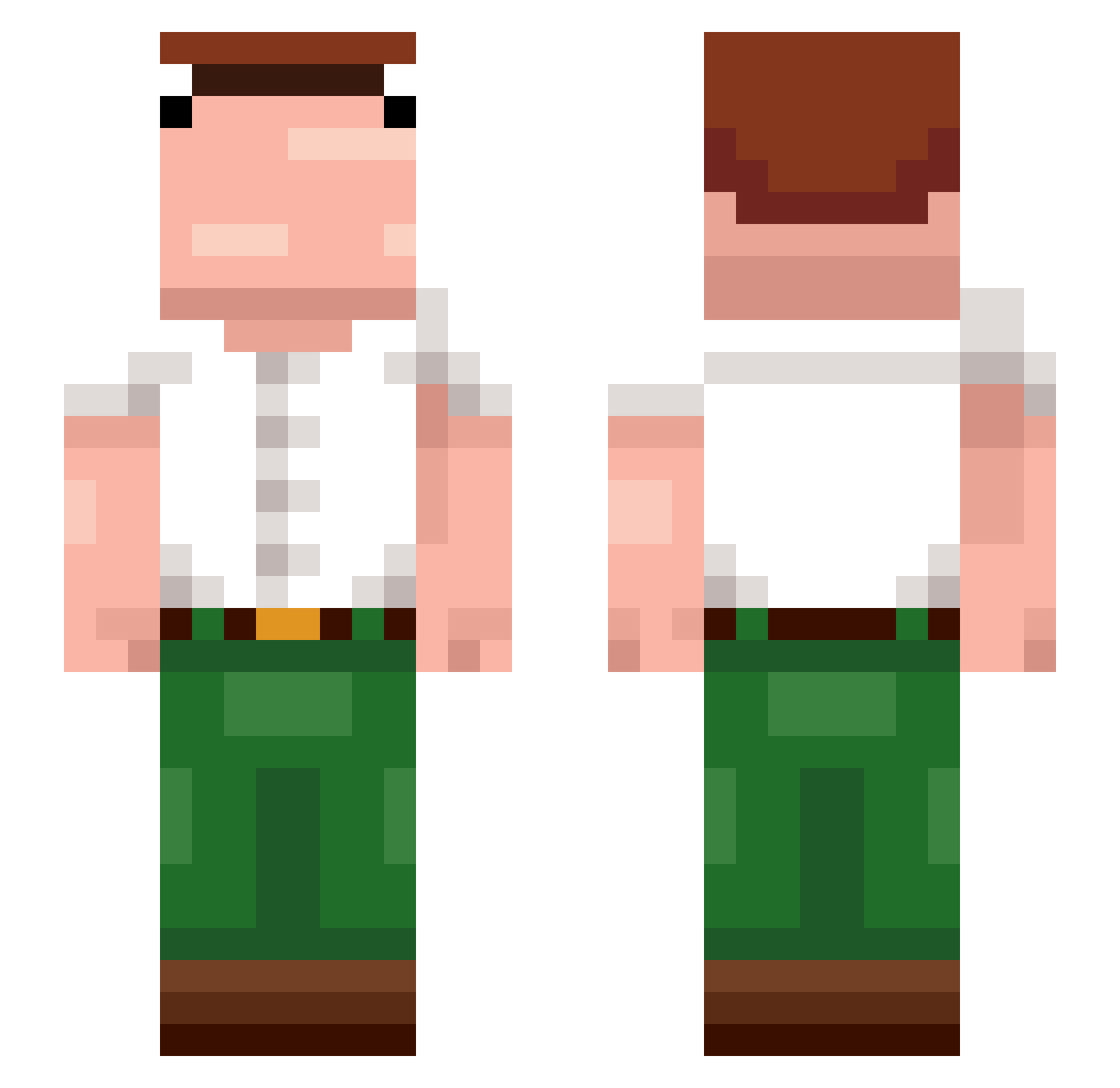
Current Minecraft skin of the player pennynickeldimer, loaded from the official Mojang API. Rotate the 3D model with your mouse or finger, then download the skin as a PNG file and use it in Minecraft: Bedrock Edition or Java Edition for free. When pennynickeldimer changes their skin, this page updates automatically and the old skin stays in the history below.
Other players with this skin (374)
pennynickeldimer was the 274th player we have seen with this skin, first spotted on 10.10.2026. The same skin was seen on these players. Open a nickname to see their current skin and skin history.
 Didimuleke voidX1337 Robinthegoat xmcnex VinStar_ Maroyaka_1 LordFrancisDrake jasister69 Jafer7 himothi nicollasmauricio GormFJ mKura Skorpio1742 JVRUBIO Esolannogru Der__Onkel KingMarmota minecraftisvalid TTSyr0x remuss078 Autjaga DoenermanAli skipsoso_ SherriffWill jfenixstu tony092 Yieguu AmberOcean0 aerofx petergriftin67 M0MIT0 ian2_5 MrExGod raddicx Milo_Ja bibbitty DuskBreaker_ iloveminers2312 trtrdnc ko44ka RuinsOfWar5002_ oAlpha_ RONALDOADAMI Todynho9682 Jeanbarr DgaBkaPRO228 sumtlngwong Myrdd1n_ ailixiya0v0 UncoverMoon01 CompletoMCP logiscoolhk_9 DaffyTube Aiden_Ex kyorame airstrips Luuqitos Yashel10 Josh_Hart
More Peter Griffin Minecraft skins
See all 227 Peter Griffin skins
How to install the pennynickeldimer skin
- Press the Download button above to save the skin as a PNG file.
- Minecraft: Bedrock Edition (PE): open the Dressing Room from the main menu (or tap your character → Edit Character), go to Classic Skins → Owned, press the + (new skin) button, choose the downloaded PNG and pick the Slim (Alex) model. Works on PC and mobile; consoles cannot import custom skins.
- Minecraft: Java Edition: open the Minecraft Launcher, go to the Skins tab, click New Skin, load the PNG, pick the Slim (Alex) model and press Save & Use. You can also upload it at minecraft.net → Profile → Change Skin.
The skin does not show up after import - what should I do?
Restart Minecraft and open the Dressing Room again - imported skins sometimes appear only after a restart. Also make sure you selected the imported skin and picked the Slim (Alex) model.
Which model should I choose, Classic or Slim?
This skin is designed for the Slim (Alex) model. If you pick the wrong model, the arms of the skin will look stretched or squeezed.
Is the skin of pennynickeldimer free to download?
Yes. Press Download, save the PNG file and use it in Minecraft: Bedrock Edition or Java Edition - no payment or registration needed. The skin also works on multiplayer servers and Realms.
More skins
Looking for more? Go back to all Minecraft skins and check the top skins of the week, month and all time, or find any player's skin by nickname.