
 mystic123123 RG_Rexy Yujin_XYZ _bagietus_RDM dogskrr old_sns_juice shenguang22 Kisbuga2 YaBoyTom4789 choops27 Deathpool756 dfunk80 EnderDragQueen HyperSnipez onyxkarti AFROTuna Yamaha_Pacifica HYUNYONG1000 aubsontop Fibba39 Duckman_captain Matossss thisistheking a9dl Arcane123 JabkaOne DelWawa Uiog888 Elbarto63 T1AGUINHO SL3EP1NG mashouse LamaBacon Gordza cositafea99 Poke032 JerryLeon spifycow420 yCronz IDV_77 Etched_destiny Jqx_ MateoCorleone _Kazakhstan_ Petersm szymusgyat danielplayboy007 Casluu231 babaprogaming puercodepierite1 The_Chip reideey BihDihSebas _Thanospazdanos_ JackPaddy_ yumiao520 Fissmann Physwiz MassiveLegend67 _TOXIC_12
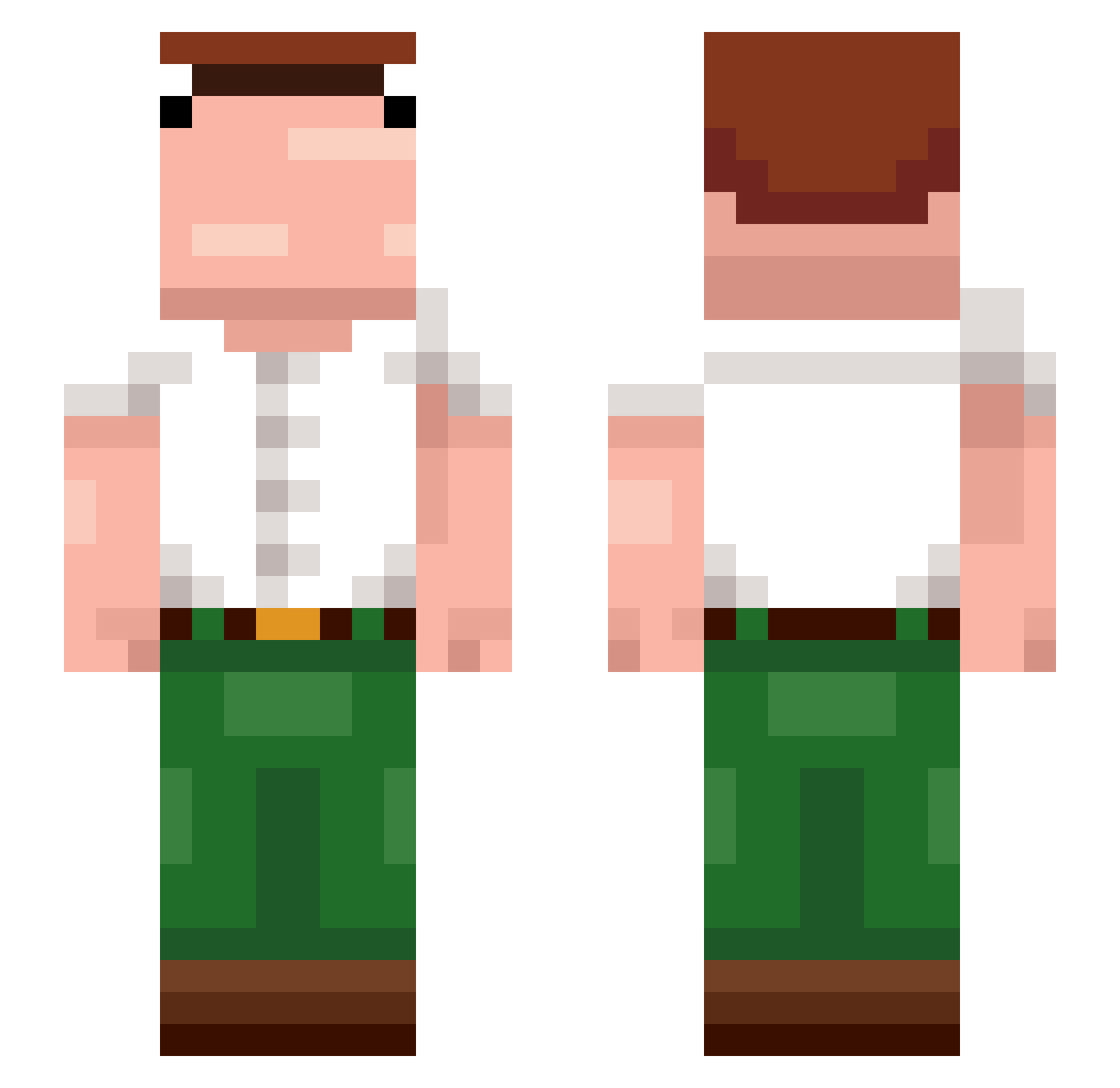
Minecraft skin of pizzarockz69. Rotate the 3D model with your mouse or finger to view the skin from every angle, then download it as a PNG file and use it in Minecraft: Bedrock Edition or Java Edition for free. Rate the skin with stars to help other players find the best skins in our collection.
How to install the pizzarockz69 skin
- Press the Download button above to save the skin as a PNG file.
- Minecraft: Bedrock Edition (PE): open the Dressing Room from the main menu (or tap your character → Edit Character), go to Classic Skins → Owned, press the + (new skin) button, choose the downloaded PNG and pick the Slim (Alex) model. Works on PC and mobile; consoles cannot import custom skins.
- Minecraft: Java Edition: open the Minecraft Launcher, go to the Skins tab, click New Skin, load the PNG, pick the Slim (Alex) model and press Save & Use. You can also upload it at minecraft.net → Profile → Change Skin.
The skin does not show up after import - what should I do?
Restart Minecraft and open the Dressing Room again - imported skins sometimes appear only after a restart. Also make sure you selected the imported skin and picked the Slim (Alex) model.
Which model should I choose, Classic or Slim?
This skin is designed for the Slim (Alex) model. If you pick the wrong model, the arms of the skin will look stretched or squeezed.
Is this skin free to use?
Yes. Press Download, save the PNG file and use it in Minecraft: Bedrock Edition or Java Edition - no payment or registration needed. The skin also works on multiplayer servers and Realms.
More Peter Griffin Minecraft skins
See all 227 Peter Griffin skins
More skins
Looking for more? Go back to all Minecraft skins and check the top skins of the week, month and all time, or find any player's skin by nickname.