
peng1n014 - Minecraft Skins & Skin History
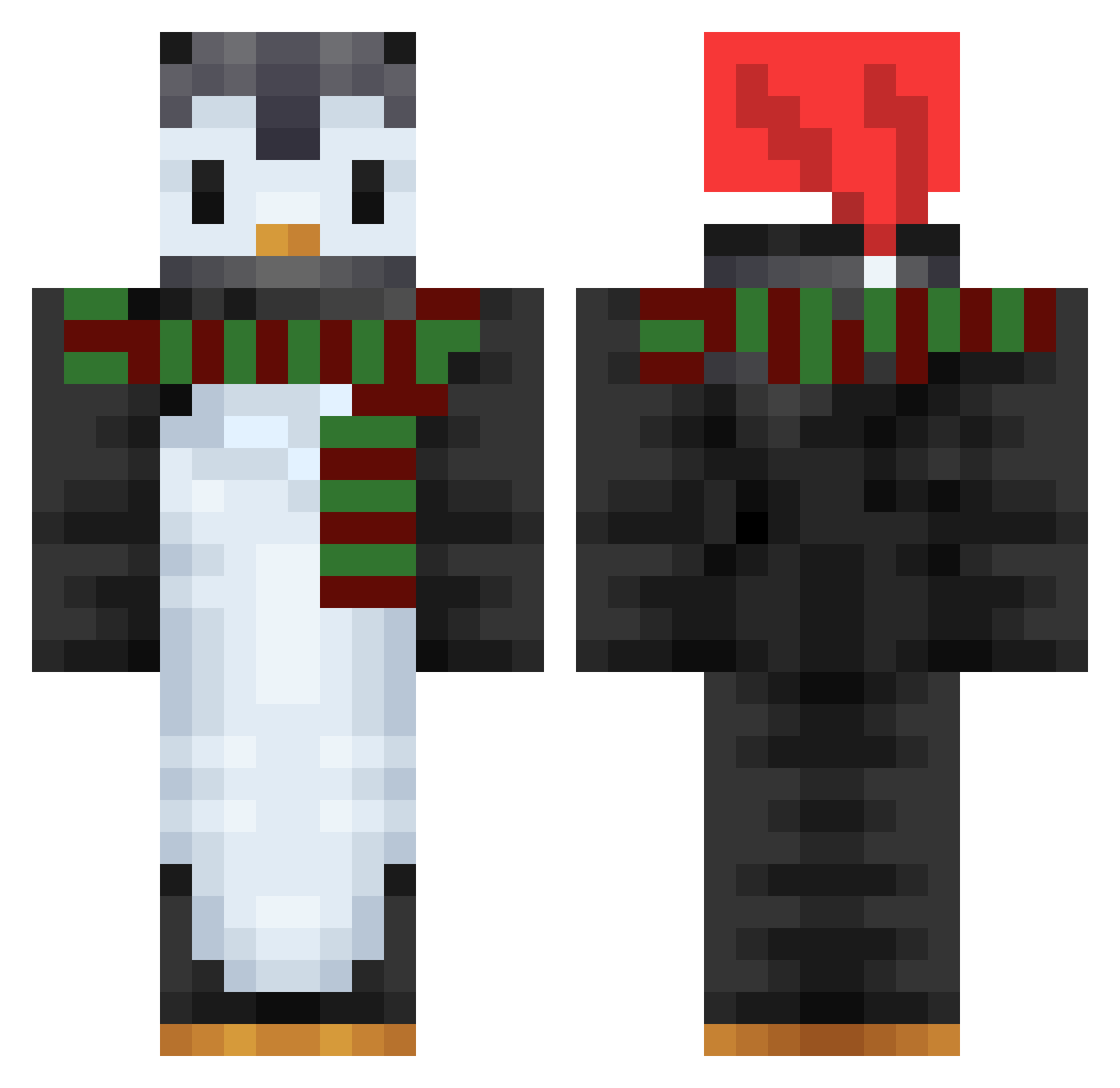
Current Minecraft skin of the player peng1n014, loaded from the official Mojang API. Rotate the 3D model with your mouse or finger, then download the skin as a PNG file and use it in Minecraft: Bedrock Edition or Java Edition for free. When peng1n014 changes their skin, this page updates automatically and the old skin stays in the history below.
Other players with this skin (748)
peng1n014 was the 660th player we have seen with this skin, first spotted on 26.10.2026. The same skin was seen on these players. Open a nickname to see their current skin and skin history.
 Carbonatom3 pwing4000 WretchedPenguin WANDO987 Raisuppie superdariokart Qb3k_ HandsomeJin AsianShep subin0114 Blakis_Santi officejuiceVEVO Curly98 9rbe MAL_ssJanz bootyswiper0 leanleen Rodepinguin TotalBrushKit QASDDA Quicks3 Twisikle LegoLandKorea straatman Lil_Pennywise hehin08 lee_soobin Pinkunicorn1992 DRACHE66 knagenz cog13 MrOleszek TheSpiceh CyloCylo MasterDucler xiaoyan2121 hs99 IndyAndy05 Unluckyest Felix___23 sosopasmaness dxnnathepenguin Gusta2 ShoPaiOtaku N_Nwild awa_fresca Bat_Claus rosittaNL Tae_Y Fugo1010 pithony itoutasi 129sleep SimoneSluis araidayoi Penginkin RyangHa asthmaticloser kanatoDAYO renoahappiness
More Penguin Minecraft skins
How to install the peng1n014 skin
- Press the Download button above to save the skin as a PNG file.
- Minecraft: Bedrock Edition (PE): open the Dressing Room from the main menu (or tap your character → Edit Character), go to Classic Skins → Owned, press the + (new skin) button, choose the downloaded PNG and pick the Classic (Steve) model. Works on PC and mobile; consoles cannot import custom skins.
- Minecraft: Java Edition: open the Minecraft Launcher, go to the Skins tab, click New Skin, load the PNG, pick the Classic (Steve) model and press Save & Use. You can also upload it at minecraft.net → Profile → Change Skin.
The skin does not show up after import - what should I do?
Restart Minecraft and open the Dressing Room again - imported skins sometimes appear only after a restart. Also make sure you selected the imported skin and picked the Classic (Steve) model.
Which model should I choose, Classic or Slim?
This skin is designed for the Classic (Steve) model. If you pick the wrong model, the arms of the skin will look stretched or squeezed.
Is the skin of peng1n014 free to download?
Yes. Press Download, save the PNG file and use it in Minecraft: Bedrock Edition or Java Edition - no payment or registration needed. The skin also works on multiplayer servers and Realms.
More skins
Looking for more? Go back to all Minecraft skins and check the top skins of the week, month and all time, or find any player's skin by nickname.