
osioleq - Minecraft Skins & Skin History
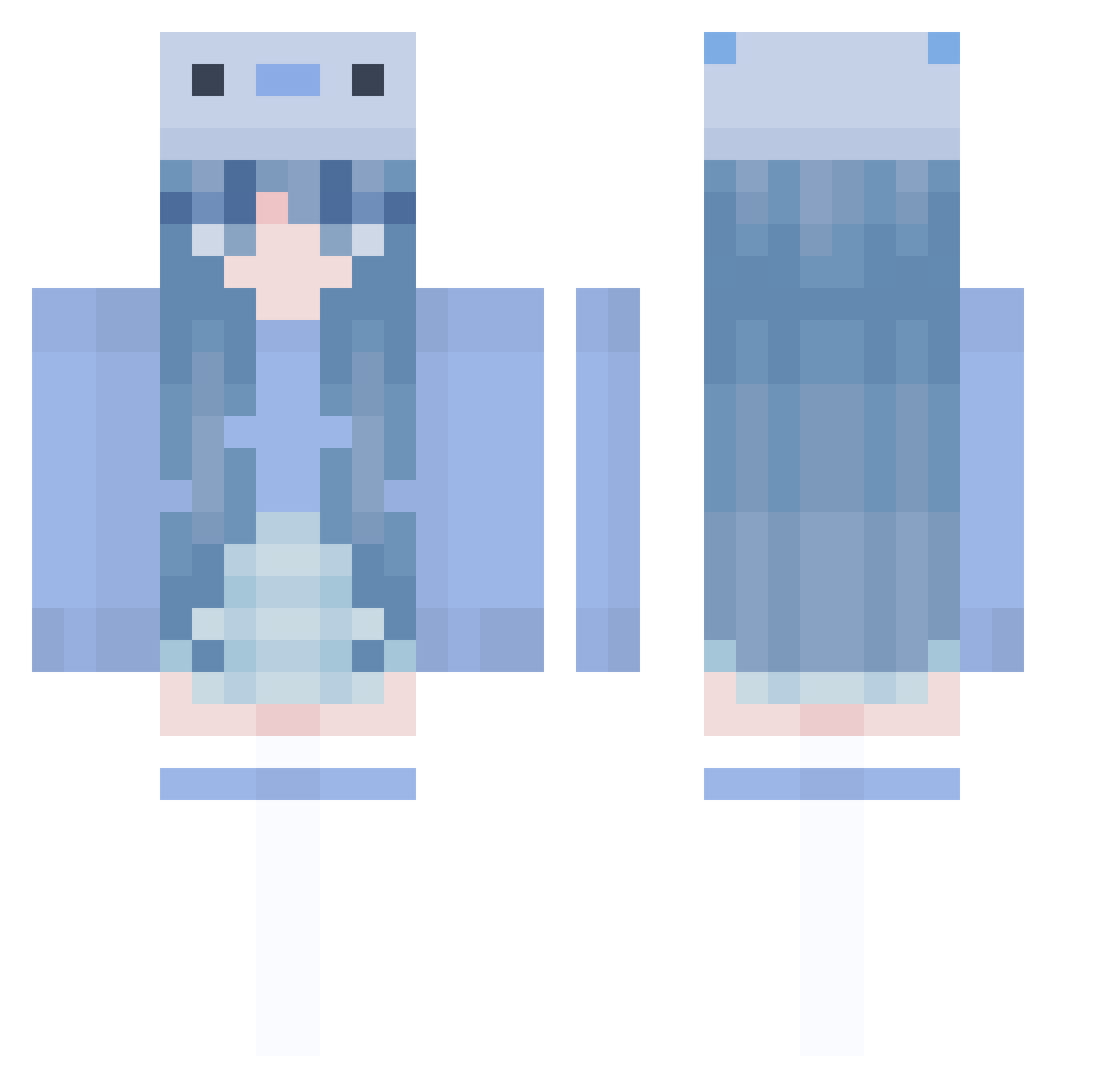
Current Minecraft skin of the player osioleq, loaded from the official Mojang API. Rotate the 3D model with your mouse or finger, then download the skin as a PNG file and use it in Minecraft: Bedrock Edition or Java Edition for free. When osioleq changes their skin, this page updates automatically and the old skin stays in the history below.
Other players with this skin (1005)
osioleq was the 573rd player we have seen with this skin, first spotted on 30.09.2026. The same skin was seen on these players. Open a nickname to see their current skin and skin history.
 RoseCandy1115 iyeonibabo Dish_washer_ Willa476 Llama_Lover420 black_swan09 graciebugxo DorsalSeal60931 emmaarja Wa1aa konekundziczka Ren_Moon PatiStruzi DarkFlower59 DeMi1212 Alekto1289 StephanieLexy Alysoit Themys69 skrtipcoolbean Salty_Fish0323 chickenandskates AdhesiveApe2160 tannpopoGOD Clarissaaax ElainaSwap muunlight SakuraArare BUZICSIGA YouKnowWho67 hank966987 L1nKueN BADSUSIE dnlcaroline IceMar061 ImSoBadAtHacking Jordi234 emilyp2024 Willowstar21 novapella Jackrant strawberry_hey bobowenwen Lidziaczekk MuraNotFound eL_1628 schnitan JarrrrrrrrrrrrrY hotate3958 StarPuLSeeker03 anaritagame Clusters_ jeerrriii 527desuyo cnmsilabn kiarqa Hanhancc mochii68 ZERS0L Nameless_shark
More Axolotl Minecraft skins
How to install the osioleq skin
- Press the Download button above to save the skin as a PNG file.
- Minecraft: Bedrock Edition (PE): open the Dressing Room from the main menu (or tap your character → Edit Character), go to Classic Skins → Owned, press the + (new skin) button, choose the downloaded PNG and pick the Classic (Steve) model. Works on PC and mobile; consoles cannot import custom skins.
- Minecraft: Java Edition: open the Minecraft Launcher, go to the Skins tab, click New Skin, load the PNG, pick the Classic (Steve) model and press Save & Use. You can also upload it at minecraft.net → Profile → Change Skin.
The skin does not show up after import - what should I do?
Restart Minecraft and open the Dressing Room again - imported skins sometimes appear only after a restart. Also make sure you selected the imported skin and picked the Classic (Steve) model.
Which model should I choose, Classic or Slim?
This skin is designed for the Classic (Steve) model. If you pick the wrong model, the arms of the skin will look stretched or squeezed.
Is the skin of osioleq free to download?
Yes. Press Download, save the PNG file and use it in Minecraft: Bedrock Edition or Java Edition - no payment or registration needed. The skin also works on multiplayer servers and Realms.
More skins
Looking for more? Go back to all Minecraft skins and check the top skins of the week, month and all time, or find any player's skin by nickname.