
orangkece - Minecraft Skins & Skin History
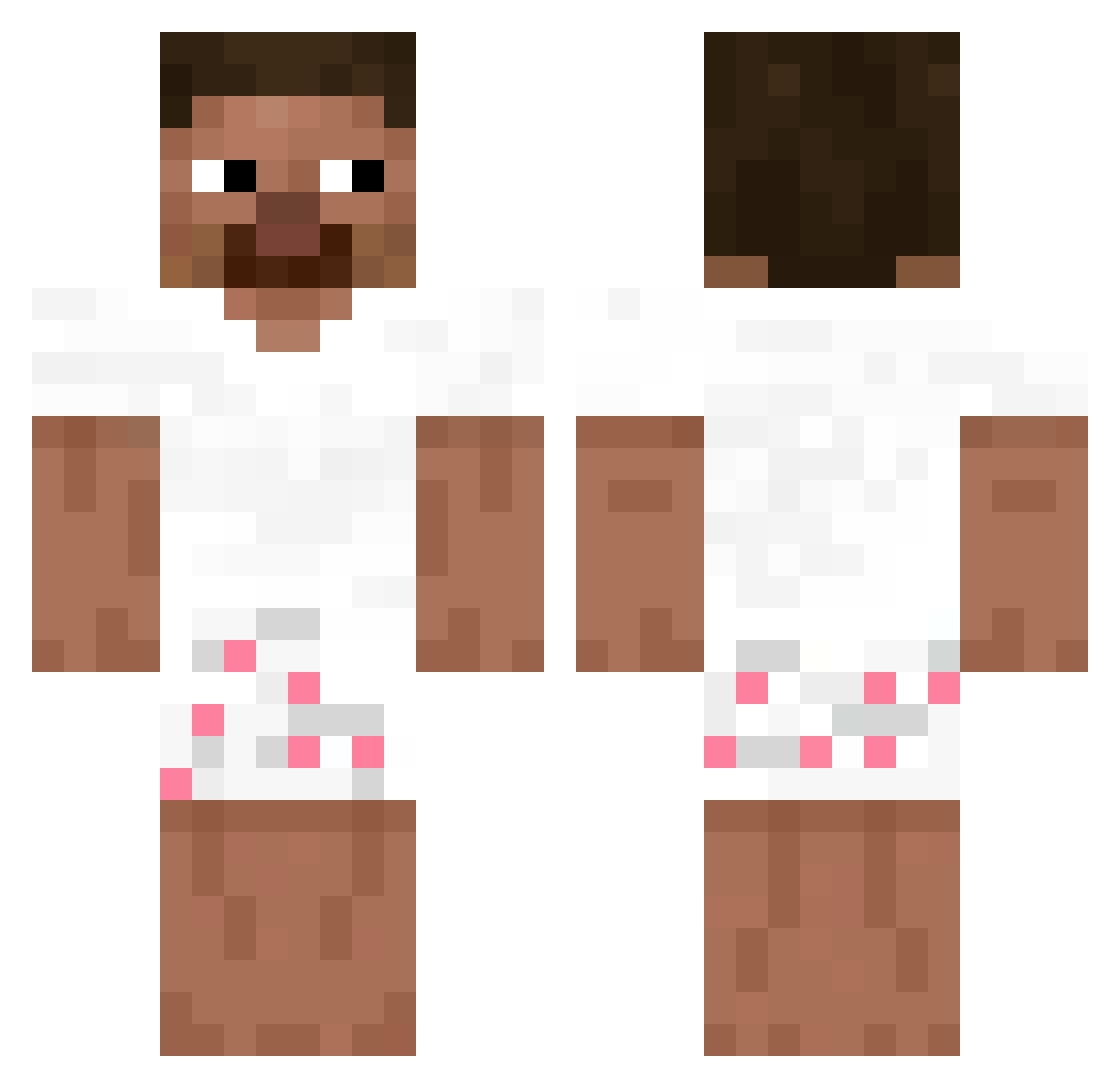
Current Minecraft skin of the player orangkece, loaded from the official Mojang API. Rotate the 3D model with your mouse or finger, then download the skin as a PNG file and use it in Minecraft: Bedrock Edition or Java Edition for free. When orangkece changes their skin, this page updates automatically and the old skin stays in the history below.
Other players with this skin (231)
orangkece was the 144th player we have seen with this skin, first spotted on 29.09.2026. The same skin was seen on these players. Open a nickname to see their current skin and skin history.
 _MOVEN Fili_turetta011 soupremeHD xdukeyclapz TheMajkiel Heliotropin mmatez_ m0zye7i Fayyzn_ skeletrixx Juneyzzz Genitour MANDYNGO SoyHuguito HAPPYCAT217 hector_fv Nyvvekk Nixxiom99 DianneDrugDealer _Fkzez firemage2143 blitzta jaffaoranges Lukkyys_ sSnoxw minecraftbabe03 Di_dino kvlo007 GateHays H6DS matiocchec Kappecxxx Paco_jooo fenyx021 Vxk0 davidpens5 ovsr SuperBombero yelimking HeadhunterChest Thekla1050 Kovyz 1s1d Maik_bro PepoICS makapaka15u stylie1 Arif8 luiiiiim Xavipros1961 HenryThatcher azchai the_raspy _chinczyk_ Flingus_ ADDT93 rohacek HB_XD Xarloos_ MINIPOKE
How to install the orangkece skin
- Press the Download button above to save the skin as a PNG file.
- Minecraft: Bedrock Edition (PE): open the Dressing Room from the main menu (or tap your character → Edit Character), go to Classic Skins → Owned, press the + (new skin) button, choose the downloaded PNG and pick the Classic (Steve) model. Works on PC and mobile; consoles cannot import custom skins.
- Minecraft: Java Edition: open the Minecraft Launcher, go to the Skins tab, click New Skin, load the PNG, pick the Classic (Steve) model and press Save & Use. You can also upload it at minecraft.net → Profile → Change Skin.
The skin does not show up after import - what should I do?
Restart Minecraft and open the Dressing Room again - imported skins sometimes appear only after a restart. Also make sure you selected the imported skin and picked the Classic (Steve) model.
Which model should I choose, Classic or Slim?
This skin is designed for the Classic (Steve) model. If you pick the wrong model, the arms of the skin will look stretched or squeezed.
Is the skin of orangkece free to download?
Yes. Press Download, save the PNG file and use it in Minecraft: Bedrock Edition or Java Edition - no payment or registration needed. The skin also works on multiplayer servers and Realms.
More skins
Looking for more? Go back to all Minecraft skins and check the top skins of the week, month and all time, or find any player's skin by nickname.