
onizukakanji - Minecraft Skins & Skin History
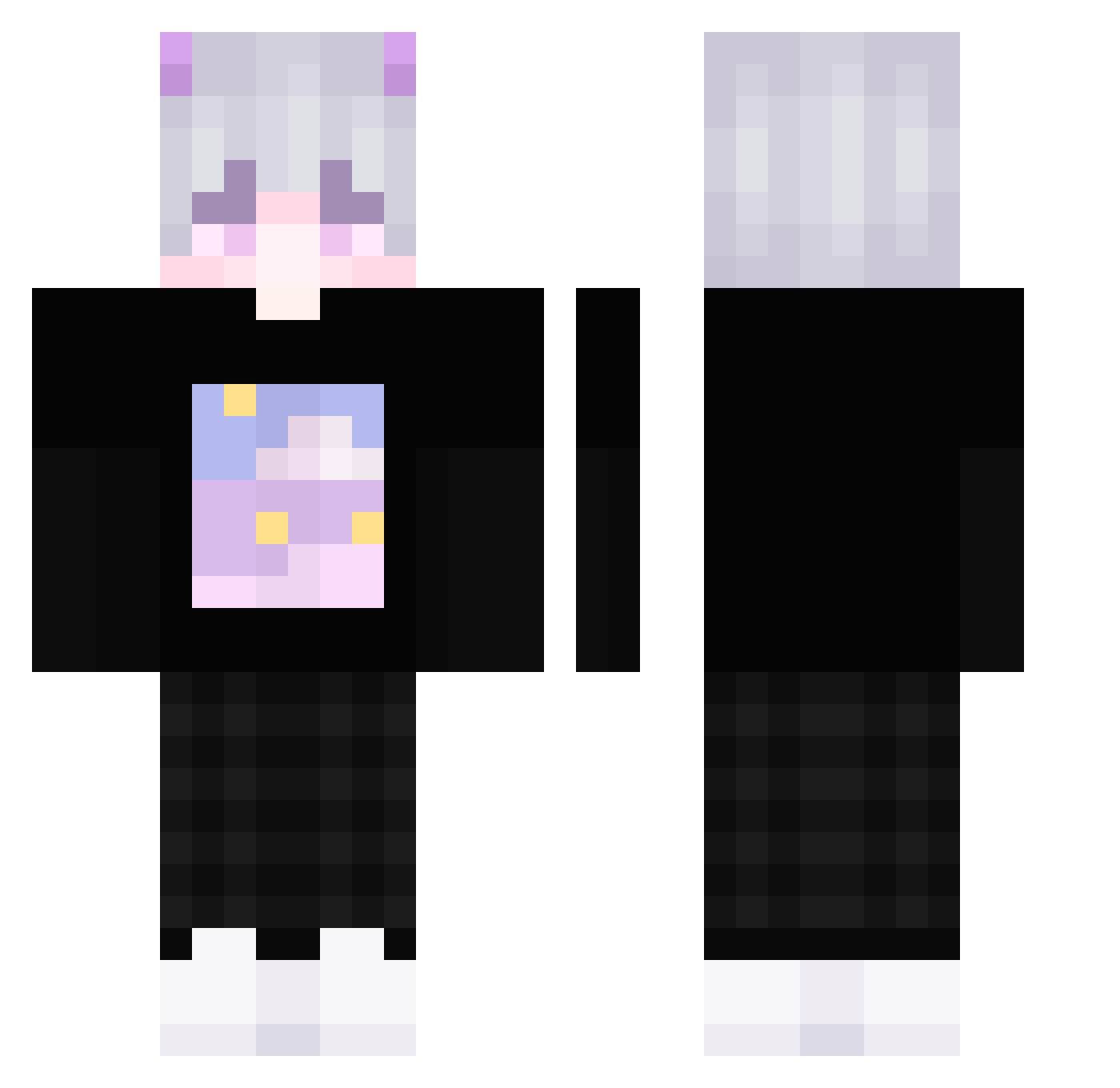
Current Minecraft skin of the player onizukakanji, loaded from the official Mojang API. Rotate the 3D model with your mouse or finger, then download the skin as a PNG file and use it in Minecraft: Bedrock Edition or Java Edition for free. When onizukakanji changes their skin, this page updates automatically and the old skin stays in the history below.
Other players with this skin (389)
onizukakanji was the 346th player we have seen with this skin, first spotted on 31.10.2026. The same skin was seen on these players. Open a nickname to see their current skin and skin history.
 hee_2da SHIROdam UAE_LIGHT JJEEYY _uwu_gamer_uwu_ Audacities binp4ul XxenriquexX714 CiciKu egemwebster HopperXr Gaxxou_ DarkVile Nashooooo ritora0720 PupNox BastiancortesXV Sall_Mon Kirin_Ruan morphe1030 Ankrath xNotheN Heavelq O_li_via Dem0000N miledy027 STRANOY GordoFlaco07 defliii FlauntyZ HuYa_AJie thxzgo FutureB1 iLunatikLunatik MiikoHikari Lucifer_Denica_ AbbiTee Rinoshiro DZVV 187_exe KillaAlbinoSila zMarce_ MD_FK Plutaos _Pdziobak_ _zDonixPLAYTV dltpgks1 MUUSKK KuKu_7182 cinigames micronics lilunnn mobleyc2 _Blasty_ PoseidonV1 T2328L doyunn shibaketerayo LostSoul480 Alan0215
More Horns Minecraft skins
How to install the onizukakanji skin
- Press the Download button above to save the skin as a PNG file.
- Minecraft: Bedrock Edition (PE): open the Dressing Room from the main menu (or tap your character → Edit Character), go to Classic Skins → Owned, press the + (new skin) button, choose the downloaded PNG and pick the Classic (Steve) model. Works on PC and mobile; consoles cannot import custom skins.
- Minecraft: Java Edition: open the Minecraft Launcher, go to the Skins tab, click New Skin, load the PNG, pick the Classic (Steve) model and press Save & Use. You can also upload it at minecraft.net → Profile → Change Skin.
The skin does not show up after import - what should I do?
Restart Minecraft and open the Dressing Room again - imported skins sometimes appear only after a restart. Also make sure you selected the imported skin and picked the Classic (Steve) model.
Which model should I choose, Classic or Slim?
This skin is designed for the Classic (Steve) model. If you pick the wrong model, the arms of the skin will look stretched or squeezed.
Is the skin of onizukakanji free to download?
Yes. Press Download, save the PNG file and use it in Minecraft: Bedrock Edition or Java Edition - no payment or registration needed. The skin also works on multiplayer servers and Realms.
More skins
Looking for more? Go back to all Minecraft skins and check the top skins of the week, month and all time, or find any player's skin by nickname.