
olisiek2137 - Minecraft Skins & Skin History
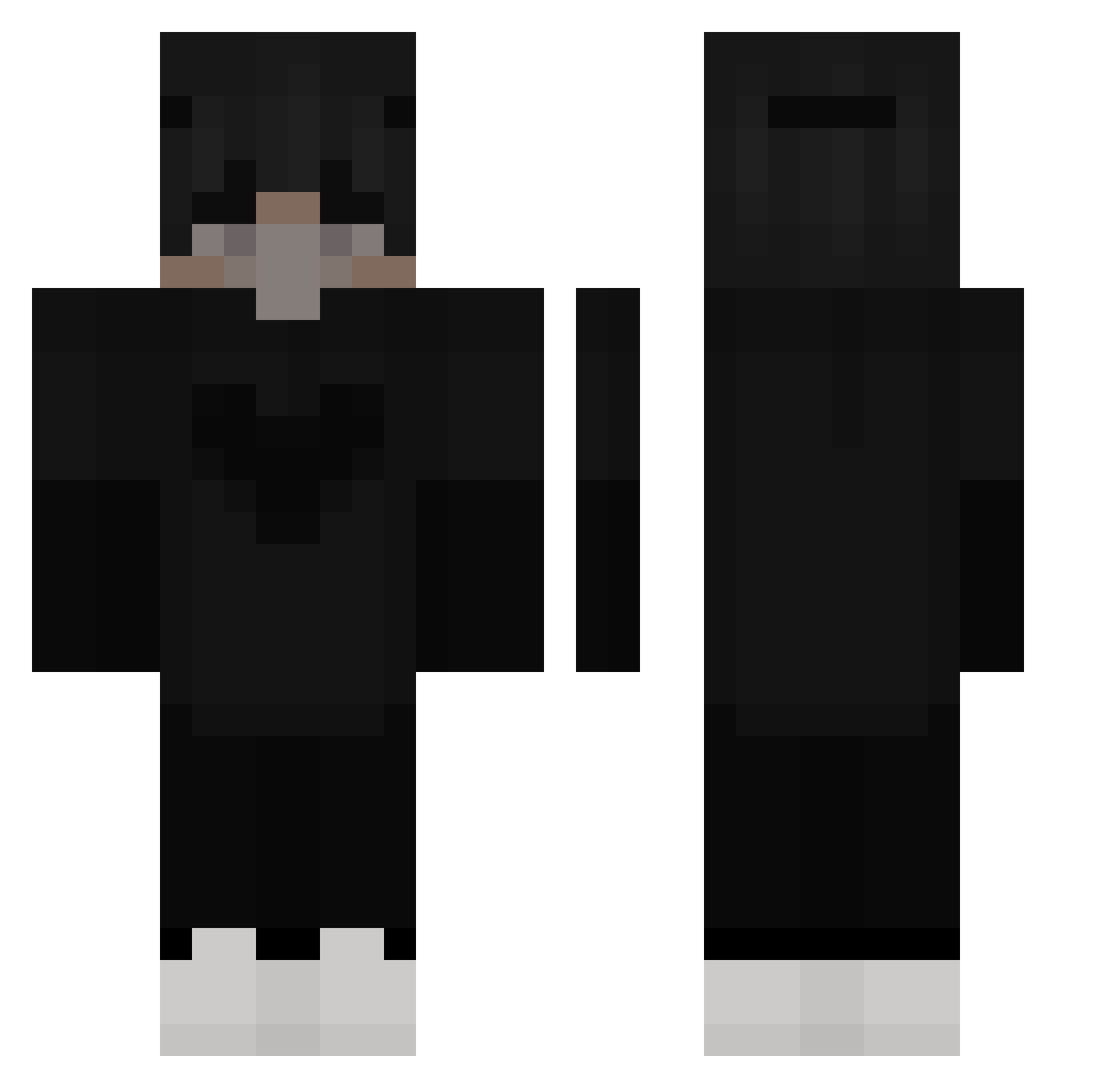
Current Minecraft skin of the player olisiek2137, loaded from the official Mojang API. Rotate the 3D model with your mouse or finger, then download the skin as a PNG file and use it in Minecraft: Bedrock Edition or Java Edition for free. When olisiek2137 changes their skin, this page updates automatically and the old skin stays in the history below.
Other players with this skin (167)
olisiek2137 was the 28th player we have seen with this skin, first spotted on 18.08.2026. The same skin was seen on these players. Open a nickname to see their current skin and skin history.
 SuperKuba2008 Sofii05 callich CowzFiztn Tomxvm alisher_sagg ___TheSky___YT kitoyokoks12 Alweyr avocod optimous9909 jisung_07 _aboy_ 0701Sven DontShootImGay HItasama wnsk7466 _Skap ItsMoeBtw RamuneJ WEAZIAN TheBen_ heesung06_ Escallared Sandiger Arbitraryz D1BorderHopper unlustiqer GamingsYT8939 kk19407 HaqXPvP Mirac1967 Indapendent maelmechin Marlon2095 dprotoss MrYix Slinguin rektchild DocHudsen rafaelguazelli ivz1337 zabson__ Klawior LordeAizen dobrzan2137 AppleFruits llR3Nll Dqvidd UltimateWiseV xINeptun Tamoyo N3XION BaboJJangjorim Ziggyiwnl xSilEz_ willytjuhh vusdksgo OldCanadianJesus water_dog01
More Heart Minecraft skins
How to install the olisiek2137 skin
- Press the Download button above to save the skin as a PNG file.
- Minecraft: Bedrock Edition (PE): open the Dressing Room from the main menu (or tap your character → Edit Character), go to Classic Skins → Owned, press the + (new skin) button, choose the downloaded PNG and pick the Classic (Steve) model. Works on PC and mobile; consoles cannot import custom skins.
- Minecraft: Java Edition: open the Minecraft Launcher, go to the Skins tab, click New Skin, load the PNG, pick the Classic (Steve) model and press Save & Use. You can also upload it at minecraft.net → Profile → Change Skin.
The skin does not show up after import - what should I do?
Restart Minecraft and open the Dressing Room again - imported skins sometimes appear only after a restart. Also make sure you selected the imported skin and picked the Classic (Steve) model.
Which model should I choose, Classic or Slim?
This skin is designed for the Classic (Steve) model. If you pick the wrong model, the arms of the skin will look stretched or squeezed.
Is the skin of olisiek2137 free to download?
Yes. Press Download, save the PNG file and use it in Minecraft: Bedrock Edition or Java Edition - no payment or registration needed. The skin also works on multiplayer servers and Realms.
More skins
Looking for more? Go back to all Minecraft skins and check the top skins of the week, month and all time, or find any player's skin by nickname.