
oldQ2000 - Minecraft Skins & Skin History
Current Minecraft skin of the player oldQ2000, loaded from the official Mojang API. Rotate the 3D model with your mouse or finger, then download the skin as a PNG file and use it in Minecraft: Bedrock Edition or Java Edition for free. When oldQ2000 changes their skin, this page updates automatically and the old skin stays in the history below.
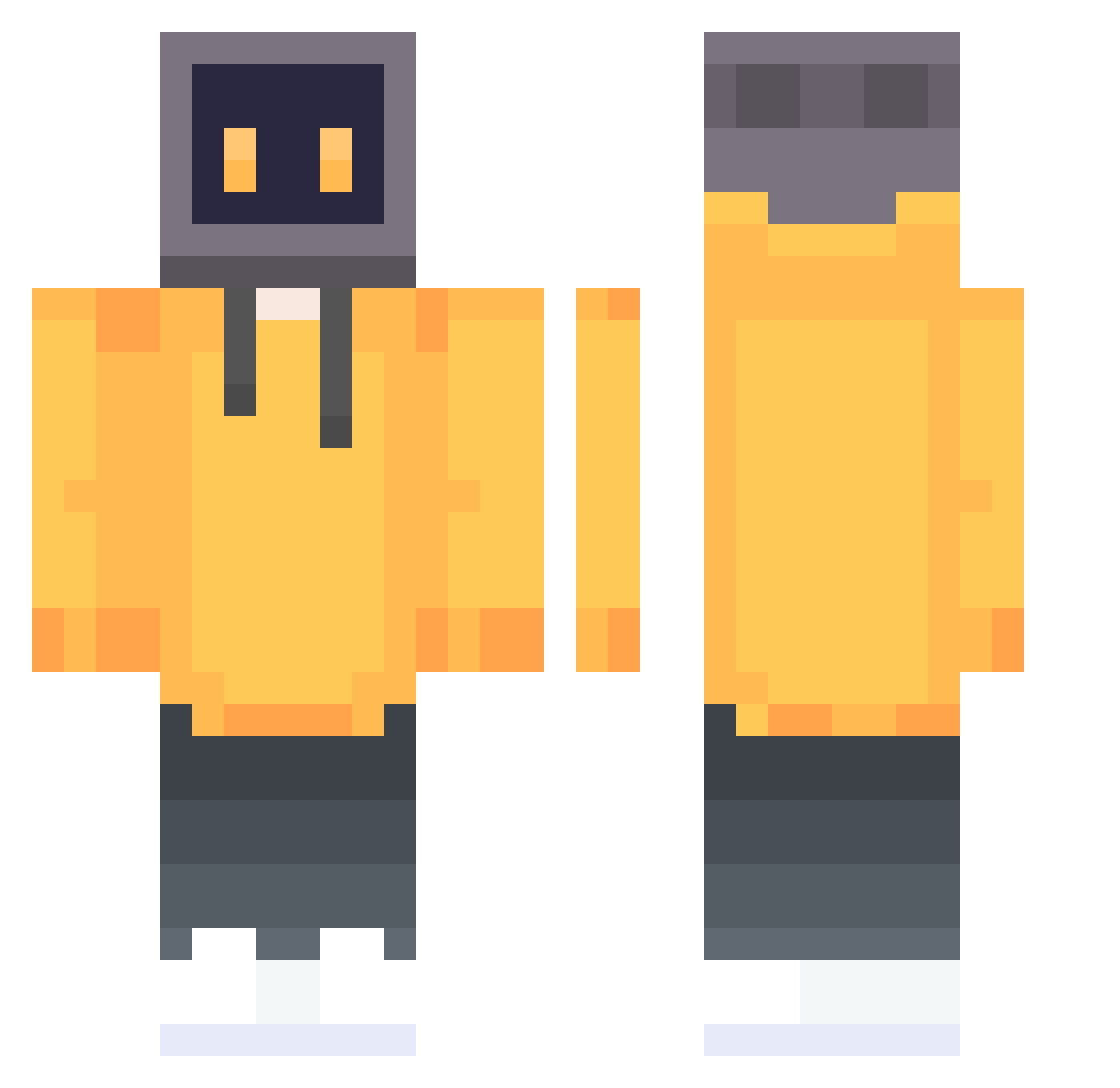
Other players with this skin (648)
oldQ2000 was the 398th player we have seen with this skin, first spotted on 25.09.2026. The same skin was seen on these players. Open a nickname to see their current skin and skin history.
 Oaknife ZHQ323 Okinawaping _Beaumec_76 Aionism Gambol4265 blsn5 zaixiafeimao SUPERSBOTTO light1514 pilimazi dontblink2024 CaseShoe Baibit Kaptan_Price MVTROCKNH WziHo rgzz10086 pandanosip Denacc kayjay4567 DINGKO DaoZhang_Li Magicfox26 TKon8616 Jeremy_2333 bot_3223 DeathDriveDave Carloslx cloud_dreamm ZiggyStardxst D4LN William4487 Biqi_pai UniversalKey lev11111 Raillax lessname233 lidder7274 EZ0025 Letith MOZZyao doodledDragon IIO2_ googbye DAI_77 MaxBavon TKILK Gua43 DroppingNukess V8Toaster Aknoasm ABBASAYANBASANN Yan_yingKAF HouZi_Ge yahya19 hypedg xiaomage66 BK125 Toyota0105
More TV Head Minecraft skins
How to install the oldQ2000 skin
- Press the Download button above to save the skin as a PNG file.
- Minecraft: Bedrock Edition (PE): open the Dressing Room from the main menu (or tap your character → Edit Character), go to Classic Skins → Owned, press the + (new skin) button, choose the downloaded PNG and pick the Classic (Steve) model. Works on PC and mobile; consoles cannot import custom skins.
- Minecraft: Java Edition: open the Minecraft Launcher, go to the Skins tab, click New Skin, load the PNG, pick the Classic (Steve) model and press Save & Use. You can also upload it at minecraft.net → Profile → Change Skin.
The skin does not show up after import - what should I do?
Restart Minecraft and open the Dressing Room again - imported skins sometimes appear only after a restart. Also make sure you selected the imported skin and picked the Classic (Steve) model.
Which model should I choose, Classic or Slim?
This skin is designed for the Classic (Steve) model. If you pick the wrong model, the arms of the skin will look stretched or squeezed.
Is the skin of oldQ2000 free to download?
Yes. Press Download, save the PNG file and use it in Minecraft: Bedrock Edition or Java Edition - no payment or registration needed. The skin also works on multiplayer servers and Realms.
More skins
Looking for more? Go back to all Minecraft skins and check the top skins of the week, month and all time, or find any player's skin by nickname.