
ola291 - Minecraft Skins & Skin History
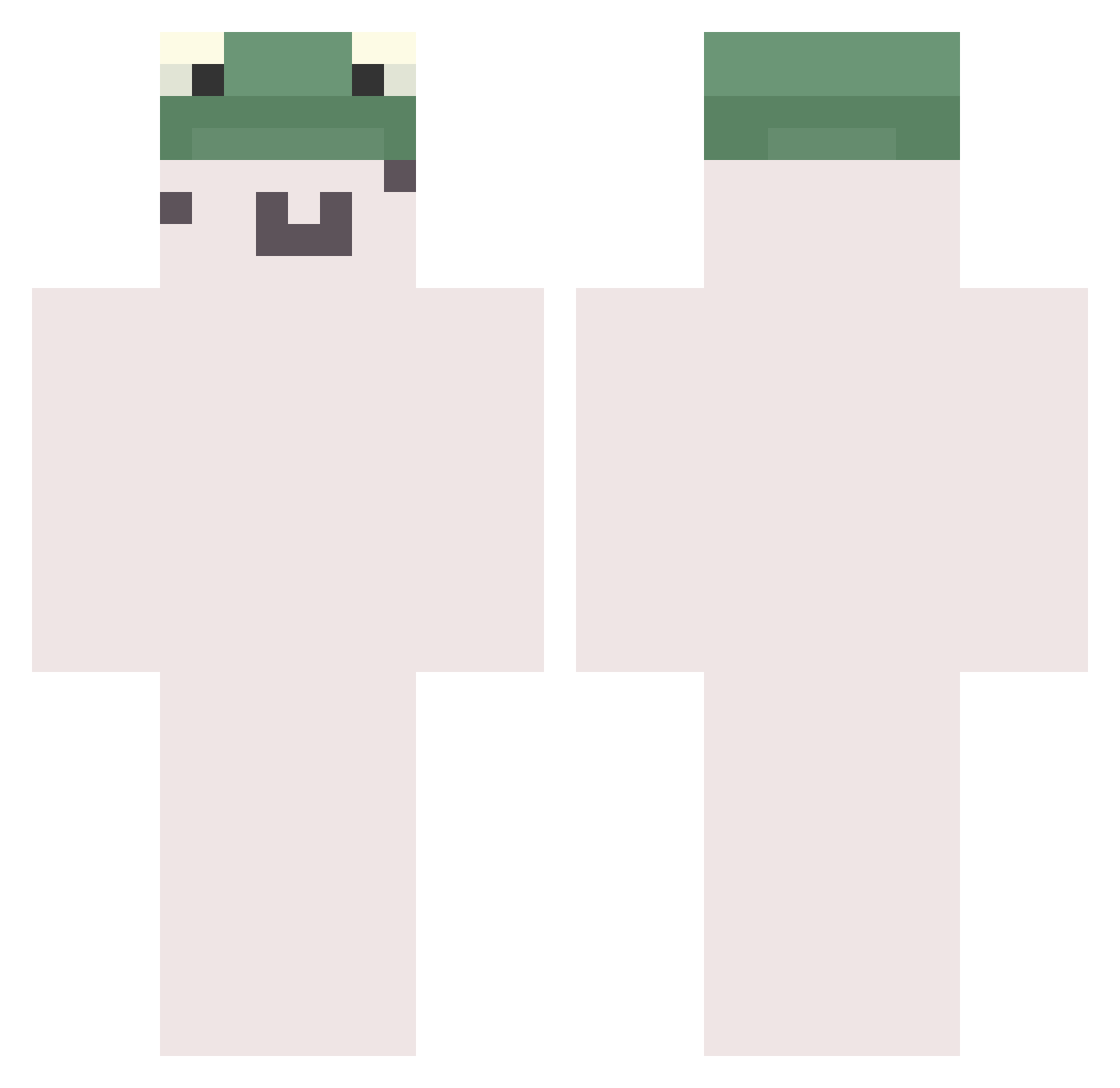
Current Minecraft skin of the player ola291, loaded from the official Mojang API. Rotate the 3D model with your mouse or finger, then download the skin as a PNG file and use it in Minecraft: Bedrock Edition or Java Edition for free. When ola291 changes their skin, this page updates automatically and the old skin stays in the history below.
Other players with this skin (783)
ola291 was the 276th player we have seen with this skin, first spotted on 05.09.2026. The same skin was seen on these players. Open a nickname to see their current skin and skin history.
 siumoon lilsmooshy bryguyyyy minaeiei nodoing ILoveDogs00 stickynutenjoyer xxPenguin Sprinklur KutsalSeftali milaZz2013 Jihoo9467 Lloyd_Valentine OvO05 jangtm GingerPetter Madridx ANAUSdestryoer05 ywae yskang1231 casonisepic yusumon Kusumoki moonfine PixelWarp Acacius
 Marinn64 MINORFROG Stark1827 t4wm1 Zunn__ PickledBerry_ potepika HAOZI777 nammea3 xxkkh Azoixlaxe Versace1 Spinoza667 kisu_xd ERRUKA bopert ZeldrisVTN Chias
 torippii2525 zxc_sama Bableb Legendary_Deuce kubbekk00 mitu329 UnAlarming hirotomo333 jus2petrole MongMong_i Antalya0911 Extractions 2w7 Joebn itzqrty Velonn
More Kermit The Frog Minecraft skins
See all 436 Kermit The Frog skins
How to install the ola291 skin
- Press the Download button above to save the skin as a PNG file.
- Minecraft: Bedrock Edition (PE): open the Dressing Room from the main menu (or tap your character → Edit Character), go to Classic Skins → Owned, press the + (new skin) button, choose the downloaded PNG and pick the Classic (Steve) model. Works on PC and mobile; consoles cannot import custom skins.
- Minecraft: Java Edition: open the Minecraft Launcher, go to the Skins tab, click New Skin, load the PNG, pick the Classic (Steve) model and press Save & Use. You can also upload it at minecraft.net → Profile → Change Skin.
The skin does not show up after import - what should I do?
Restart Minecraft and open the Dressing Room again - imported skins sometimes appear only after a restart. Also make sure you selected the imported skin and picked the Classic (Steve) model.
Which model should I choose, Classic or Slim?
This skin is designed for the Classic (Steve) model. If you pick the wrong model, the arms of the skin will look stretched or squeezed.
Is the skin of ola291 free to download?
Yes. Press Download, save the PNG file and use it in Minecraft: Bedrock Edition or Java Edition - no payment or registration needed. The skin also works on multiplayer servers and Realms.
More skins
Looking for more? Go back to all Minecraft skins and check the top skins of the week, month and all time, or find any player's skin by nickname.