
oOGluttonyOo - Minecraft Skins & Skin History
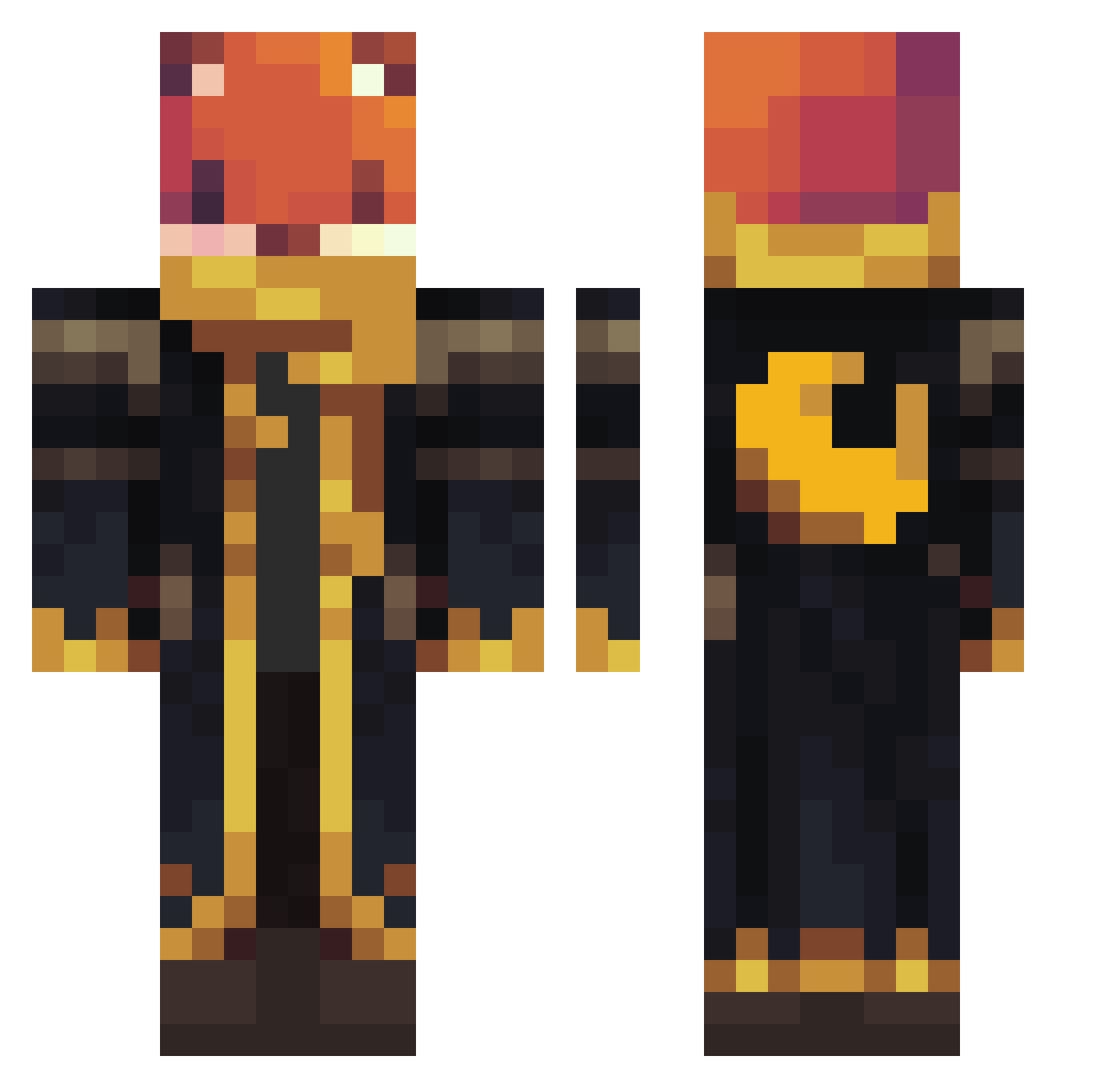
Current Minecraft skin of the player oOGluttonyOo, loaded from the official Mojang API. Rotate the 3D model with your mouse or finger, then download the skin as a PNG file and use it in Minecraft: Bedrock Edition or Java Edition for free. When oOGluttonyOo changes their skin, this page updates automatically and the old skin stays in the history below.
Other players with this skin (1063)
oOGluttonyOo was the 882nd player we have seen with this skin, first spotted on 18.10.2026. The same skin was seen on these players. Open a nickname to see their current skin and skin history.
 oBode Dominik6542 fln2010 Gmax92 Dylan56767 b3stgamer Carrybonbon0504 fastrocket2011 tjaege Foxyfox64 Danny_inx Zentyblus robbyminecraft PhsycoKnife_96 67logan67 Aaron129714 biby0176 Polednik1991 Ewer25 TerraLucida D3VYN_ Dragon_slyer_1 Th4meus AvatarBOY10 JK777_ tripppppppppppp Gamer_Knight LemurLemur00 theo9926 IronMan260810 peiva MuriloPaes Djuraa Raketenkaiser marcelko05072017 jacksonstorm13 herobrine66009 WhiteHammer01 Elotrix2010 snowk3742 guilhermessales Toryu2279 Technikfreak3 TheFoxyGamer87 Mynorgtr09 Spucman NexosSenko jankolar Packxon1 caeryan Amphibiotic ParkbenchENJOYER HkerDexiego MegaMan7285 JBarton006 Edonim zxPlayeRzx osirusasasr toobam HyperSharkBB
More Crescent Moon Minecraft skins
See all 274 Crescent Moon skins
How to install the oOGluttonyOo skin
- Press the Download button above to save the skin as a PNG file.
- Minecraft: Bedrock Edition (PE): open the Dressing Room from the main menu (or tap your character → Edit Character), go to Classic Skins → Owned, press the + (new skin) button, choose the downloaded PNG and pick the Classic (Steve) model. Works on PC and mobile; consoles cannot import custom skins.
- Minecraft: Java Edition: open the Minecraft Launcher, go to the Skins tab, click New Skin, load the PNG, pick the Classic (Steve) model and press Save & Use. You can also upload it at minecraft.net → Profile → Change Skin.
The skin does not show up after import - what should I do?
Restart Minecraft and open the Dressing Room again - imported skins sometimes appear only after a restart. Also make sure you selected the imported skin and picked the Classic (Steve) model.
Which model should I choose, Classic or Slim?
This skin is designed for the Classic (Steve) model. If you pick the wrong model, the arms of the skin will look stretched or squeezed.
Is the skin of oOGluttonyOo free to download?
Yes. Press Download, save the PNG file and use it in Minecraft: Bedrock Edition or Java Edition - no payment or registration needed. The skin also works on multiplayer servers and Realms.
More skins
Looking for more? Go back to all Minecraft skins and check the top skins of the week, month and all time, or find any player's skin by nickname.