
noone14 - Minecraft Skins & Skin History
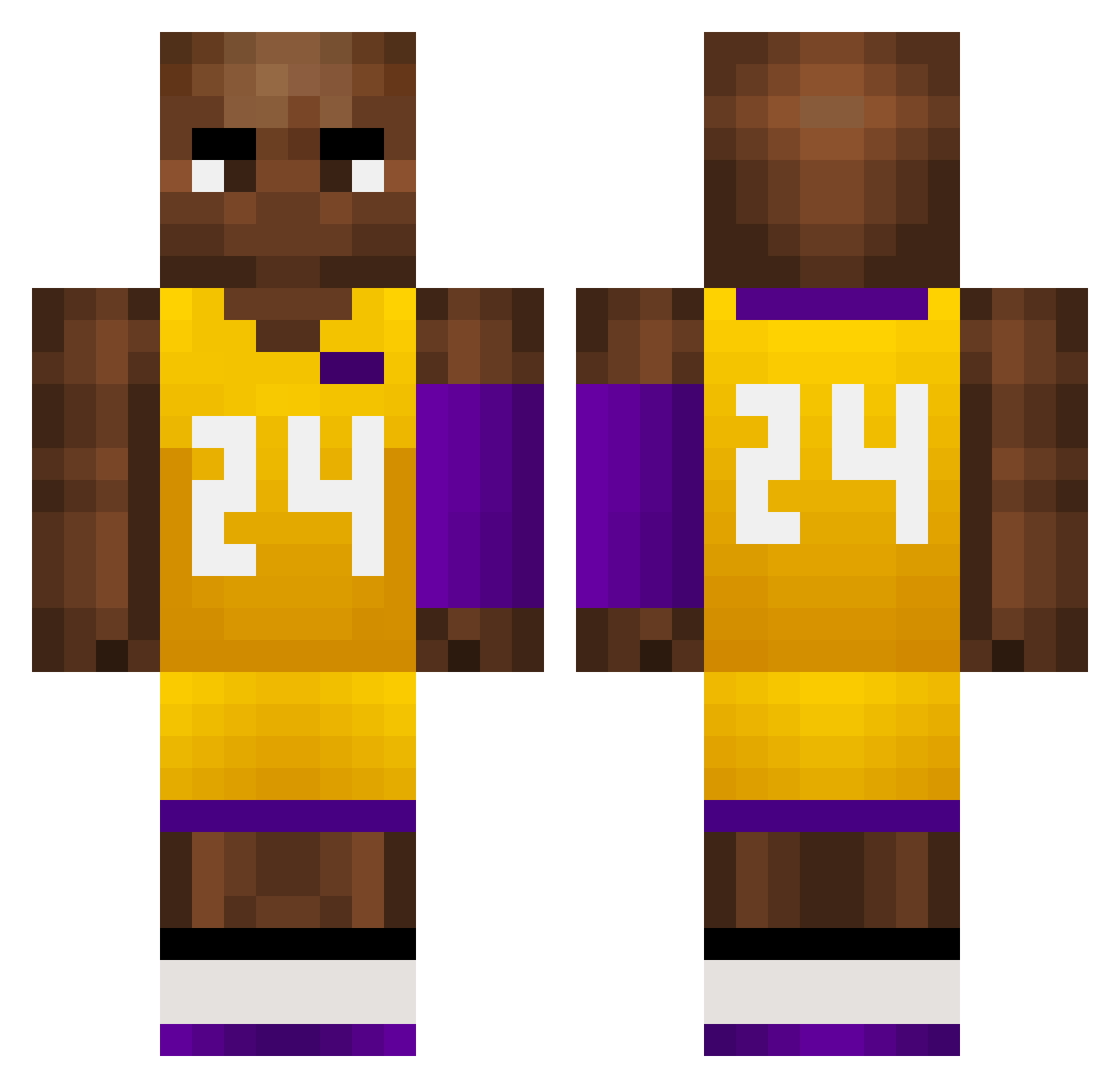
Current Minecraft skin of the player noone14, loaded from the official Mojang API. Rotate the 3D model with your mouse or finger, then download the skin as a PNG file and use it in Minecraft: Bedrock Edition or Java Edition for free. When noone14 changes their skin, this page updates automatically and the old skin stays in the history below.
Other players with this skin (760)
noone14 was the 443rd player we have seen with this skin, first spotted on 28.09.2026. The same skin was seen on these players. Open a nickname to see their current skin and skin history.
 htm999 EPO793 minitaurusyt xfr666 NATEDAWG24 Beastcontrol StolzDerFamilie hyfreeman Joewitdabread q123p byd24 FreeChizi mr_wokix cooleliz beasty_boy_805 tribbble PakataBG alysak VgF71 ADDchang C_T_S AMAZING_ABTForce Kura_tV ukT709 T3chno1 yinghanss lone1yzzZ Odie______ shaq1978 BrunoCopi mvpnba aporafa Afonso_S Nqthxn papapat14 PINKYNISM_ Abraham_plus EAg822 Hamburgerlarrr XDbadkarma ZombieDragon mincho008 yanyao22 Turnschuh02 IRONCLAD_69 sIa108 super_kebi91 6niko_sz9 AlexTigre10 slayatv SslayProclip Rooksky kongge12 Angus0721 TheAnimalzz Mini_Lonely Extreme95037 478478478 YNW_Gang_Shi yileina22
More Kobe Bryant Minecraft skins
How to install the noone14 skin
- Press the Download button above to save the skin as a PNG file.
- Minecraft: Bedrock Edition (PE): open the Dressing Room from the main menu (or tap your character → Edit Character), go to Classic Skins → Owned, press the + (new skin) button, choose the downloaded PNG and pick the Classic (Steve) model. Works on PC and mobile; consoles cannot import custom skins.
- Minecraft: Java Edition: open the Minecraft Launcher, go to the Skins tab, click New Skin, load the PNG, pick the Classic (Steve) model and press Save & Use. You can also upload it at minecraft.net → Profile → Change Skin.
The skin does not show up after import - what should I do?
Restart Minecraft and open the Dressing Room again - imported skins sometimes appear only after a restart. Also make sure you selected the imported skin and picked the Classic (Steve) model.
Which model should I choose, Classic or Slim?
This skin is designed for the Classic (Steve) model. If you pick the wrong model, the arms of the skin will look stretched or squeezed.
Is the skin of noone14 free to download?
Yes. Press Download, save the PNG file and use it in Minecraft: Bedrock Edition or Java Edition - no payment or registration needed. The skin also works on multiplayer servers and Realms.
More skins
Looking for more? Go back to all Minecraft skins and check the top skins of the week, month and all time, or find any player's skin by nickname.