
nika9248 - Minecraft Skins & Skin History
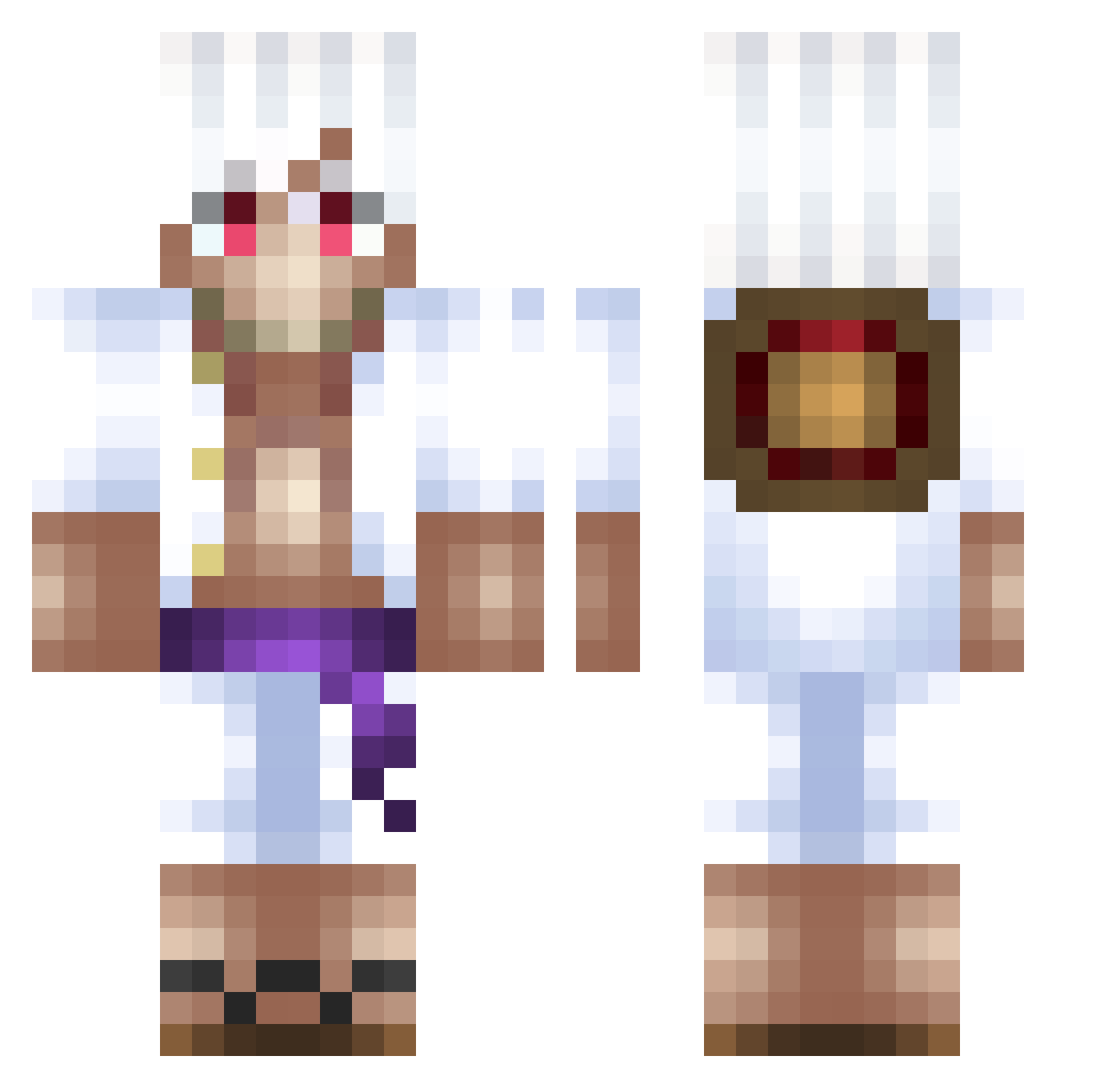
Current Minecraft skin of the player nika9248, loaded from the official Mojang API. Rotate the 3D model with your mouse or finger, then download the skin as a PNG file and use it in Minecraft: Bedrock Edition or Java Edition for free. When nika9248 changes their skin, this page updates automatically and the old skin stays in the history below.
Other players with this skin (500)
nika9248 was the 284th player we have seen with this skin, first spotted on 28.09.2026. The same skin was seen on these players. Open a nickname to see their current skin and skin history.
 Jegal_33 Hippie_Vibez YoPepo makiine St4chens gabriel_madrid01 JUGU_ axpn Layzon7 horixmaster Tetratics Hossa_98 Cra1zz Aladire xhiddenn slayq WillcoxEsports TheBigBadBlack Glumanda420 Searrrsss 99mvti AqzuaV2 LittleMan32014 ROCKKULEEE Naemi244 Jigglyred MaelFamosoo lagoyeee White_Silencer bichan_b JonesMensch shucheng2 Cap_Crunch PLIMP7 Tensheyyy oemercelik ISlapOnJu MIRAK358 RemoITA CarlosFloresH2 kirabk Sckorche DYDa_ qSwiz JayFeenin benjfzz Iuri_OnePiecer13 SomthinStoney TTS_Pedro TopMeaRim illegaltaha KingZooked ikermaster1325 ATLASGENESIS shekidodo MastroD rasttattoo Rotahn SxmGG_ nessioko
More Monkey D Luffy Minecraft skins
See all 925 Monkey D Luffy skins
How to install the nika9248 skin
- Press the Download button above to save the skin as a PNG file.
- Minecraft: Bedrock Edition (PE): open the Dressing Room from the main menu (or tap your character → Edit Character), go to Classic Skins → Owned, press the + (new skin) button, choose the downloaded PNG and pick the Classic (Steve) model. Works on PC and mobile; consoles cannot import custom skins.
- Minecraft: Java Edition: open the Minecraft Launcher, go to the Skins tab, click New Skin, load the PNG, pick the Classic (Steve) model and press Save & Use. You can also upload it at minecraft.net → Profile → Change Skin.
The skin does not show up after import - what should I do?
Restart Minecraft and open the Dressing Room again - imported skins sometimes appear only after a restart. Also make sure you selected the imported skin and picked the Classic (Steve) model.
Which model should I choose, Classic or Slim?
This skin is designed for the Classic (Steve) model. If you pick the wrong model, the arms of the skin will look stretched or squeezed.
Is the skin of nika9248 free to download?
Yes. Press Download, save the PNG file and use it in Minecraft: Bedrock Edition or Java Edition - no payment or registration needed. The skin also works on multiplayer servers and Realms.
More skins
Looking for more? Go back to all Minecraft skins and check the top skins of the week, month and all time, or find any player's skin by nickname.