
nicolas8157 - Minecraft Skins & Skin History
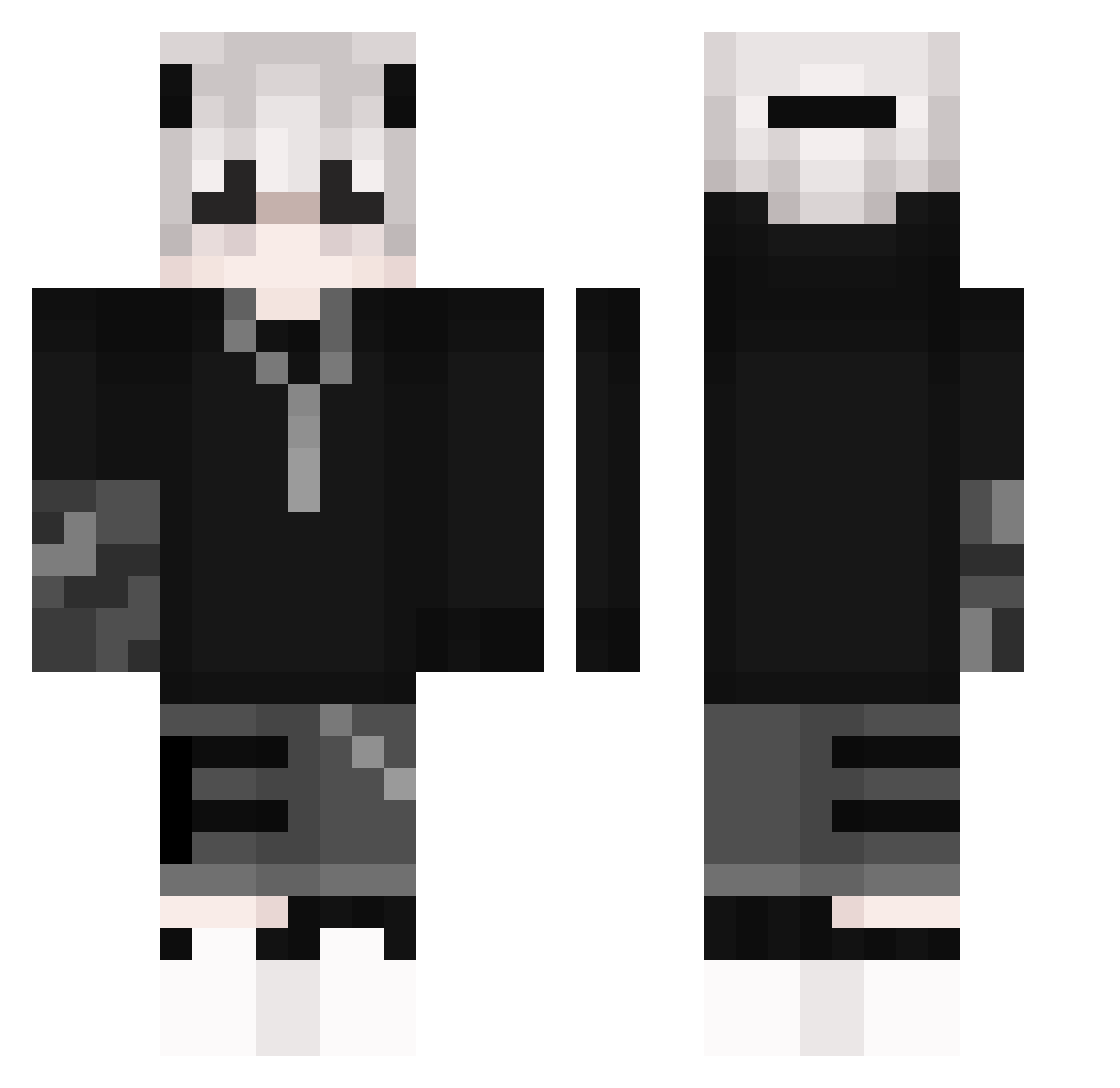
Current Minecraft skin of the player nicolas8157, loaded from the official Mojang API. Rotate the 3D model with your mouse or finger, then download the skin as a PNG file and use it in Minecraft: Bedrock Edition or Java Edition for free. When nicolas8157 changes their skin, this page updates automatically and the old skin stays in the history below.
Other players with this skin (266)
nicolas8157 was the 167th player we have seen with this skin, first spotted on 09.10.2026. The same skin was seen on these players. Open a nickname to see their current skin and skin history.
 FatKingg_2115 WashedGarbodor Fan_De_AxozerUwU KarixYTT jcmphreek iamTaaky_ philsopoato ullung7 lillililliliii S3ODY SleeplessRiot69 Mikey_Sano_ VipAUX LSLS1 Atyer OsmanNW_ Xiang_cc KuroTheStar trak3rQ VHA_Lisboa Alixienne Domis_Zawadiaka VRPrince collectmysoul666 Droville liming689574 pri374 hgf685r Azylium12 Aries_134 huaqi SiLeNceD8439 SirHrbad Mert895 Jhonny0831 MrOuPiiix_ TOBYFY BrightenIce RAINBOWGAM2012 gkdisrpdla PasssiR DeityDoggo Kyshiro_ HellSmile syllable14 Zebax Seanwaffle Necroscorp _Shieru_ Ne0Nerus ArcvsL Xx_Nightvex_xX SaltyJuiceBox2 Stpd_Goat RavenLaMenace Joaxakuss Kishan_ julianbacz TheShin_X LOCHLIGA
More Streetwear Minecraft skins
How to install the nicolas8157 skin
- Press the Download button above to save the skin as a PNG file.
- Minecraft: Bedrock Edition (PE): open the Dressing Room from the main menu (or tap your character → Edit Character), go to Classic Skins → Owned, press the + (new skin) button, choose the downloaded PNG and pick the Classic (Steve) model. Works on PC and mobile; consoles cannot import custom skins.
- Minecraft: Java Edition: open the Minecraft Launcher, go to the Skins tab, click New Skin, load the PNG, pick the Classic (Steve) model and press Save & Use. You can also upload it at minecraft.net → Profile → Change Skin.
The skin does not show up after import - what should I do?
Restart Minecraft and open the Dressing Room again - imported skins sometimes appear only after a restart. Also make sure you selected the imported skin and picked the Classic (Steve) model.
Which model should I choose, Classic or Slim?
This skin is designed for the Classic (Steve) model. If you pick the wrong model, the arms of the skin will look stretched or squeezed.
Is the skin of nicolas8157 free to download?
Yes. Press Download, save the PNG file and use it in Minecraft: Bedrock Edition or Java Edition - no payment or registration needed. The skin also works on multiplayer servers and Realms.
More skins
Looking for more? Go back to all Minecraft skins and check the top skins of the week, month and all time, or find any player's skin by nickname.