
newzealandman - Minecraft Skins & Skin History
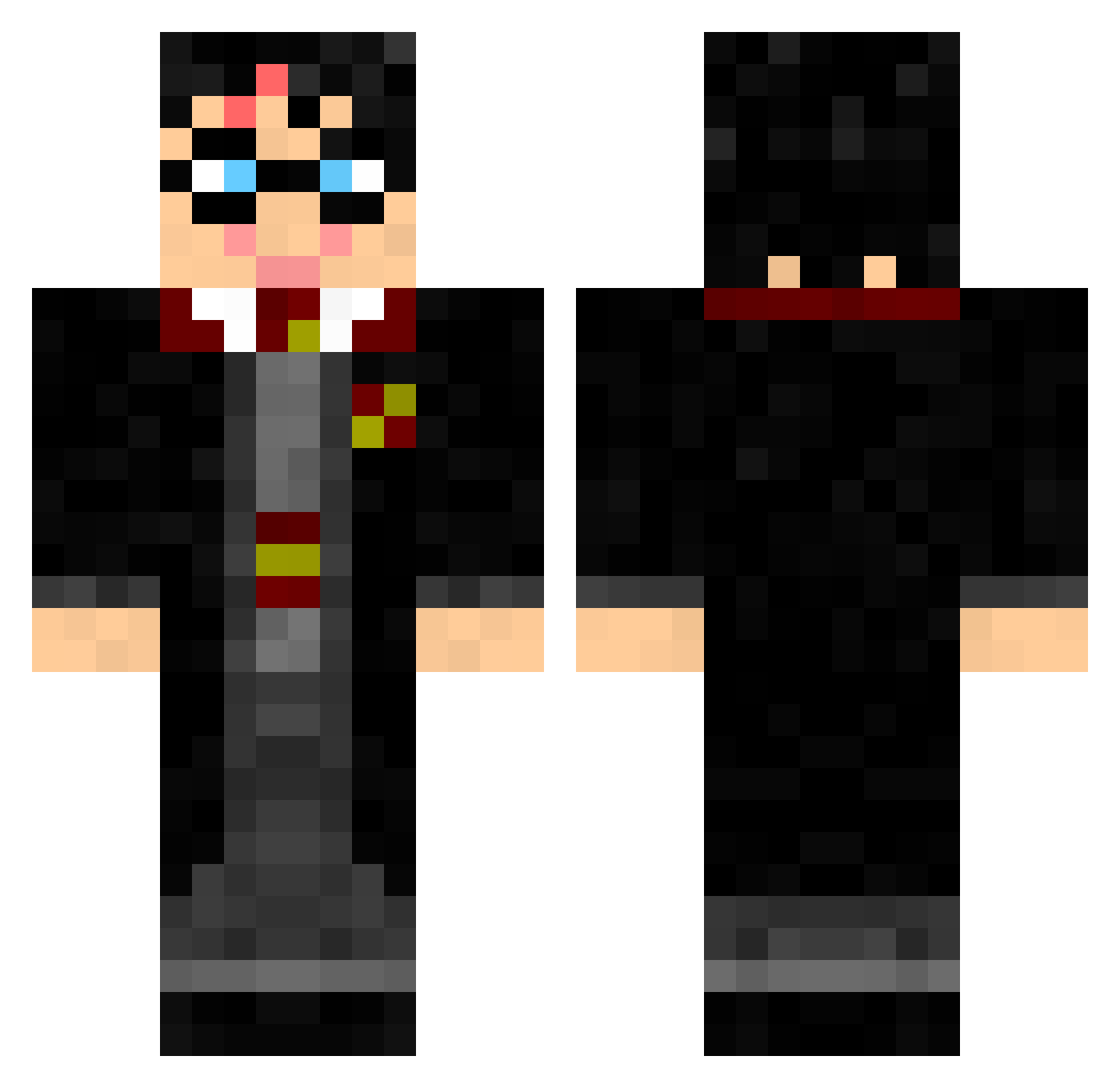
Current Minecraft skin of the player newzealandman, loaded from the official Mojang API. Rotate the 3D model with your mouse or finger, then download the skin as a PNG file and use it in Minecraft: Bedrock Edition or Java Edition for free. When newzealandman changes their skin, this page updates automatically and the old skin stays in the history below.
Other players with this skin (326)
newzealandman was the 80th player we have seen with this skin, first spotted on 22.08.2026. The same skin was seen on these players. Open a nickname to see their current skin and skin history.
 harry2340 zP0tus JennyC789 Jolfr1 skidudeone22 Liberal4Lyfe f7117 Pink4730 HarryPotter muismat0713 Ouako DarkArchange carladrs dylan1 Esbenhogo Gabriel26007 Rodrigomca grangerpotter Arkei_ HarryPotter230 Danisher200 hanniegirl95 Quentbargi harry_potier JoelJanorschke Zeta24 R3dR1ng okemil Zeinth86 LAMBO140 crazyboy1234 1117nick saaalow Kohic Packwolf77 mickbc97 PatrikP9 Liquemin Andy2409 Pietepaf Wolfscraft petersattler123 ShelbysFavBro jaicasa AlbertEinstein1 FandomReference liquidxtc13 011_fibo_2358 Joachim123128 RW91motorfaces lu945 jewcab NRR7 reg_7_XD clfoster PiperKid Butter_Beer_687
 Aaeeddss will_iz_great Appendage
More Harry Potter Minecraft skins
See all 247 Harry Potter skins
How to install the newzealandman skin
- Press the Download button above to save the skin as a PNG file.
- Minecraft: Bedrock Edition (PE): open the Dressing Room from the main menu (or tap your character → Edit Character), go to Classic Skins → Owned, press the + (new skin) button, choose the downloaded PNG and pick the Classic (Steve) model. Works on PC and mobile; consoles cannot import custom skins.
- Minecraft: Java Edition: open the Minecraft Launcher, go to the Skins tab, click New Skin, load the PNG, pick the Classic (Steve) model and press Save & Use. You can also upload it at minecraft.net → Profile → Change Skin.
The skin does not show up after import - what should I do?
Restart Minecraft and open the Dressing Room again - imported skins sometimes appear only after a restart. Also make sure you selected the imported skin and picked the Classic (Steve) model.
Which model should I choose, Classic or Slim?
This skin is designed for the Classic (Steve) model. If you pick the wrong model, the arms of the skin will look stretched or squeezed.
Is the skin of newzealandman free to download?
Yes. Press Download, save the PNG file and use it in Minecraft: Bedrock Edition or Java Edition - no payment or registration needed. The skin also works on multiplayer servers and Realms.
More skins
Looking for more? Go back to all Minecraft skins and check the top skins of the week, month and all time, or find any player's skin by nickname.