
neuromancer34 - Minecraft Skins & Skin History
Current Minecraft skin of the player neuromancer34, loaded from the official Mojang API. Rotate the 3D model with your mouse or finger, then download the skin as a PNG file and use it in Minecraft: Bedrock Edition or Java Edition for free. When neuromancer34 changes their skin, this page updates automatically and the old skin stays in the history below.
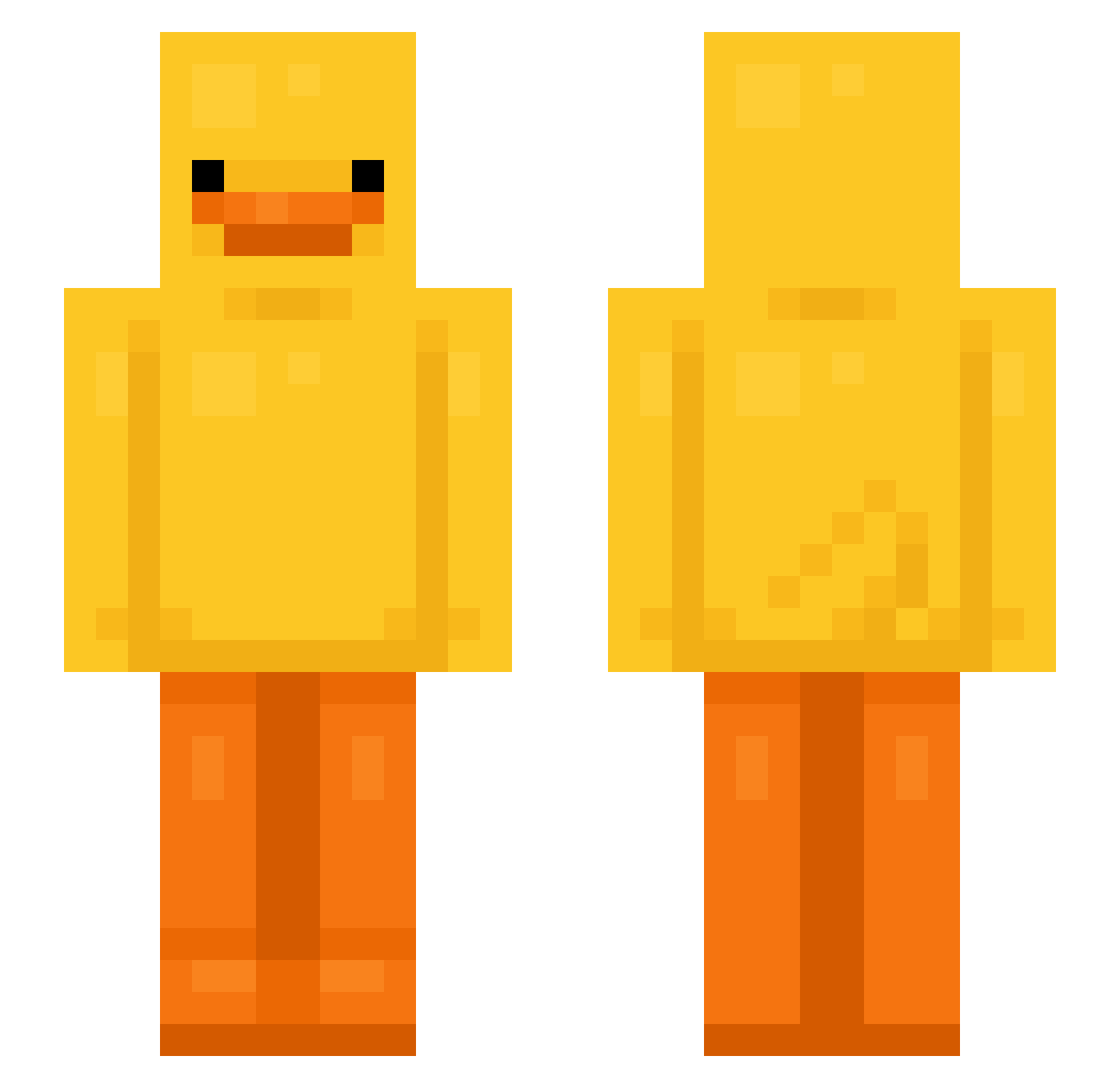
Other players with this skin (630)
neuromancer34 was the 180th player we have seen with this skin, first spotted on 19.08.2026. The same skin was seen on these players. Open a nickname to see their current skin and skin history.
 Rapierz NitinTheKitten 6FUKU Nuunz byul_20 boekiekiller dunderbollar DDgood Yusine McFatboy420 Master25Pro BroDDkong Simec12 elshek Pokefn Meneghs ThunderSun09890 pjhhhh Potato_Goddd Patryk1331 bank_56 darkwizrd duckkylol congcongpong MACCCCCCCCC TheAsaf07 Keremvr skeletonfigther9 sillygoofer0 FelineDuck MelancolieArbre MaarkyBoY 2Cha_Bang Pxrchx mahubert rickeuh_x shinobigames974 ConEsePeach xiao55 songjio PerFect_Cp1vp marracketta Lio_999 xPASHx Lpsk8z 7ssv nitro4828 GIAO3
 RobertGoose FjertZ44 Drukery xbbay joonho0830 Slim__Sladey Trip_0_rama Moldyzz_ Nikcita BELMONDAWGGG duckonataxi ItsReidC8
More Bird Minecraft skins
How to install the neuromancer34 skin
- Press the Download button above to save the skin as a PNG file.
- Minecraft: Bedrock Edition (PE): open the Dressing Room from the main menu (or tap your character → Edit Character), go to Classic Skins → Owned, press the + (new skin) button, choose the downloaded PNG and pick the Slim (Alex) model. Works on PC and mobile; consoles cannot import custom skins.
- Minecraft: Java Edition: open the Minecraft Launcher, go to the Skins tab, click New Skin, load the PNG, pick the Slim (Alex) model and press Save & Use. You can also upload it at minecraft.net → Profile → Change Skin.
The skin does not show up after import - what should I do?
Restart Minecraft and open the Dressing Room again - imported skins sometimes appear only after a restart. Also make sure you selected the imported skin and picked the Slim (Alex) model.
Which model should I choose, Classic or Slim?
This skin is designed for the Slim (Alex) model. If you pick the wrong model, the arms of the skin will look stretched or squeezed.
Is the skin of neuromancer34 free to download?
Yes. Press Download, save the PNG file and use it in Minecraft: Bedrock Edition or Java Edition - no payment or registration needed. The skin also works on multiplayer servers and Realms.
More skins
Looking for more? Go back to all Minecraft skins and check the top skins of the week, month and all time, or find any player's skin by nickname.