
natba31 - Minecraft Skins & Skin History
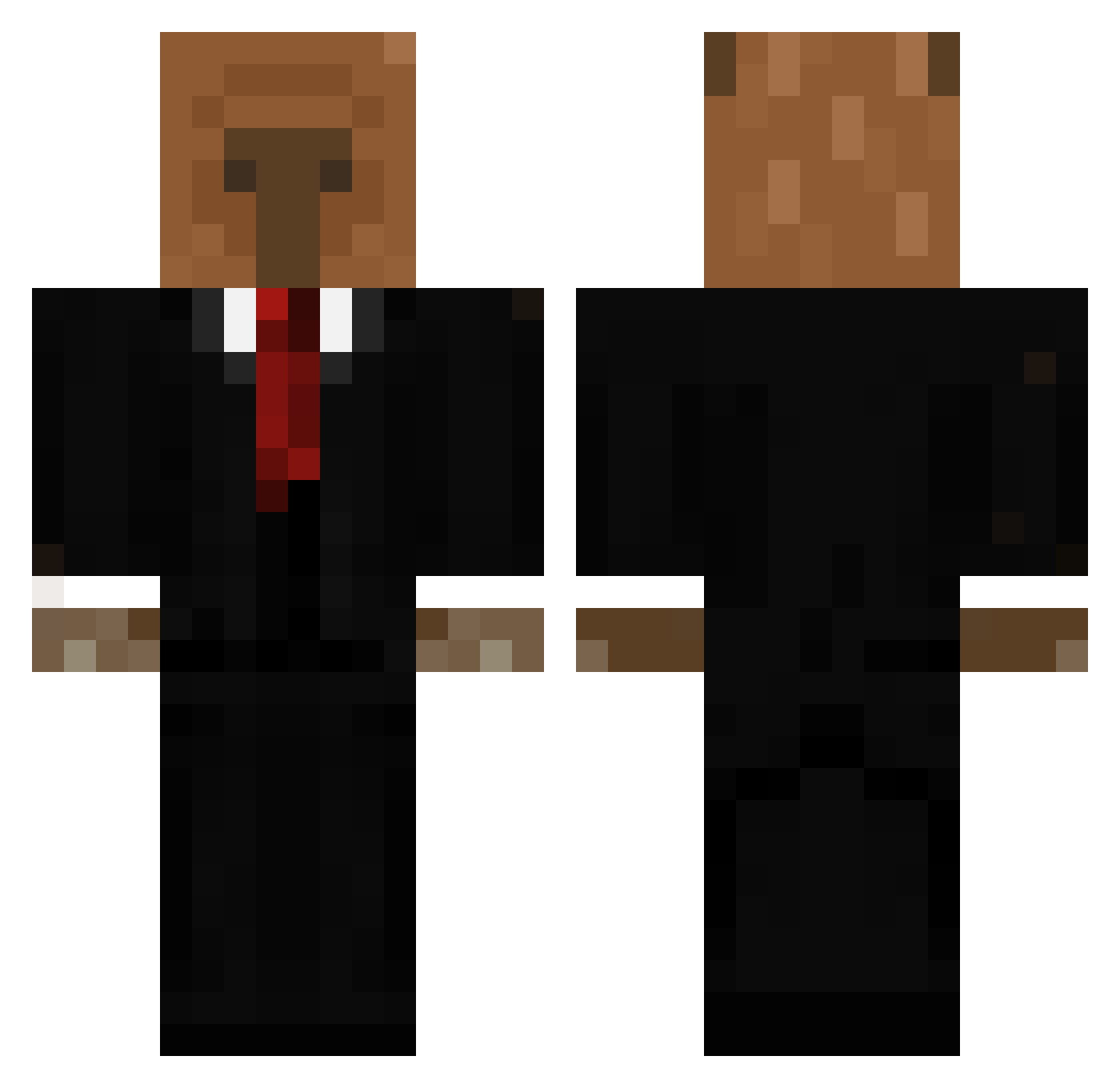
Current Minecraft skin of the player natba31, loaded from the official Mojang API. Rotate the 3D model with your mouse or finger, then download the skin as a PNG file and use it in Minecraft: Bedrock Edition or Java Edition for free. When natba31 changes their skin, this page updates automatically and the old skin stays in the history below.
Other players with this skin (656)
natba31 was the 140th player we have seen with this skin, first spotted on 21.08.2026. The same skin was seen on these players. Open a nickname to see their current skin and skin history.
 Elver_galrga Nemesside StayedGhost JacobThePlayer Jaden_8566 Paquo04 CTMIXXX Lewis25 MrHoward07 Shwabbl juliio03 Kyronpito Acc3ll Pedjendje sinfint BenjaminFan01 EBEB_god jorgidelamarmota Blank_svi sopiqu edin_c0 hryack KingPasta88 Hiiroxy B3arking Juggh3ad srxam Vlqdiss Brambor__ oriowlett VersuS221 szczupak2137 toalet_nuker69 IMWGW Chriss261304 MaexchenDE kappi_2000 EVERw12 KrrishTheHero Eloxy24 alinaslays
 driftedsmile LOVE_GALOBKI Big_Unit72 Alis208 boulderV0 ChiliManz Bustino313 Febwilks Thesoldier44 GalGal_123 VaskoJ
 Pollosupremacia RageGoblin6 Cappy_2 George1245 KDARKZONE QueenOfSqueeks Trucker_PL Cofff1n
More Business Bear Minecraft skins
See all 11 Business Bear skins
How to install the natba31 skin
- Press the Download button above to save the skin as a PNG file.
- Minecraft: Bedrock Edition (PE): open the Dressing Room from the main menu (or tap your character → Edit Character), go to Classic Skins → Owned, press the + (new skin) button, choose the downloaded PNG and pick the Classic (Steve) model. Works on PC and mobile; consoles cannot import custom skins.
- Minecraft: Java Edition: open the Minecraft Launcher, go to the Skins tab, click New Skin, load the PNG, pick the Classic (Steve) model and press Save & Use. You can also upload it at minecraft.net → Profile → Change Skin.
The skin does not show up after import - what should I do?
Restart Minecraft and open the Dressing Room again - imported skins sometimes appear only after a restart. Also make sure you selected the imported skin and picked the Classic (Steve) model.
Which model should I choose, Classic or Slim?
This skin is designed for the Classic (Steve) model. If you pick the wrong model, the arms of the skin will look stretched or squeezed.
Is the skin of natba31 free to download?
Yes. Press Download, save the PNG file and use it in Minecraft: Bedrock Edition or Java Edition - no payment or registration needed. The skin also works on multiplayer servers and Realms.
More skins
Looking for more? Go back to all Minecraft skins and check the top skins of the week, month and all time, or find any player's skin by nickname.