
nanobanano36 - Minecraft Skins & Skin History
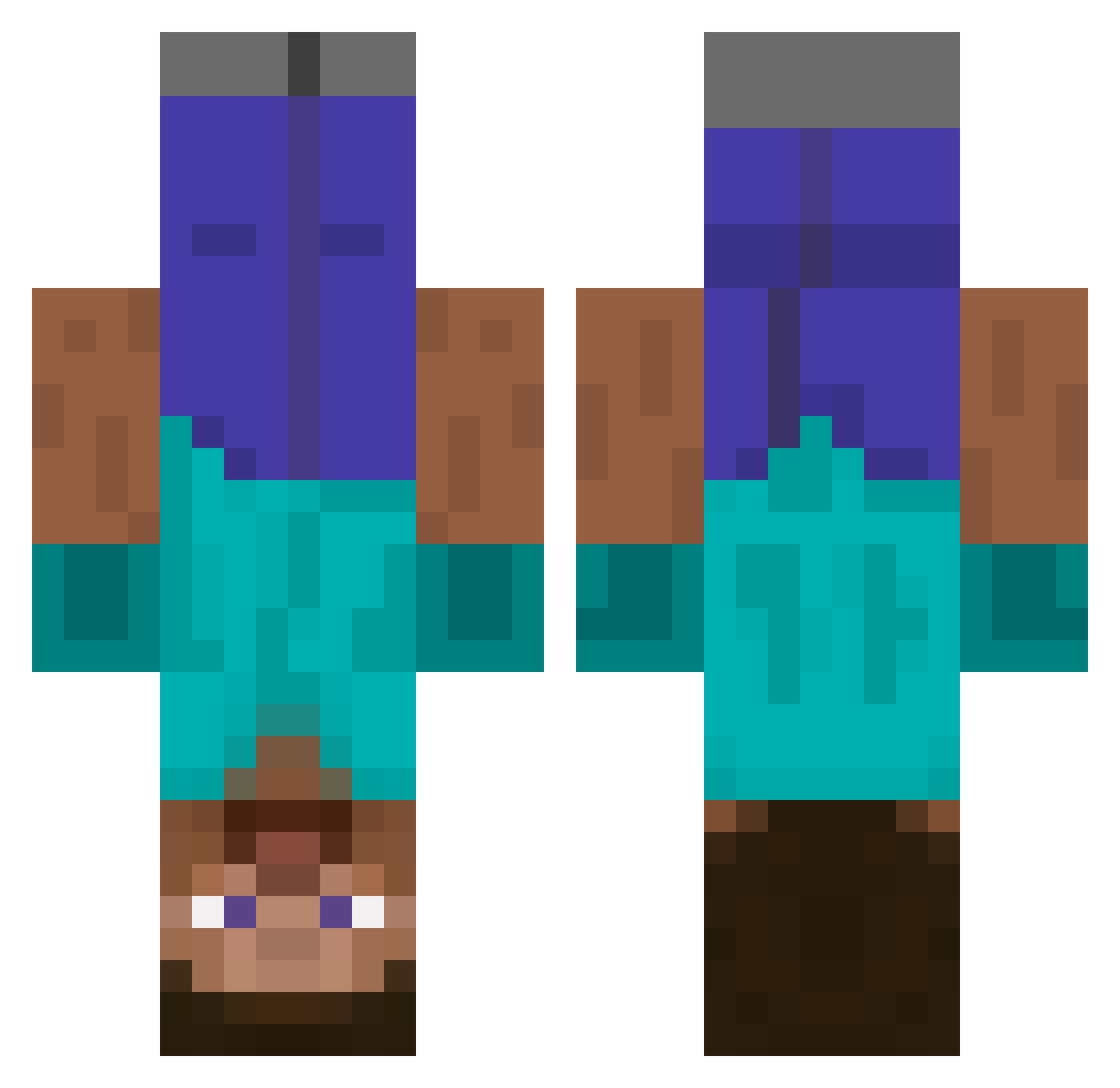
Current Minecraft skin of the player nanobanano36, loaded from the official Mojang API. Rotate the 3D model with your mouse or finger, then download the skin as a PNG file and use it in Minecraft: Bedrock Edition or Java Edition for free. When nanobanano36 changes their skin, this page updates automatically and the old skin stays in the history below.
Other players with this skin (522)
nanobanano36 was the 424th player we have seen with this skin, first spotted on 06.10.2026. The same skin was seen on these players. Open a nickname to see their current skin and skin history.
 fm4su3a8 CaptiveCarp Trashno billybobs11 Junderwear CoolCrescent109 Equuso ChickenFriedR1ce 5090_TI_SUPER rassemasse A_Style antonigiusz HxRiq GoldenLion45 DEKUVIDS SE00 saltfish0628 cyhm0513 jojosiwaGF Noer_244 luficr Hydrogen2706 Lamborghini_2008 Jief560 Athrlz rollercoaster6 fam1k0n KoosySoupe MLGGabriel RaCo3999 matonir ElDetonador Soi1y Phantomwolf1111 BiggestUA Nackter_Golfer DeathRulo HEY_You_YES BigToastMan1212 Phoenix01222 K_motors SIUnagel BigBreadKing fake_293 JustinMango Mixter278 Tick_Tick_Boom52 Juggun DisoJebca Te5Si 11john M_J_B_W 2dev1 cathugger123412 Boogie_Guzzler guleme si_go_r_ja_b_jon MrPikuuu Mantezs wiomn
More Dinnerbone Minecraft skins
How to install the nanobanano36 skin
- Press the Download button above to save the skin as a PNG file.
- Minecraft: Bedrock Edition (PE): open the Dressing Room from the main menu (or tap your character → Edit Character), go to Classic Skins → Owned, press the + (new skin) button, choose the downloaded PNG and pick the Classic (Steve) model. Works on PC and mobile; consoles cannot import custom skins.
- Minecraft: Java Edition: open the Minecraft Launcher, go to the Skins tab, click New Skin, load the PNG, pick the Classic (Steve) model and press Save & Use. You can also upload it at minecraft.net → Profile → Change Skin.
The skin does not show up after import - what should I do?
Restart Minecraft and open the Dressing Room again - imported skins sometimes appear only after a restart. Also make sure you selected the imported skin and picked the Classic (Steve) model.
Which model should I choose, Classic or Slim?
This skin is designed for the Classic (Steve) model. If you pick the wrong model, the arms of the skin will look stretched or squeezed.
Is the skin of nanobanano36 free to download?
Yes. Press Download, save the PNG file and use it in Minecraft: Bedrock Edition or Java Edition - no payment or registration needed. The skin also works on multiplayer servers and Realms.
More skins
Looking for more? Go back to all Minecraft skins and check the top skins of the week, month and all time, or find any player's skin by nickname.