
mrsbear420 - Minecraft Skins & Skin History
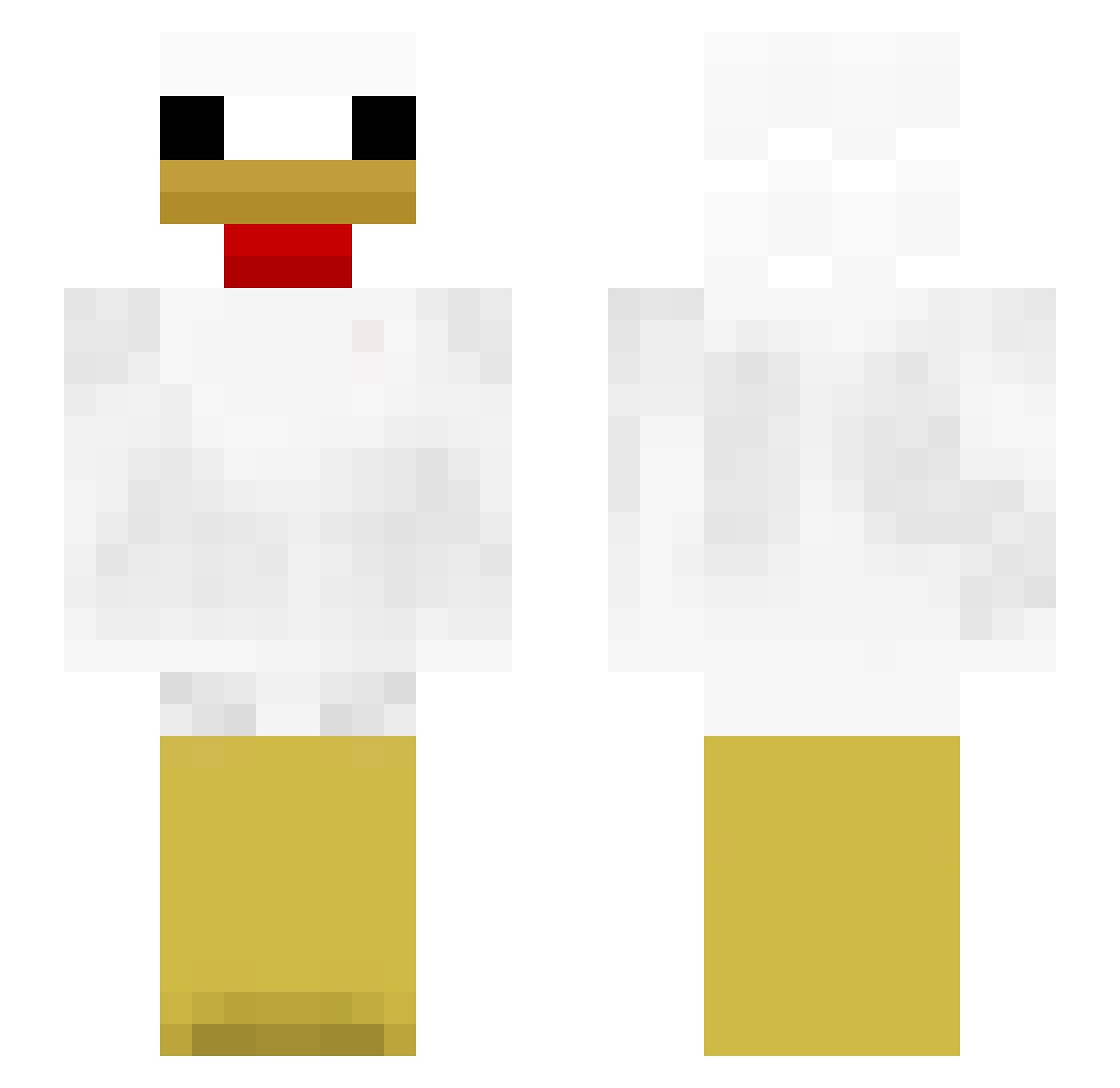
Current Minecraft skin of the player mrsbear420, loaded from the official Mojang API. Rotate the 3D model with your mouse or finger, then download the skin as a PNG file and use it in Minecraft: Bedrock Edition or Java Edition for free. When mrsbear420 changes their skin, this page updates automatically and the old skin stays in the history below.
Other players with this skin (367)
mrsbear420 was the 339th player we have seen with this skin, first spotted on 08.11.2026. The same skin was seen on these players. Open a nickname to see their current skin and skin history.
 crsn2thurl Darkschemes CursdHartt rhettrhett07 Colicokenya 91_wmKWy_12_21 ST1X9 Markteenn mzmmd Tamanyoyo Her0Heat0 ercecco 09ADDE Dreamer2157 kimbab12 Thetrajanhorse REZZEYZ _Playa_ aLiar_L The_FatMan_ IIXII_ Jeate LavaPlayZ123 BurntBlack2011 Aizen6 Monkeyma GLNVL clemsomat nerfy1432 126849 K8otk ChickenOverSheep lLunez MrStinky99 Chicken4733 dawnbryan ZeusBeyy Jonah2574 mantaJ Haze_png WhosCandace ThanhTrung28596 Sam1KKT sawwwwwww kinzariel cobra_0771 jut3s godoi ChickenTendersz NBJaxX Rzd Kar_loS quallepalle faithf7l GeforceRTX2050 giorgiotati Schronix ChickenBreak Unknown5988 Jiang0712
More Chicken Minecraft skins
How to install the mrsbear420 skin
- Press the Download button above to save the skin as a PNG file.
- Minecraft: Bedrock Edition (PE): open the Dressing Room from the main menu (or tap your character → Edit Character), go to Classic Skins → Owned, press the + (new skin) button, choose the downloaded PNG and pick the Slim (Alex) model. Works on PC and mobile; consoles cannot import custom skins.
- Minecraft: Java Edition: open the Minecraft Launcher, go to the Skins tab, click New Skin, load the PNG, pick the Slim (Alex) model and press Save & Use. You can also upload it at minecraft.net → Profile → Change Skin.
The skin does not show up after import - what should I do?
Restart Minecraft and open the Dressing Room again - imported skins sometimes appear only after a restart. Also make sure you selected the imported skin and picked the Slim (Alex) model.
Which model should I choose, Classic or Slim?
This skin is designed for the Slim (Alex) model. If you pick the wrong model, the arms of the skin will look stretched or squeezed.
Is the skin of mrsbear420 free to download?
Yes. Press Download, save the PNG file and use it in Minecraft: Bedrock Edition or Java Edition - no payment or registration needed. The skin also works on multiplayer servers and Realms.
More skins
Looking for more? Go back to all Minecraft skins and check the top skins of the week, month and all time, or find any player's skin by nickname.