
moneybagsdee - Minecraft Skins & Skin History
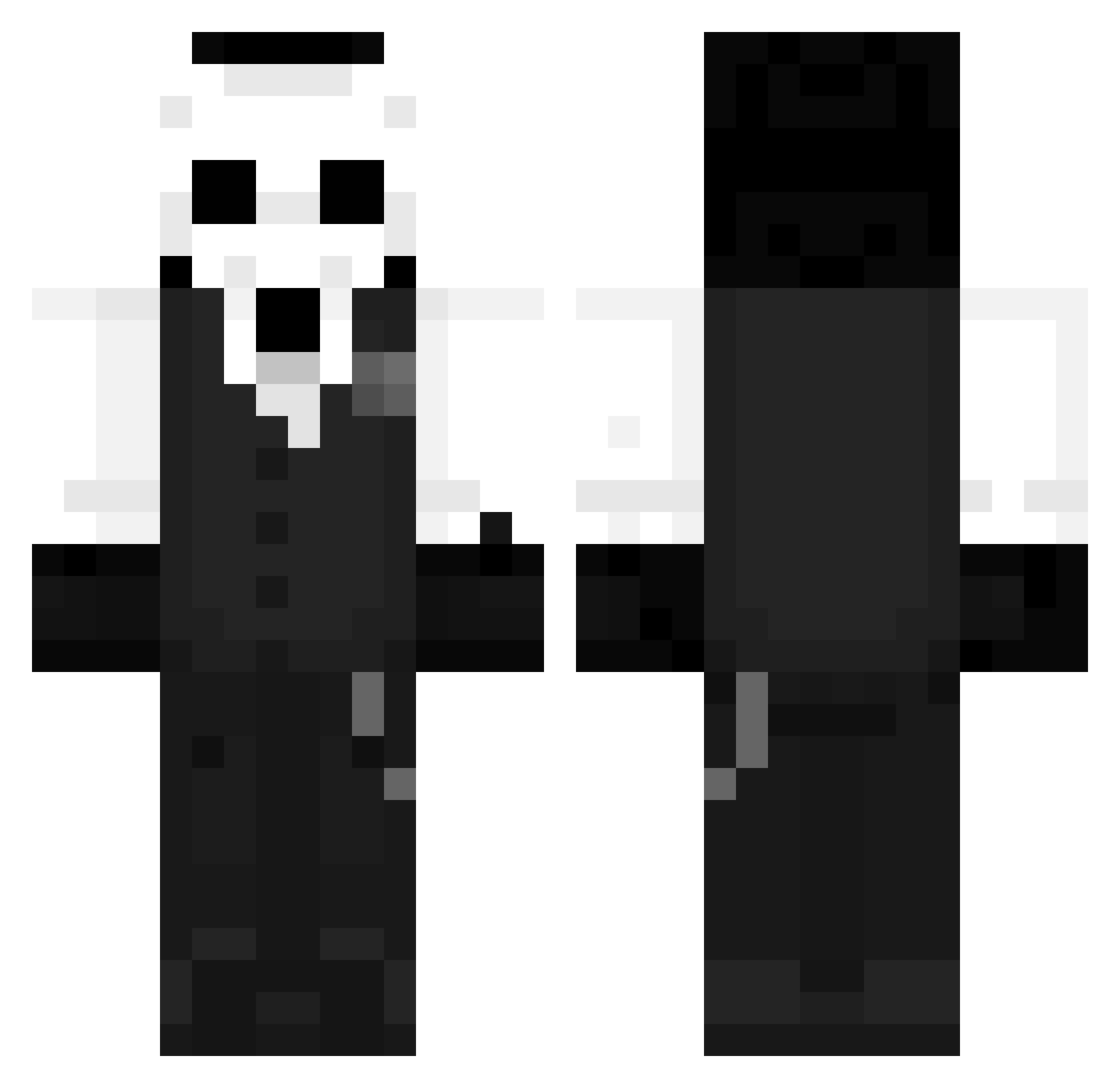
Current Minecraft skin of the player moneybagsdee, loaded from the official Mojang API. Rotate the 3D model with your mouse or finger, then download the skin as a PNG file and use it in Minecraft: Bedrock Edition or Java Edition for free. When moneybagsdee changes their skin, this page updates automatically and the old skin stays in the history below.
Other players with this skin (1273)
moneybagsdee was the 579th player we have seen with this skin, first spotted on 17.09.2026. The same skin was seen on these players. Open a nickname to see their current skin and skin history.
 Guinao isokaa_ krikovela Vetraco xTone0417 DcToastman Jsnmd_ PlayerXJ negrick3456 Wackiiity TrickyTrix Ice_Bear503 Zacro43 haggom07 shwnncc jksniko inositol5 Melits Sensei000 sincereCurlew5 Murmansk666 mkleons DeadSoul108 HellBoYy__ defeat_x stanggw BoB960 d77niel Gamp29 VibrantBug1 Platergod KyuMatz1 IvoyaGEI FROGGLEB PatinhoFeio1 Gersii0 LoonaChara EvenMoreDum ADmatik Neckko JyoNockDu Minolun andr4018br PLUM1233 Kuyajarsol MianJuShiLiu Nova_Tex sk__pro whiteis0070 ppak_sik TBODEWS catmaple17 ChiefPuppet sork_eren Asti04 D7rigger marsman_inspace _SHAYKEN_ _Zenoxxx_ qianshi480
More Sans Minecraft skins
How to install the moneybagsdee skin
- Press the Download button above to save the skin as a PNG file.
- Minecraft: Bedrock Edition (PE): open the Dressing Room from the main menu (or tap your character → Edit Character), go to Classic Skins → Owned, press the + (new skin) button, choose the downloaded PNG and pick the Classic (Steve) model. Works on PC and mobile; consoles cannot import custom skins.
- Minecraft: Java Edition: open the Minecraft Launcher, go to the Skins tab, click New Skin, load the PNG, pick the Classic (Steve) model and press Save & Use. You can also upload it at minecraft.net → Profile → Change Skin.
The skin does not show up after import - what should I do?
Restart Minecraft and open the Dressing Room again - imported skins sometimes appear only after a restart. Also make sure you selected the imported skin and picked the Classic (Steve) model.
Which model should I choose, Classic or Slim?
This skin is designed for the Classic (Steve) model. If you pick the wrong model, the arms of the skin will look stretched or squeezed.
Is the skin of moneybagsdee free to download?
Yes. Press Download, save the PNG file and use it in Minecraft: Bedrock Edition or Java Edition - no payment or registration needed. The skin also works on multiplayer servers and Realms.
More skins
Looking for more? Go back to all Minecraft skins and check the top skins of the week, month and all time, or find any player's skin by nickname.