
mlockh19 - Minecraft Skins & Skin History
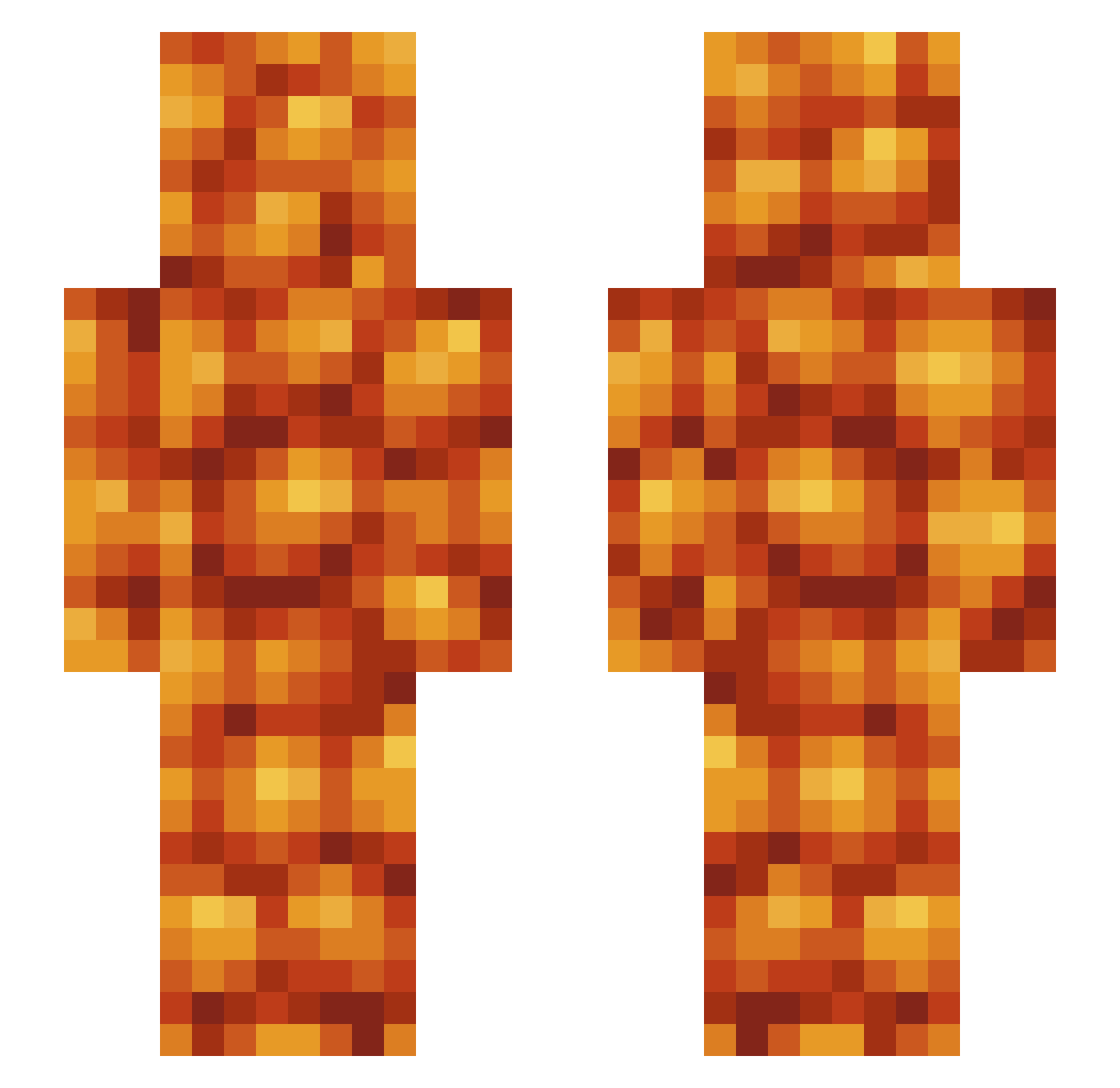
Current Minecraft skin of the player mlockh19, loaded from the official Mojang API. Rotate the 3D model with your mouse or finger, then download the skin as a PNG file and use it in Minecraft: Bedrock Edition or Java Edition for free. When mlockh19 changes their skin, this page updates automatically and the old skin stays in the history below.
Other players with this skin (544)
mlockh19 was the 53rd player we have seen with this skin, first spotted on 04.08.2026. The same skin was seen on these players. Open a nickname to see their current skin and skin history.
 WoodrowIW SpasmWasm Bl0od3r fksikcnt coolmandude2234 Joshieo303 whosthatbeanguy TicTacIvan BeritZZ knuttsackjones bobojimjim99 DezeyFresh krekael Mayonnaiyse ocelotu OutbackKangaroo _perrywinkle_ FinJamesT06 0Riperino0 crackerman85 wesinator2 VincentRulez BeantheGreat Noxium_ GeckoDX YatoG0D VivaLaEnd dashla kannaspet beanbrainzz SnoekDog Ironspear45 Armdad44 BigB00tyJudy_ AddBadX Larg_Egg Ultr4Pass4gem _mats Lasagna_Feline i88beenz Gasbreads BigQS PrimalCarnage Silicone26 ThatOneBeans Sky3005 GalacticToaster defenestrati0n atsned SWIREK17 mellygamedog Simsimso Heroebrinne Spaceballs_87 Sleepywand12 Iceguy755 rgb2196 triquetra_ Spoonluck pipipipiiipii
More Baked Beans Minecraft skins
How to install the mlockh19 skin
- Press the Download button above to save the skin as a PNG file.
- Minecraft: Bedrock Edition (PE): open the Dressing Room from the main menu (or tap your character → Edit Character), go to Classic Skins → Owned, press the + (new skin) button, choose the downloaded PNG and pick the Slim (Alex) model. Works on PC and mobile; consoles cannot import custom skins.
- Minecraft: Java Edition: open the Minecraft Launcher, go to the Skins tab, click New Skin, load the PNG, pick the Slim (Alex) model and press Save & Use. You can also upload it at minecraft.net → Profile → Change Skin.
The skin does not show up after import - what should I do?
Restart Minecraft and open the Dressing Room again - imported skins sometimes appear only after a restart. Also make sure you selected the imported skin and picked the Slim (Alex) model.
Which model should I choose, Classic or Slim?
This skin is designed for the Slim (Alex) model. If you pick the wrong model, the arms of the skin will look stretched or squeezed.
Is the skin of mlockh19 free to download?
Yes. Press Download, save the PNG file and use it in Minecraft: Bedrock Edition or Java Edition - no payment or registration needed. The skin also works on multiplayer servers and Realms.
More skins
Looking for more? Go back to all Minecraft skins and check the top skins of the week, month and all time, or find any player's skin by nickname.