
mlgamble - Minecraft Skins & Skin History
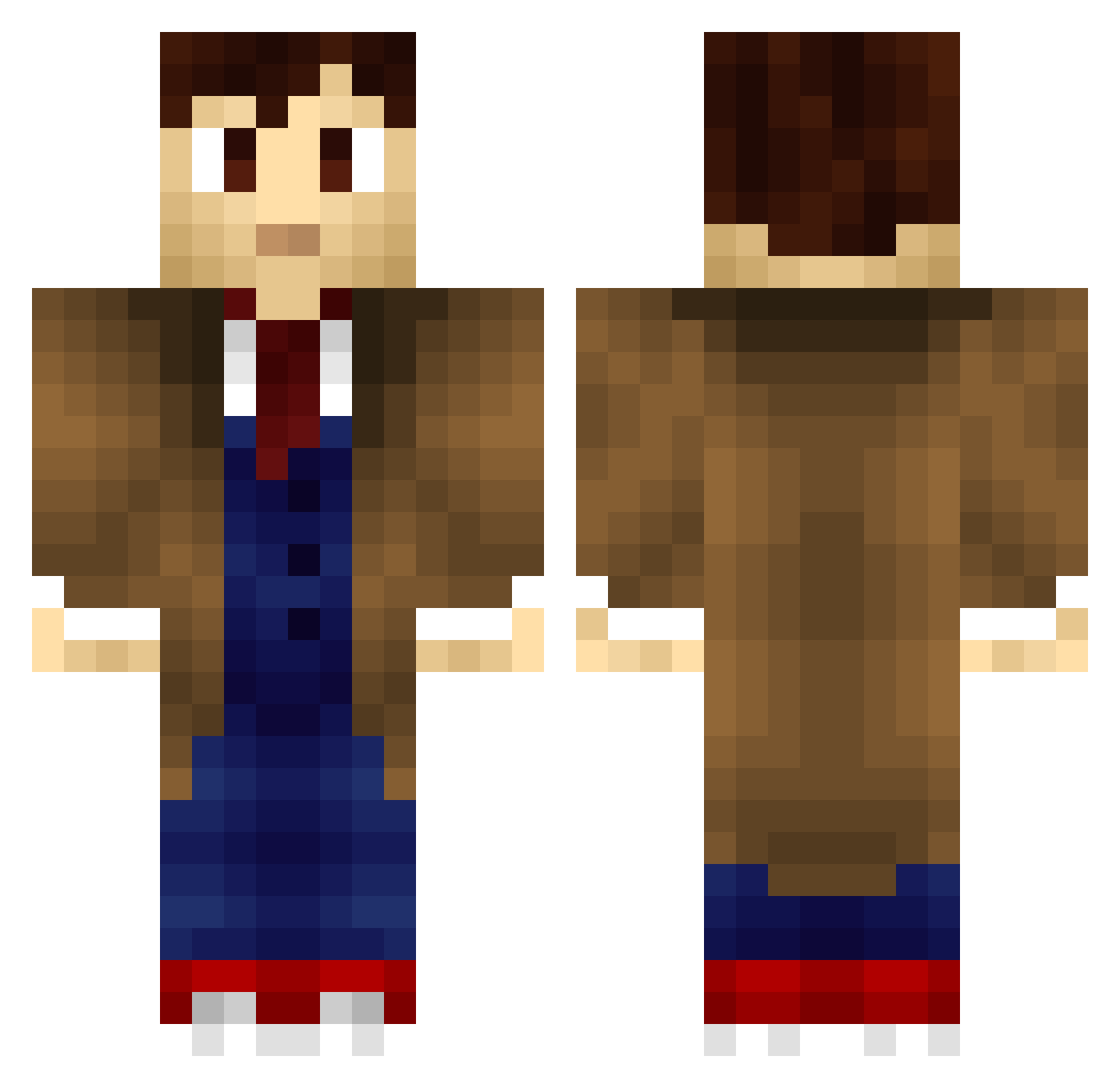
Current Minecraft skin of the player mlgamble, loaded from the official Mojang API. Rotate the 3D model with your mouse or finger, then download the skin as a PNG file and use it in Minecraft: Bedrock Edition or Java Edition for free. When mlgamble changes their skin, this page updates automatically and the old skin stays in the history below.
Other players with this skin (706)
mlgamble was the 36th player we have seen with this skin, first spotted on 30.07.2026. The same skin was seen on these players. Open a nickname to see their current skin and skin history.
 OHpleease thedoctor187 JarvisBerman RBALHRB SpiderWolf42 thesupremejack OhSnapItsIke DuskAerilius GOdelaSICK Hostmedicin emphe blackfire56 Invisible619 afmjr427 AubreyParinis Laviddaney koeppeda Mr_1008 fearsomedom Innovatao raderiii humankind_ TIN0419 _Alirion_ jetpackbull26 IAmTheRa1n Terrasora ryancook1982 EMQOutlaw DJ_Doctor The_Mad_Kow rajeshsood1501 TheDivergent4265 chevymalitia Mackiearoni Ckohler WE_ARE_THE_META_ TheDoctorDalek Maxxswede EPICxxJAZZ DANIEL_SHOCK5 O_Mack Mrsirwin WasPhantom Valdacious Drako_86 Keks_1337 victoryismine49 FishFromSpace Reidhimself Erisrawrr mitmyriad graecuz Toby_Tobs MrSeanicless Juega8100 IIBL4CKII lakethepondling misscharlie thedeath5eeker
More Timelord Minecraft skins
How to install the mlgamble skin
- Press the Download button above to save the skin as a PNG file.
- Minecraft: Bedrock Edition (PE): open the Dressing Room from the main menu (or tap your character → Edit Character), go to Classic Skins → Owned, press the + (new skin) button, choose the downloaded PNG and pick the Classic (Steve) model. Works on PC and mobile; consoles cannot import custom skins.
- Minecraft: Java Edition: open the Minecraft Launcher, go to the Skins tab, click New Skin, load the PNG, pick the Classic (Steve) model and press Save & Use. You can also upload it at minecraft.net → Profile → Change Skin.
The skin does not show up after import - what should I do?
Restart Minecraft and open the Dressing Room again - imported skins sometimes appear only after a restart. Also make sure you selected the imported skin and picked the Classic (Steve) model.
Which model should I choose, Classic or Slim?
This skin is designed for the Classic (Steve) model. If you pick the wrong model, the arms of the skin will look stretched or squeezed.
Is the skin of mlgamble free to download?
Yes. Press Download, save the PNG file and use it in Minecraft: Bedrock Edition or Java Edition - no payment or registration needed. The skin also works on multiplayer servers and Realms.
More skins
Looking for more? Go back to all Minecraft skins and check the top skins of the week, month and all time, or find any player's skin by nickname.