
minseo0520 - Minecraft Skins & Skin History
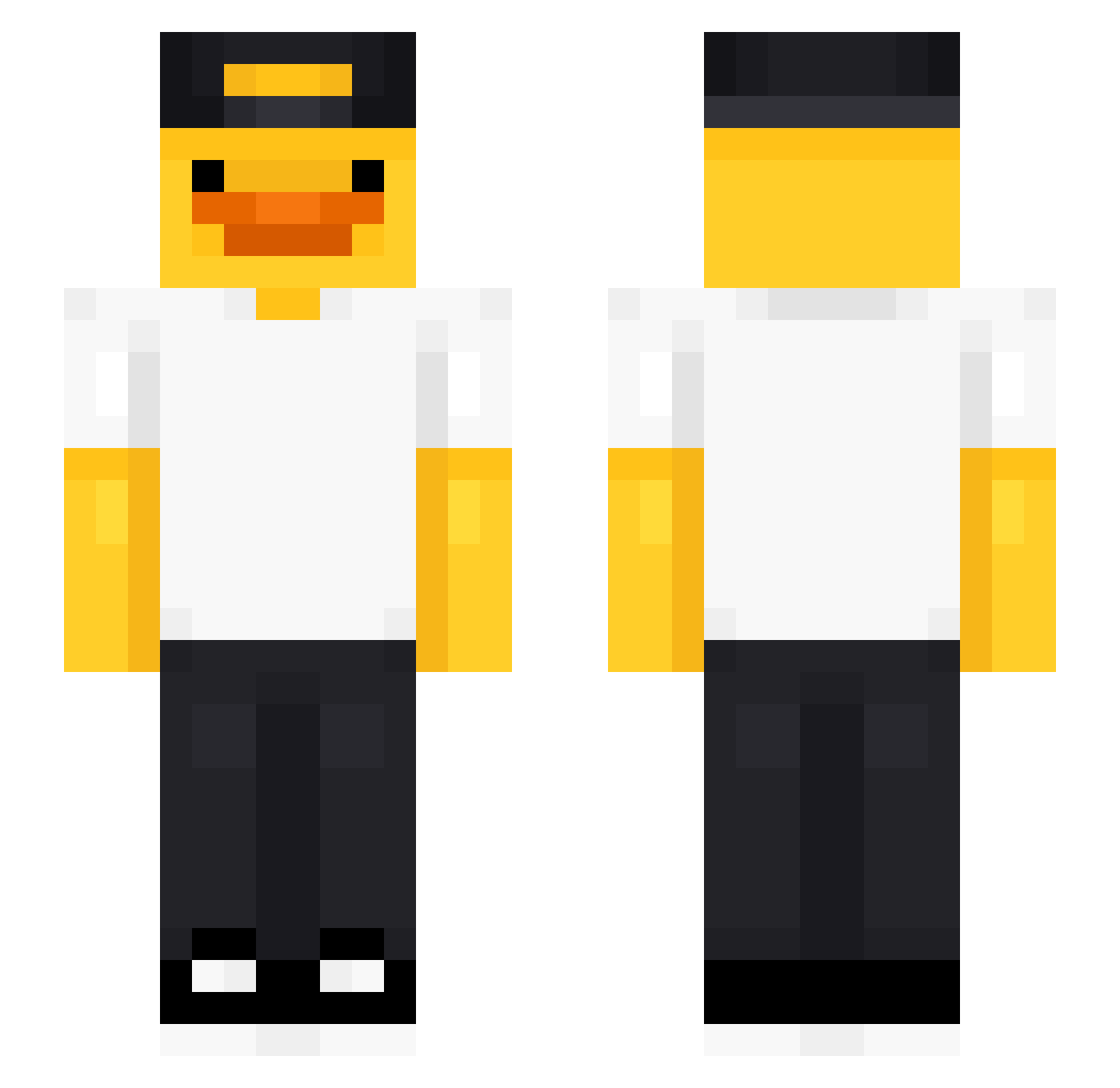
Current Minecraft skin of the player minseo0520, loaded from the official Mojang API. Rotate the 3D model with your mouse or finger, then download the skin as a PNG file and use it in Minecraft: Bedrock Edition or Java Edition for free. When minseo0520 changes their skin, this page updates automatically and the old skin stays in the history below.
Other players with this skin (491)
minseo0520 was the 105th player we have seen with this skin, first spotted on 16.08.2026. The same skin was seen on these players. Open a nickname to see their current skin and skin history.
 JDeleon NoahD2021 Patimomo03 GonnaStealYou Yisas101 Kaziu42 JDNew JoNsK11 Hattery Krobem78
 Just_Anto UrielFantas MrSTP Mister_Fongo simplisticPunge koppenplatz DrQuackingston Calin_690 HiroJG Asagirii oblongduck arielhhm Elias_Blud sabiz DJCabbar Mattlepirate Kajojajo_777 Storm964Ninja pahzi0201 Depa_19
 Dejjavu81 JOCANAODOII noam_1254 LuGodzilla movve900 eym0987 MotherDinoImWill emanuel_45 SIBACHA777 XANTY05 e1iy4h eta0826 MisfitDev ynju141 Pine_1214 wenouu rlagusry Bati9802 Ungarman1 VIlkxy Banancho1 iiBox_s IRxuan upionalffa22 Miguelin08 Marvado NYAMNYAMNYAMNYAM Sebberwebber ahoj789 The_Duckiee
More Cap Minecraft skins
How to install the minseo0520 skin
- Press the Download button above to save the skin as a PNG file.
- Minecraft: Bedrock Edition (PE): open the Dressing Room from the main menu (or tap your character → Edit Character), go to Classic Skins → Owned, press the + (new skin) button, choose the downloaded PNG and pick the Slim (Alex) model. Works on PC and mobile; consoles cannot import custom skins.
- Minecraft: Java Edition: open the Minecraft Launcher, go to the Skins tab, click New Skin, load the PNG, pick the Slim (Alex) model and press Save & Use. You can also upload it at minecraft.net → Profile → Change Skin.
The skin does not show up after import - what should I do?
Restart Minecraft and open the Dressing Room again - imported skins sometimes appear only after a restart. Also make sure you selected the imported skin and picked the Slim (Alex) model.
Which model should I choose, Classic or Slim?
This skin is designed for the Slim (Alex) model. If you pick the wrong model, the arms of the skin will look stretched or squeezed.
Is the skin of minseo0520 free to download?
Yes. Press Download, save the PNG file and use it in Minecraft: Bedrock Edition or Java Edition - no payment or registration needed. The skin also works on multiplayer servers and Realms.
More skins
Looking for more? Go back to all Minecraft skins and check the top skins of the week, month and all time, or find any player's skin by nickname.