
minebag - Minecraft Skins & Skin History
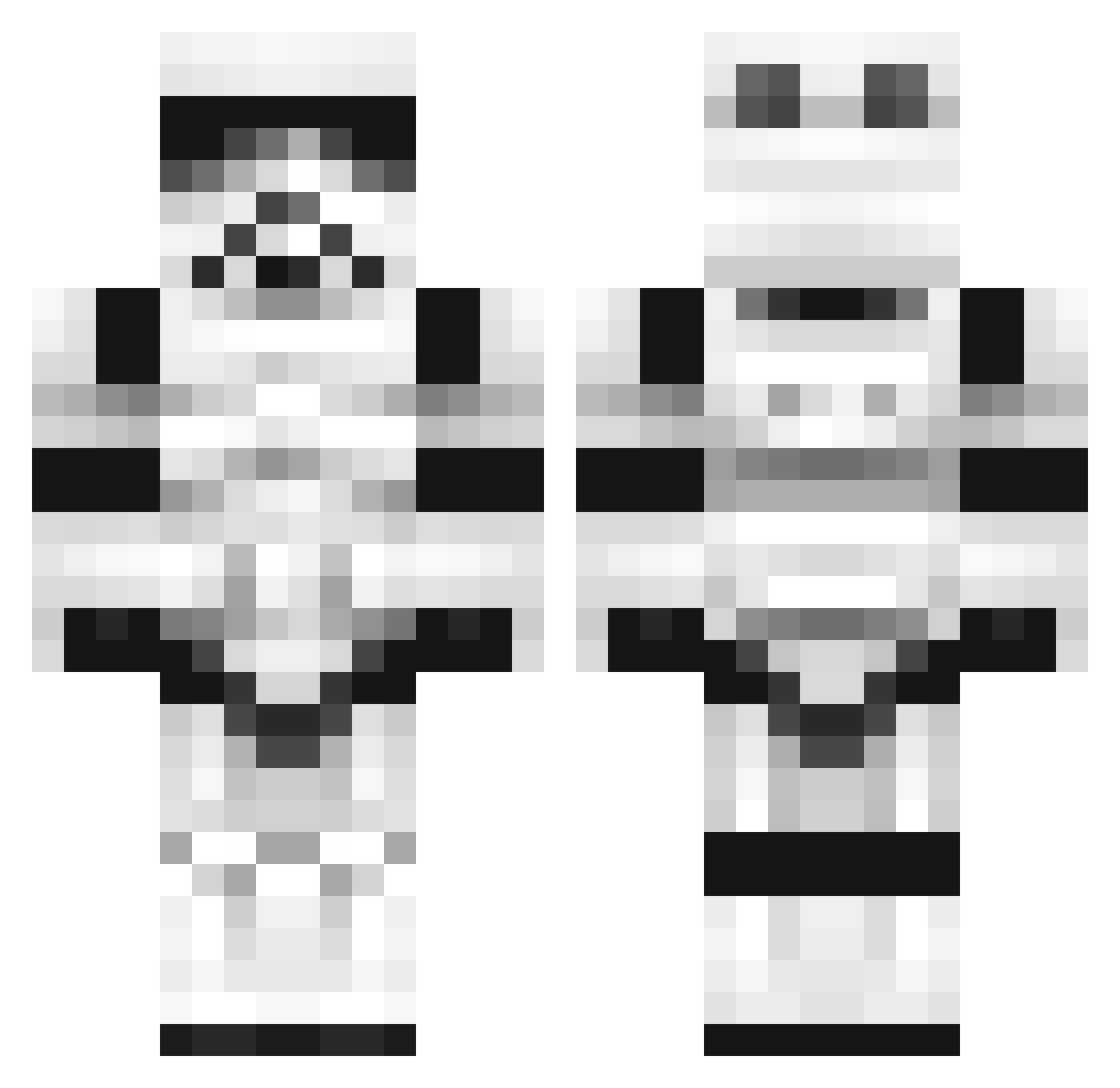
Current Minecraft skin of the player minebag, loaded from the official Mojang API. Rotate the 3D model with your mouse or finger, then download the skin as a PNG file and use it in Minecraft: Bedrock Edition or Java Edition for free. When minebag changes their skin, this page updates automatically and the old skin stays in the history below.
Other players with this skin (1099)
minebag was the 365th player we have seen with this skin, first spotted on 30.08.2026. The same skin was seen on these players. Open a nickname to see their current skin and skin history.
 Chucky_Danielz Jivejelly EagleGamesFR StormtrooperMax nekala123 mashdaddy jkevin321 chuskuleens EnjoY_RazR jjdzny MrNorwegian97 BlueTX celluloid Dolly_man Forsaken19 Alyksse DisoBeast Brigadiano poon_typhoon igghdhd Foxsk8er Certifiable JARGThunder PurpleBeard17 mosco03 _Malacoda_ ConnorMunchkin Kazunian18 grabbyhand hitsujitsuki Erling90 Tweetie126 PVP_GG_2eZ_4Me Gillibee BlahBlahBlar blondeMEXICAN phyction army11b rbrockett reesespoofies Sanya_1130 CakeyCake013 Dr_Litt Bikerman95 Eltsutin wkiehn _kumy_ RachieBoo897 Robbi3C2627 joshov8 GustavK Alsimius sonicalmx ceddy1009 onjee ALLiDOisDAB Mavan403 wafflecake11 DutchHannigan bsamp28
More Trooper Minecraft skins
How to install the minebag skin
- Press the Download button above to save the skin as a PNG file.
- Minecraft: Bedrock Edition (PE): open the Dressing Room from the main menu (or tap your character → Edit Character), go to Classic Skins → Owned, press the + (new skin) button, choose the downloaded PNG and pick the Classic (Steve) model. Works on PC and mobile; consoles cannot import custom skins.
- Minecraft: Java Edition: open the Minecraft Launcher, go to the Skins tab, click New Skin, load the PNG, pick the Classic (Steve) model and press Save & Use. You can also upload it at minecraft.net → Profile → Change Skin.
The skin does not show up after import - what should I do?
Restart Minecraft and open the Dressing Room again - imported skins sometimes appear only after a restart. Also make sure you selected the imported skin and picked the Classic (Steve) model.
Which model should I choose, Classic or Slim?
This skin is designed for the Classic (Steve) model. If you pick the wrong model, the arms of the skin will look stretched or squeezed.
Is the skin of minebag free to download?
Yes. Press Download, save the PNG file and use it in Minecraft: Bedrock Edition or Java Edition - no payment or registration needed. The skin also works on multiplayer servers and Realms.
More skins
Looking for more? Go back to all Minecraft skins and check the top skins of the week, month and all time, or find any player's skin by nickname.