
mindseye6666 - Minecraft Skins & Skin History
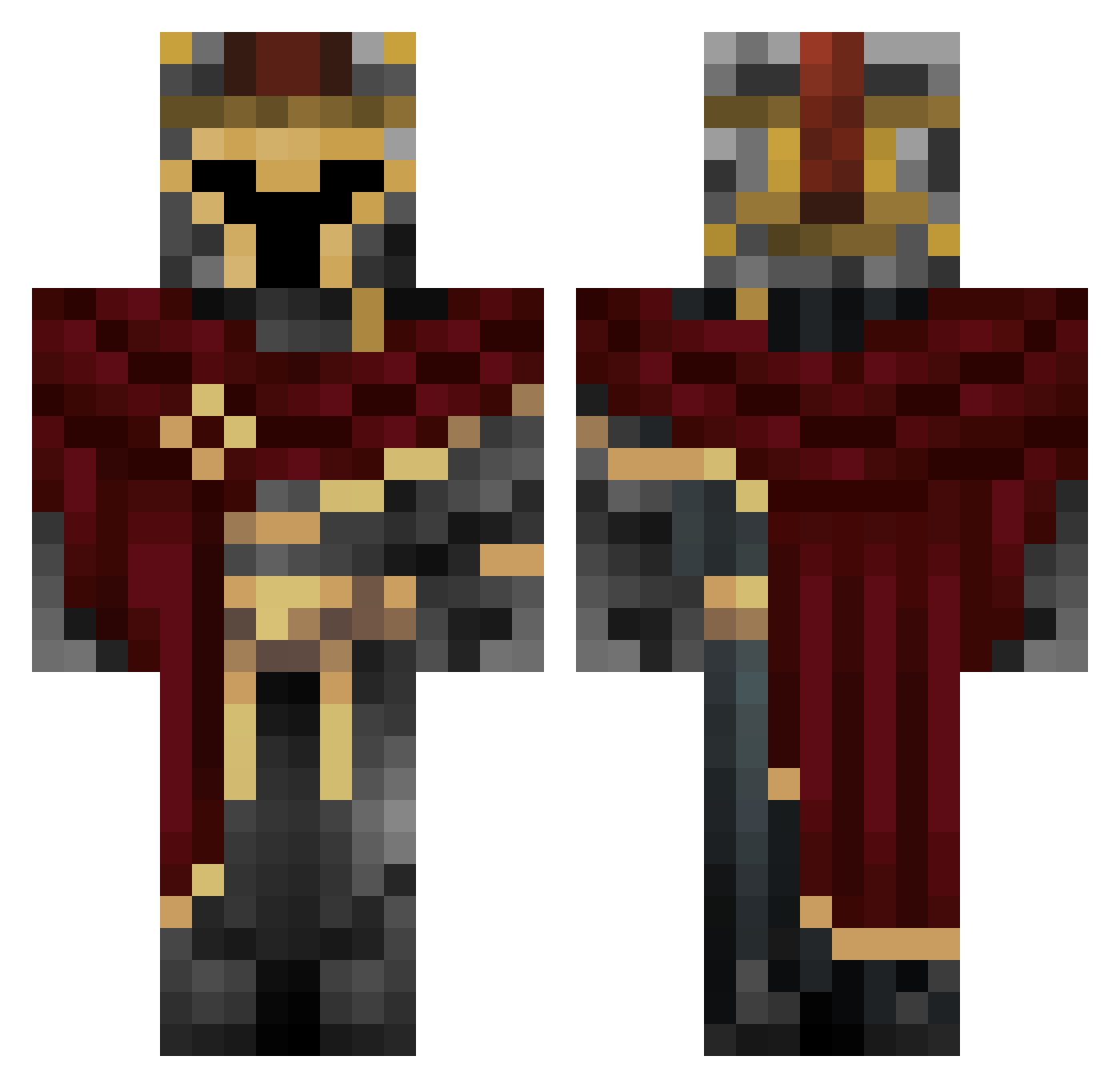
Current Minecraft skin of the player mindseye6666, loaded from the official Mojang API. Rotate the 3D model with your mouse or finger, then download the skin as a PNG file and use it in Minecraft: Bedrock Edition or Java Edition for free. When mindseye6666 changes their skin, this page updates automatically and the old skin stays in the history below.
Other players with this skin (712)
mindseye6666 was the 559th player we have seen with this skin, first spotted on 20.10.2026. The same skin was seen on these players. Open a nickname to see their current skin and skin history.
 Artworkdragon pixelbunny77 GuanLinTang kaczor2000 lolo8154 Sam_or_pinklover Slothy0313 qonqeurer kenjoes RoryM_craftR8 Tarapitha anamain1881 Nickdeninja GoatDominator1 joel233223 depriester666 RedRay9000 Leaannnnn T3rtyl MaybeKwii 1ozOfPurePowder Wendy1989 Kalin12 Lord_Dom_ Blacky001 EmanuelVeraVera IleOdin MOCHAMOON463 BentheBuilde grassystrings982 MastaaaC4 vordg Killedwars mbxsil Miska480 Troll19883 bloodyace1107 YOBOYREAL maxrebofan joaouniao123 grlk KeksBandit VindicatorWC BiggishSloth871 Kacpi96PL georgescu_ rxzhx mechsword Chaylub EinfachGabriel09 MiniLissner HHK0324 _Corned_Beef_ Lluc1700 BlankCrab95411 Outerheaven115 Boraas32 xiiiiiiye Meliodasban1471 level1n
More Spartan Minecraft skins
How to install the mindseye6666 skin
- Press the Download button above to save the skin as a PNG file.
- Minecraft: Bedrock Edition (PE): open the Dressing Room from the main menu (or tap your character → Edit Character), go to Classic Skins → Owned, press the + (new skin) button, choose the downloaded PNG and pick the Classic (Steve) model. Works on PC and mobile; consoles cannot import custom skins.
- Minecraft: Java Edition: open the Minecraft Launcher, go to the Skins tab, click New Skin, load the PNG, pick the Classic (Steve) model and press Save & Use. You can also upload it at minecraft.net → Profile → Change Skin.
The skin does not show up after import - what should I do?
Restart Minecraft and open the Dressing Room again - imported skins sometimes appear only after a restart. Also make sure you selected the imported skin and picked the Classic (Steve) model.
Which model should I choose, Classic or Slim?
This skin is designed for the Classic (Steve) model. If you pick the wrong model, the arms of the skin will look stretched or squeezed.
Is the skin of mindseye6666 free to download?
Yes. Press Download, save the PNG file and use it in Minecraft: Bedrock Edition or Java Edition - no payment or registration needed. The skin also works on multiplayer servers and Realms.
More skins
Looking for more? Go back to all Minecraft skins and check the top skins of the week, month and all time, or find any player's skin by nickname.