
mikaylarose0 - Minecraft Skins & Skin History
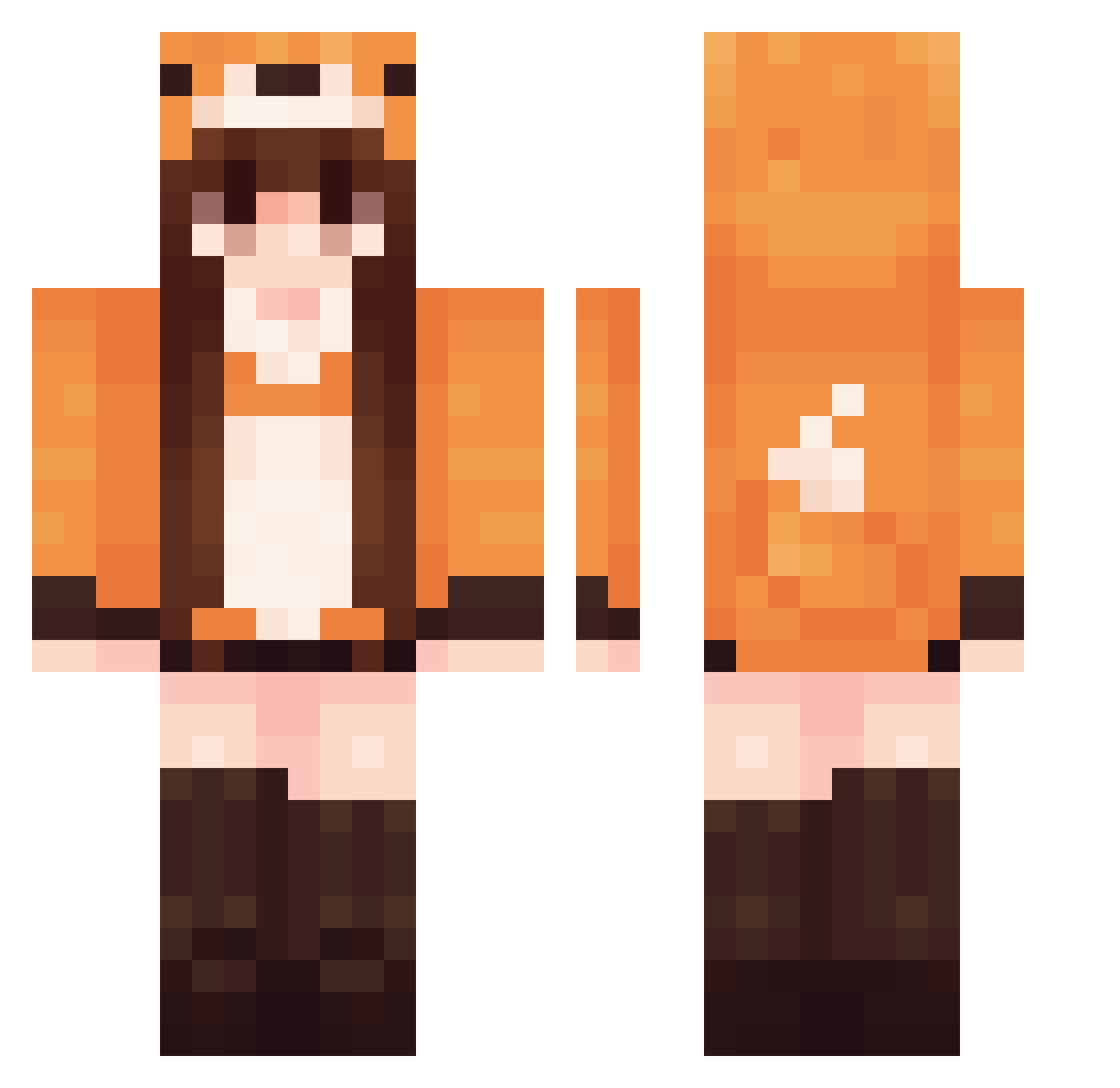
Current Minecraft skin of the player mikaylarose0, loaded from the official Mojang API. Rotate the 3D model with your mouse or finger, then download the skin as a PNG file and use it in Minecraft: Bedrock Edition or Java Edition for free. When mikaylarose0 changes their skin, this page updates automatically and the old skin stays in the history below.
Other players with this skin (570)
mikaylarose0 was the 80th player we have seen with this skin, first spotted on 08.08.2026. The same skin was seen on these players. Open a nickname to see their current skin and skin history.
 BlackBird1909 Snow_treasure Rukasuke lizatk0 AScircles Auekoz Nefertrry Wa_Sha Aliottex haessal06 LegitNotAFraud ScarlettFox97 foxziee elisabeth1979 bambii59 BEESugar_ FO0O0 potatopeeler69 Ilyanna_Edith oplat_ Drakions missalyyy yeri669 XQXL Mythiquill Hunnariw Diivyaa Mom0x
 IatetheFood_ molaikull KORECZEKXD Scarlett616 kingkeylos21 Mufasa_UwU ZZZZYU ShunAn520 WAQIYU TaylorSWF jinu834 bellmin2 xBreadcrum Amazka MIkalos7 leonela10 Jajger bqkubae redzillz Zanyaaa Hails_Cat RedFox1099
 FEXFEXFEXFEX baowang hollsx MessiRonaldo13 Fiionaxxi Mathildooo xRedxFoxxy wasntrying spiederman Kynthus_
More Fox Tail Minecraft skins
How to install the mikaylarose0 skin
- Press the Download button above to save the skin as a PNG file.
- Minecraft: Bedrock Edition (PE): open the Dressing Room from the main menu (or tap your character → Edit Character), go to Classic Skins → Owned, press the + (new skin) button, choose the downloaded PNG and pick the Classic (Steve) model. Works on PC and mobile; consoles cannot import custom skins.
- Minecraft: Java Edition: open the Minecraft Launcher, go to the Skins tab, click New Skin, load the PNG, pick the Classic (Steve) model and press Save & Use. You can also upload it at minecraft.net → Profile → Change Skin.
The skin does not show up after import - what should I do?
Restart Minecraft and open the Dressing Room again - imported skins sometimes appear only after a restart. Also make sure you selected the imported skin and picked the Classic (Steve) model.
Which model should I choose, Classic or Slim?
This skin is designed for the Classic (Steve) model. If you pick the wrong model, the arms of the skin will look stretched or squeezed.
Is the skin of mikaylarose0 free to download?
Yes. Press Download, save the PNG file and use it in Minecraft: Bedrock Edition or Java Edition - no payment or registration needed. The skin also works on multiplayer servers and Realms.
More skins
Looking for more? Go back to all Minecraft skins and check the top skins of the week, month and all time, or find any player's skin by nickname.