
michaelhazle - Minecraft Skins & Skin History
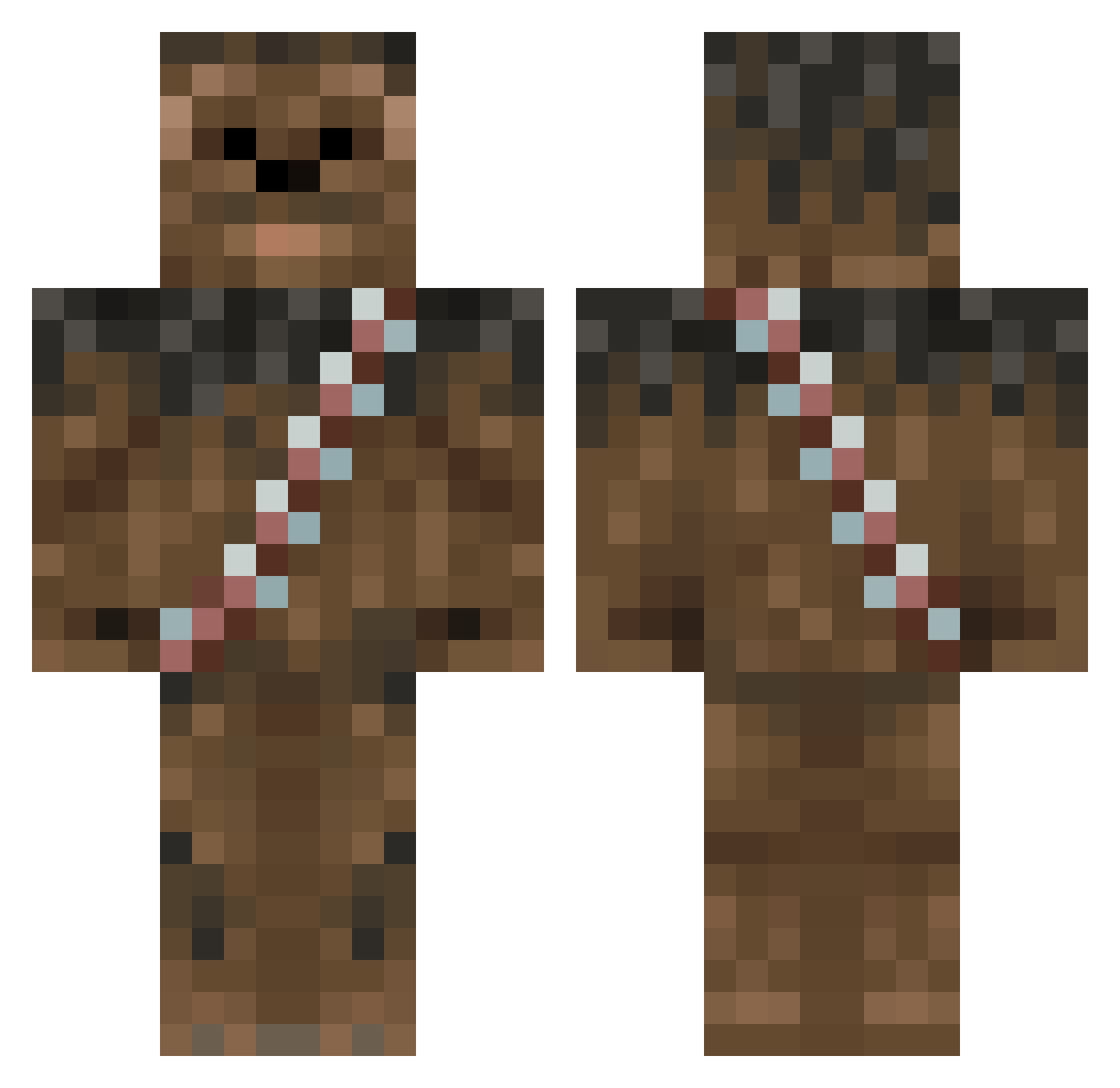
Current Minecraft skin of the player michaelhazle, loaded from the official Mojang API. Rotate the 3D model with your mouse or finger, then download the skin as a PNG file and use it in Minecraft: Bedrock Edition or Java Edition for free. When michaelhazle changes their skin, this page updates automatically and the old skin stays in the history below.
Other players with this skin (125)
michaelhazle was the 37th player we have seen with this skin, first spotted on 22.08.2026. The same skin was seen on these players. Open a nickname to see their current skin and skin history.
 wootburger RAM5214 jamesbooond Brobi16 _Analfabetka_ Ashnaard JinWookEE Big_Goldo Gizi1410 Ingeborg80 Shimoniiiiiii Nizbot washiONF NicePastry XiuBaka MIHOMAD BDream3r AlqakaFck Ernesttol tyranopavlus josefco26 HercuIes_ SrChowie socsy55 vlgrigoriev MineKorben Erbrog Camerpa13 Johnish63 loosenut Xandec0o sa_SalMon Sakki_4 Sato1412 nezbubbles shidenn OmiiiLG Olimon AcousticTortoise GuiSouza Oatmealandyams ElGangsterGoose gonzavn xXdrewbaccaXx Painkiller95 hunterkillerx27 LeinadX7 Dimitri78 Lethal133 DrizzyGotDaBanga bennymuckaz charchap PoorYorick108 james2012 Max423max Ozbeck GrizzW Shikiruno R0ckH0pp3r jonassz
More Wookiee Minecraft skins
How to install the michaelhazle skin
- Press the Download button above to save the skin as a PNG file.
- Minecraft: Bedrock Edition (PE): open the Dressing Room from the main menu (or tap your character → Edit Character), go to Classic Skins → Owned, press the + (new skin) button, choose the downloaded PNG and pick the Classic (Steve) model. Works on PC and mobile; consoles cannot import custom skins.
- Minecraft: Java Edition: open the Minecraft Launcher, go to the Skins tab, click New Skin, load the PNG, pick the Classic (Steve) model and press Save & Use. You can also upload it at minecraft.net → Profile → Change Skin.
The skin does not show up after import - what should I do?
Restart Minecraft and open the Dressing Room again - imported skins sometimes appear only after a restart. Also make sure you selected the imported skin and picked the Classic (Steve) model.
Which model should I choose, Classic or Slim?
This skin is designed for the Classic (Steve) model. If you pick the wrong model, the arms of the skin will look stretched or squeezed.
Is the skin of michaelhazle free to download?
Yes. Press Download, save the PNG file and use it in Minecraft: Bedrock Edition or Java Edition - no payment or registration needed. The skin also works on multiplayer servers and Realms.
More skins
Looking for more? Go back to all Minecraft skins and check the top skins of the week, month and all time, or find any player's skin by nickname.