
megamannyman - Minecraft Skins & Skin History
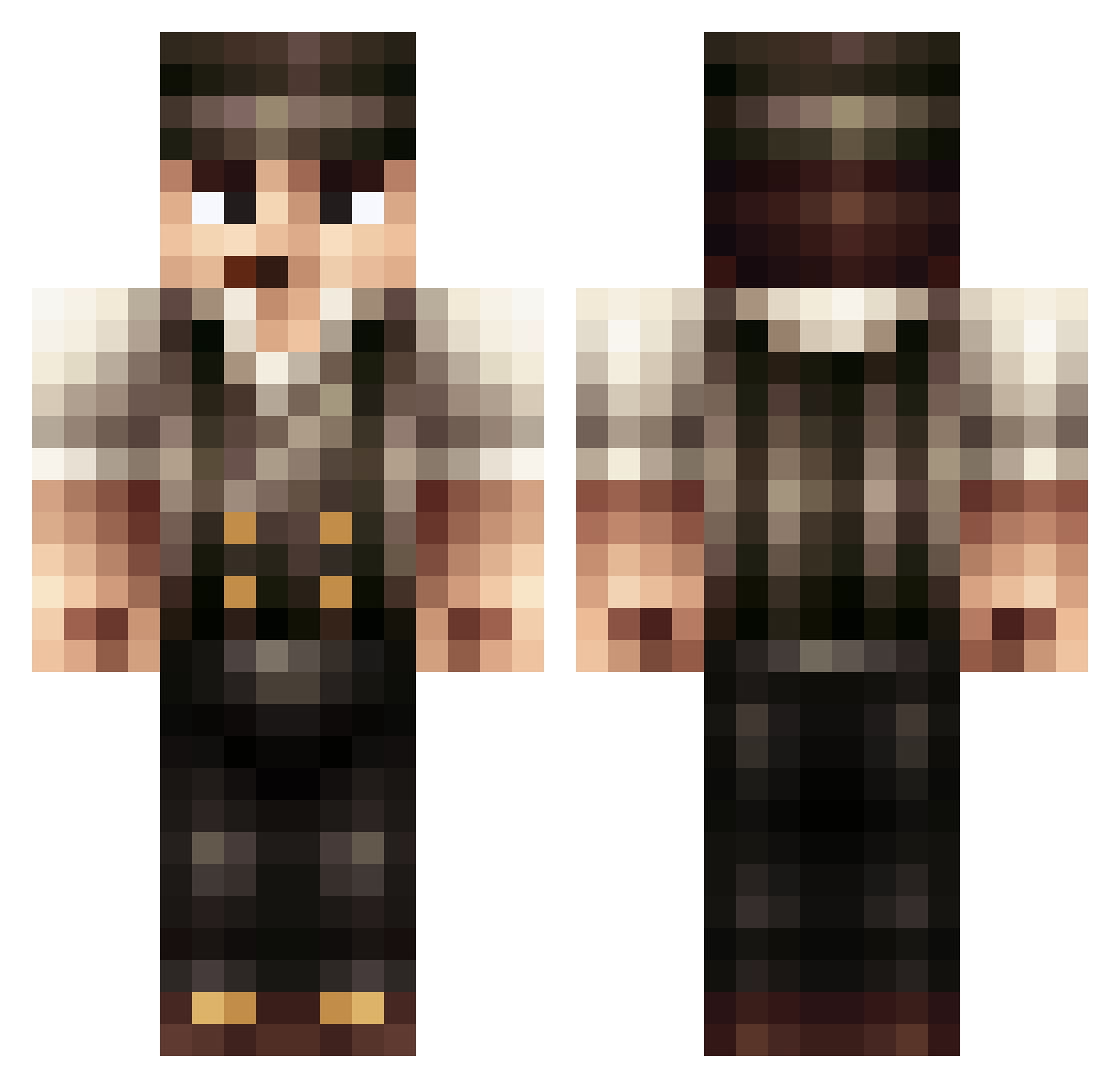
Current Minecraft skin of the player megamannyman, loaded from the official Mojang API. Rotate the 3D model with your mouse or finger, then download the skin as a PNG file and use it in Minecraft: Bedrock Edition or Java Edition for free. When megamannyman changes their skin, this page updates automatically and the old skin stays in the history below.
Other players with this skin (397)
megamannyman was the 243rd player we have seen with this skin, first spotted on 22.09.2026. The same skin was seen on these players. Open a nickname to see their current skin and skin history.
 skrilleez78 pmons91 HardTigers TheJesterr FUN_EMPTY tehloop AlphaSqaud141 Ostermhan Adam_8888 FuzzyBootsDK LordDescon Nathanthormeyer dagingersparton OMGitsFroogies5 GR8mightyP00 aksiaq Nightrain87 rondo2002 Mikkelborg BlackSpencer mrbunny2001 Auzziegamer06 Mofwaze LuluJunior RaheemRat FatherFrankLI 4Brooker garwall101 zoex Fissi0n Pistenblitz98 blackits Eronz Bufusarius hanjeehan bigaddison ohnoplzdont shitman94 w1ll1am12 Flex_Games orangeobject ULXUS BloodHunter301 Lawless McPickles myhrmanz gsouthall123 Versatility Vekk14 littleal1988 Vinnie achillles lennart123 Hayner47 _Condoom_ WrongTurn Pierrotburnhead MrNomnom24 TheKingIsBack16 patobriens
More Peaky Blinders Minecraft skins
See all 107 Peaky Blinders skins
How to install the megamannyman skin
- Press the Download button above to save the skin as a PNG file.
- Minecraft: Bedrock Edition (PE): open the Dressing Room from the main menu (or tap your character → Edit Character), go to Classic Skins → Owned, press the + (new skin) button, choose the downloaded PNG and pick the Classic (Steve) model. Works on PC and mobile; consoles cannot import custom skins.
- Minecraft: Java Edition: open the Minecraft Launcher, go to the Skins tab, click New Skin, load the PNG, pick the Classic (Steve) model and press Save & Use. You can also upload it at minecraft.net → Profile → Change Skin.
The skin does not show up after import - what should I do?
Restart Minecraft and open the Dressing Room again - imported skins sometimes appear only after a restart. Also make sure you selected the imported skin and picked the Classic (Steve) model.
Which model should I choose, Classic or Slim?
This skin is designed for the Classic (Steve) model. If you pick the wrong model, the arms of the skin will look stretched or squeezed.
Is the skin of megamannyman free to download?
Yes. Press Download, save the PNG file and use it in Minecraft: Bedrock Edition or Java Edition - no payment or registration needed. The skin also works on multiplayer servers and Realms.
More skins
Looking for more? Go back to all Minecraft skins and check the top skins of the week, month and all time, or find any player's skin by nickname.