
mckrakatron - Minecraft Skins & Skin History
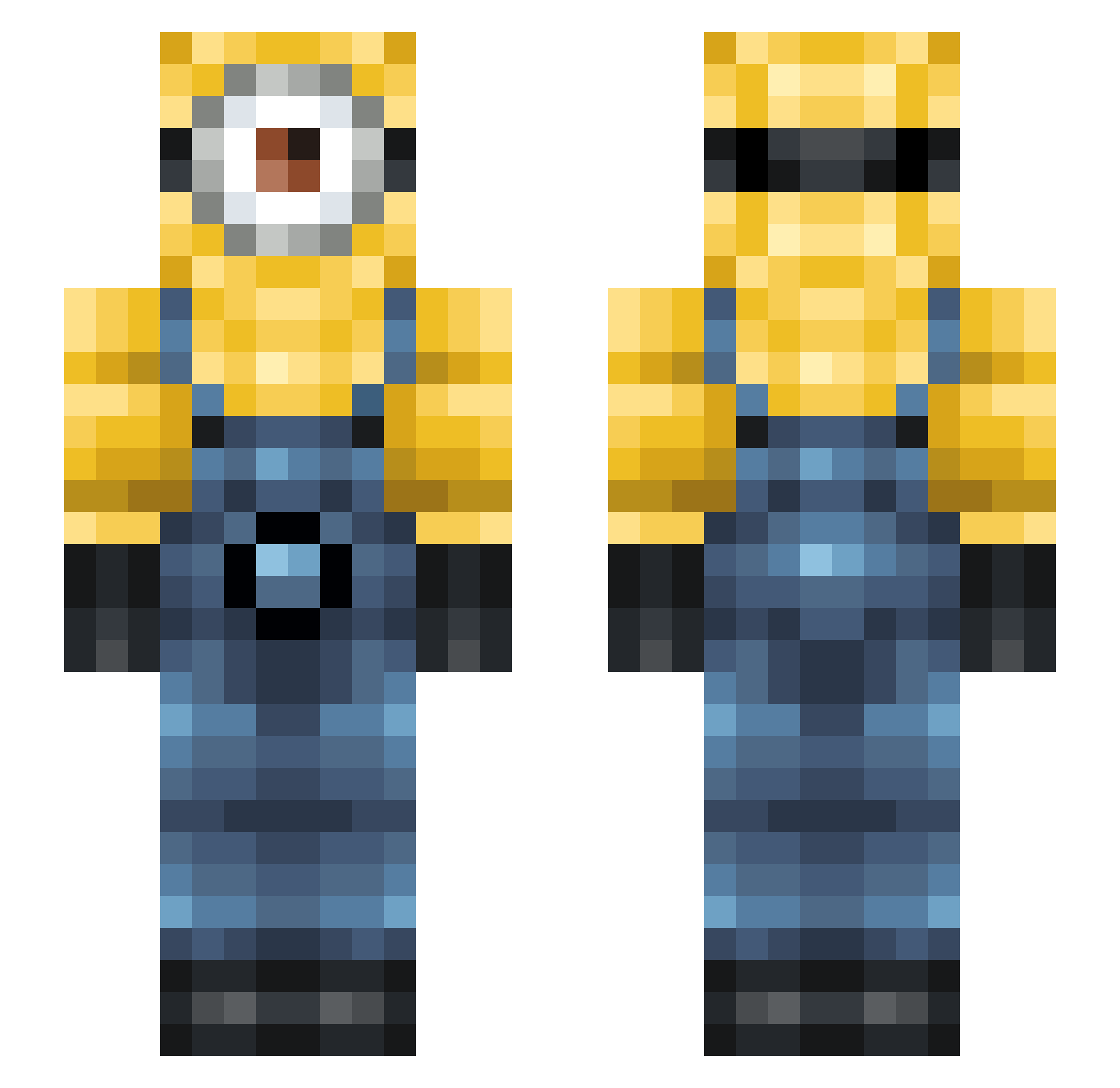
Current Minecraft skin of the player mckrakatron, loaded from the official Mojang API. Rotate the 3D model with your mouse or finger, then download the skin as a PNG file and use it in Minecraft: Bedrock Edition or Java Edition for free. When mckrakatron changes their skin, this page updates automatically and the old skin stays in the history below.
Other players with this skin (122)
mckrakatron was the 94th player we have seen with this skin, first spotted on 18.10.2026. The same skin was seen on these players. Open a nickname to see their current skin and skin history.
 Garstan MOSSAN06 AMISIA00 linnea_ P3RZ0N Tierney72 cyrus_dabest DotingMountain1 Gonzalexz xunsmelledshizzx fettsworld polowish StinkyShrob PiroIiro Dani2084 ksa_azoooz ytrewqcxz NikNik8876 elyXD The_Jungle_Cat zmiester69 OztheFrEak RdxMigadmac TobyDog1 luvlevntr bonnette_man SirYassine Baby_Puncher06 mommyluvme ZealousArchitect Jarvisssssssssss Dum6238 Ravagerkk Ace121ecA SurfZeKaliYuga88 Ragge1994 panatommy JSL11 Bennn__ Rojasss_ Theodore001 DarrenLukas Darciwashere Evroplane175 Floupmeister Dvd8807 coaie1947 SaitoRoto shuastin loczy_1 Toolabs FlorianSpot2018 juthdin ot506 Something_Based gooddoggoboi czyslawB whereiserina Nakiepoo Tachycardia169
More Minion Minecraft skins
How to install the mckrakatron skin
- Press the Download button above to save the skin as a PNG file.
- Minecraft: Bedrock Edition (PE): open the Dressing Room from the main menu (or tap your character → Edit Character), go to Classic Skins → Owned, press the + (new skin) button, choose the downloaded PNG and pick the Slim (Alex) model. Works on PC and mobile; consoles cannot import custom skins.
- Minecraft: Java Edition: open the Minecraft Launcher, go to the Skins tab, click New Skin, load the PNG, pick the Slim (Alex) model and press Save & Use. You can also upload it at minecraft.net → Profile → Change Skin.
The skin does not show up after import - what should I do?
Restart Minecraft and open the Dressing Room again - imported skins sometimes appear only after a restart. Also make sure you selected the imported skin and picked the Slim (Alex) model.
Which model should I choose, Classic or Slim?
This skin is designed for the Slim (Alex) model. If you pick the wrong model, the arms of the skin will look stretched or squeezed.
Is the skin of mckrakatron free to download?
Yes. Press Download, save the PNG file and use it in Minecraft: Bedrock Edition or Java Edition - no payment or registration needed. The skin also works on multiplayer servers and Realms.
More skins
Looking for more? Go back to all Minecraft skins and check the top skins of the week, month and all time, or find any player's skin by nickname.